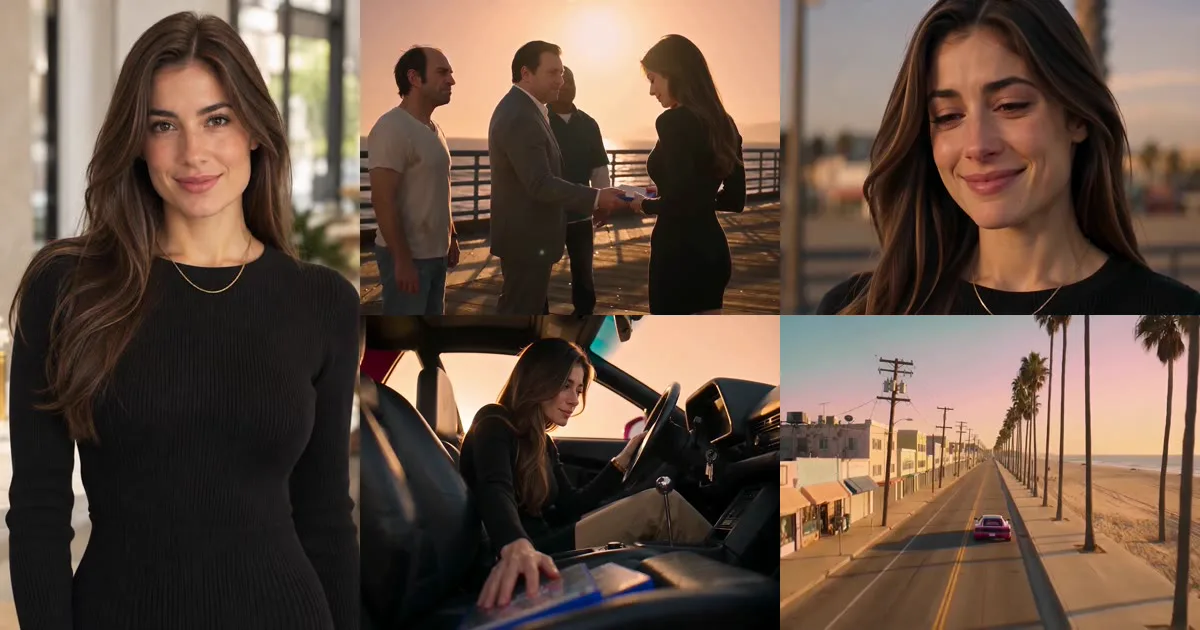
The best Goodbye GTA 5 AI video generator shows the whole farewell, keeps you in the clothes of your photo and puts the sound on the file, so there is nothing left to edit. ClipRemake's Goodbye GTA 5 AI (this one is ours) does that: one photo in, and about five minutes later a 15-second, 4:3, 720p MP4 of the sunset-pier scene in six shots, from the game changing hands to the pink sports car on the beach road, in your own outfit, with the farewell song or silent, no watermark, $9.99 a video. A one-trend site, goodbyegta5.com, template sites such as MakeViral, Jump on the Trend, videosi, MimicZip and Starrd, and the AI video tool MICT make goodbye videos too, but they differ on which scene you get, where it stops, what you end up wearing and what you hear.
What's new on this page
- 20 November 2026: first version. We read every tool's own Goodbye GTA 5 page on 20 November 2026; the table only repeats what those pages say.
Three kinds of Goodbye GTA 5 video
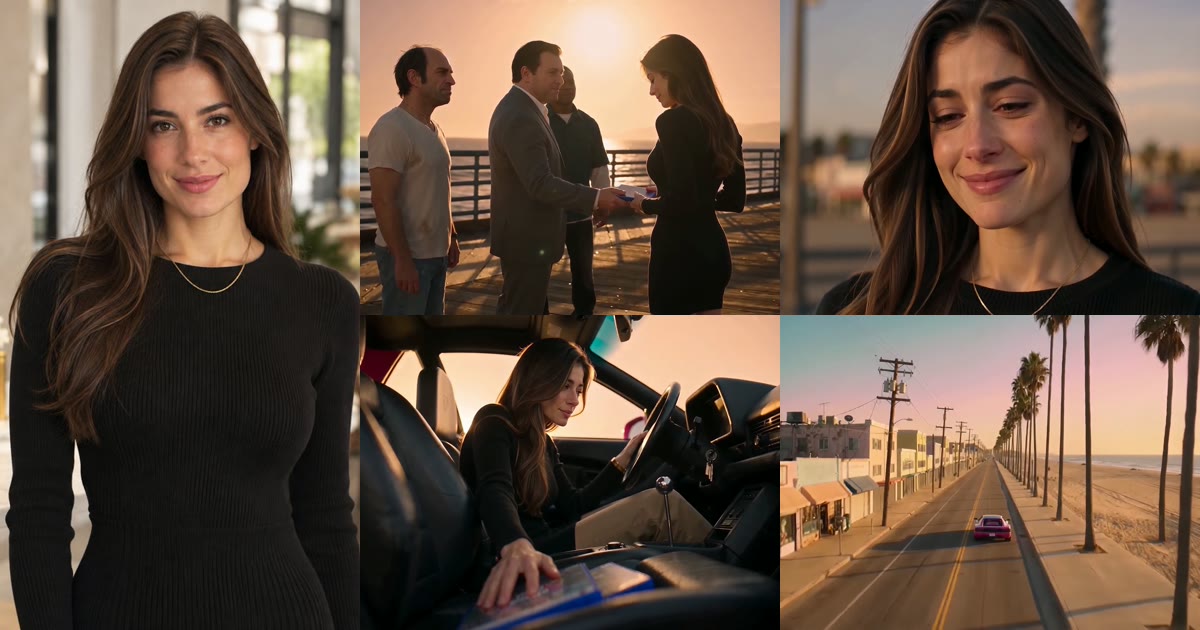
The pier farewell is the one most people mean. On a sunset pier three men who look like the game's leads hand you a game case and a car key, the camera closes in on your face while you hold back tears, and you drive away in a pink sports car while they watch. ClipRemake and most of the tools below make this one, in longer or shorter cuts.
The highway goodbye follows the first big fan edit: cars side by side at sunset, a nod between the drivers, and the road that splits. It is a quieter scene with no handover and no close-up of you standing with the three men.
A new story drops the viral scenes and writes its own, such as leaving one crew at sunset and meeting another in a neon city. It can be fun, but it is not the clip your friends have been seeing.
The tools side by side
What each tool's own page said on 20 November 2026. "Not stated" means the page didn't say.
| Tool | Kind | Scene | Ends with the drive-off | Your outfit | Frame | Sound on the file |
|---|---|---|---|---|---|---|
| ClipRemake Goodbye GTA 5 AI (us) | Trend-remake site | Pier farewell | Yes, six shots | Kept | 4:3, as posted | The farewell song, or silent |
| goodbyegta5.com | One-trend site | Pier farewell | No: they walk off | May vary | 9:16 | An AI instrumental |
| MakeViral | Template site | Pier farewell | Yes | Kept | 4:3 | Scene lines and score |
| Jump on the Trend | Template site | Pier farewell | Yes | The trend's or yours | Not stated | Scene lines and score |
| videosi | Effects site | Pier farewell | No: ends on the close-up | Kept | 9:16, 1:1 or 16:9 | The pier clip's sound |
| MICT | AI video tool | Pier farewell | Yes | Not stated | 4:3 | Not stated |
| MimicZip | Template site | Highway goodbye | A different scene | Not stated | 9:16 | No music: engine and wind |
| Starrd | Template site | A new story | A different scene | Not stated | Not stated | Dialogue and music |
Each one in a sentence or two
- ClipRemake (ours): the pier farewell in six shots and 15 seconds: the game, the key, your teary close-up, the car, the three men at the railing, the road. You keep the clothes of your photo, the song is on the file, and the credits work on every other trend on the site. Make one here. Not for: pets, two people in one video, or a tall 9:16 export.
- goodbyegta5.com: a site that sells only this trend, in a vertical frame, with a pet version. Not for: the drive into the sunset or the trend's sound; its page describes a fist bump, the keys, a hug and the three men walking away, over an instrumental made by AI.
- MakeViral: a template site with the pier scene, plus a desert-highway and a beach version, for people or pets. Not for: the song people post it with; its page says the clip carries the scene's own spoken lines and a soft score.
- Jump on the Trend: a template site with the pier scene and a separate desert-highway page, for people or pets, with a choice between the trend's outfit and your own. Not for: posting with the song already on it; its page says to add the song in TikTok.
- videosi: an effects site that makes the pier goodbye from one photo and lets you choose the frame. Not for: the full story; its page puts the tear close-up in the last two seconds, so the clip stops before the car.
- MICT: an AI video tool with a pier-goodbye effect in a shorter and a longer cut. Not for: knowing in advance what you will wear or hear; its page doesn't say.
- MimicZip: a template site that draws the highway goodbye, the nod and the fork in the road, for one person or a pet. Not for: the pier scene with the three men, or any music; its page says the video has only an engine hum and a breeze.
- Starrd: a template site with its own GTA-style story: you leave your old crew at sunset and ride off with a new one. Not for: the scene from the posts.
Is there a free Goodbye GTA 5 AI video generator?
Yes, with limits. Some tools give newcomers a few credits or a short preview, but what you get for nothing is usually watermarked, cut short or low in resolution, and the clean file sits behind a payment. ClipRemake has no free tier, because every clip is a real render: one video is $9.99 (100 credits), 720p with no watermark, and a render that fails gives its credits back automatically.
How to choose in ten seconds
- You want the scene from the posts, start to finish, ready to post? ClipRemake: six shots, the drive-off included, the song on the file.
- You want to wear your own outfit on the pier? ClipRemake: the clothes of your photo, from the first shot to the car.
- You want other trends from the same credits? ClipRemake: the same credits make every template on the site.
- Your dog or cat should say the goodbye? A template site with a pet mode, such as MakeViral or Jump on the Trend.
- A tall, full-screen clip matters more than the frame of the posts? A vertical version, such as goodbyegta5.com's.
Tips for a good result from any tool
- Face clear. The teary close-up is the shot people screenshot. Use a sharp, well-lit photo, face to the camera, no sunglasses or heavy filters.
- Show the outfit you want. Tools that keep your clothes copy what the photo shows; a waist-up selfie leaves the trousers to the AI.
- One adult per photo. A second face in the picture confuses the casting.
- Watch an example to the last second. If it never reaches the car, you are buying the handshake and not the goodbye.
What to check before paying
Every one of these videos puts a real face into a made-up scene, so use a photo of yourself or of an adult who said yes; no children and no public figures. Check what the tool does with your photo afterwards. All of these are fan tools: none is connected to Rockstar Games or Take-Two Interactive, and the game and its characters belong to them. On ClipRemake your photo is used only to make your video and is deleted after 30 days, and no game footage is used.