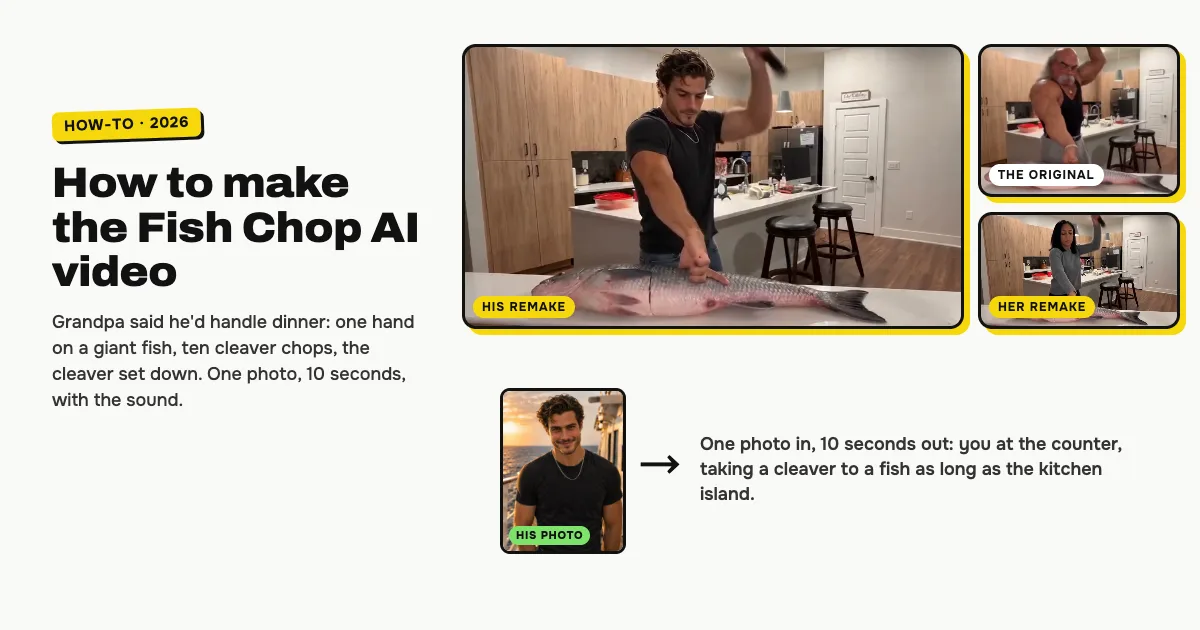
Open the Fish Chop AI template on ClipRemake, add one clear photo of yourself and press Remake this. About five minutes later you download a 10-second, 16:9 MP4 of you at a kitchen counter at night: one hand pressed on a fish as long as the island, a cleaver raised high, ten heavy chops from head to tail, then the cleaver goes down. The thud of every chop is already on it and there is no watermark. One video costs $9.99, and there is no free version.
What is the Fish Chop AI trend?
Fish Chop AI is the clip people post as "grandpa said he'd handle dinner", also called the fish cutting meme. On November 3, 2026 two AI clips of one kitchen went up: a cook in a cowboy hat, captioned as a trading joke about "precise entries", and Marcel, a muscular AI grandpa, on TikTok with "Dinner is served". Within two days there was a CapCut template, and the grandpa caption became the name.
The joke is the deadpan effort. Someone said they would cook, and they attack the fish like it owes them money, without a flicker on their face.
Who can be in it
One adult: you. Your face, hair and clothes come from your photo; the kitchen, the fish and the cleaver stay as they are. It is made for people only.
How to make the Fish Chop AI video, step by step
Step 1: Add your photo
Go to the Fish Chop AI page and tap the photo box (1). Choose a clear photo of yourself.
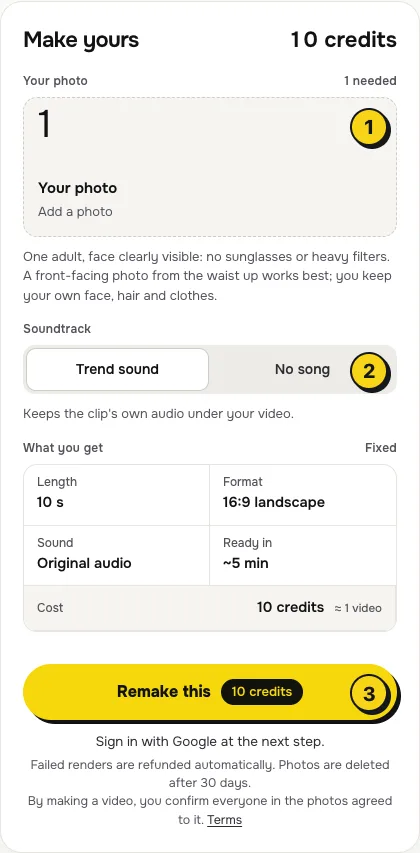
- Face to the camera. The shot is wide and your face is small in it, so a sharp, front-facing face is what makes the clip look like you.
- Waist up is plenty. The counter covers your legs; what shows is your top, so pick the outfit you want to cook in.
- Just you. One person in the photo, no sunglasses or heavy filters.
Step 2: Choose the sound
The switch (2) has two settings:
| Setting | What you get | When to pick it |
|---|---|---|
| Trend sound (default) | The clip's 10 seconds of chop sounds, each thud on a hit | You want to post it as it is |
| No song | A silent MP4 | You will add a sound inside TikTok or Reels |
Step 3: Press Remake this
Press Remake this (3). If you are not signed in, you sign in with Google first. With no credits yet, you choose a pack: one video is $9.99 (100 credits), and bigger packs and plans cost less per video. Pay by card, Apple Pay or Google Pay. If a render fails, the credits come back on their own.
Step 4: Download and post
About five minutes later the video waits in My videos. Download the MP4 (10 seconds, 16:9, 480p, no watermark), write your caption in the app, and turn on the AI-generated label when you post.
What your video looks like, second by second
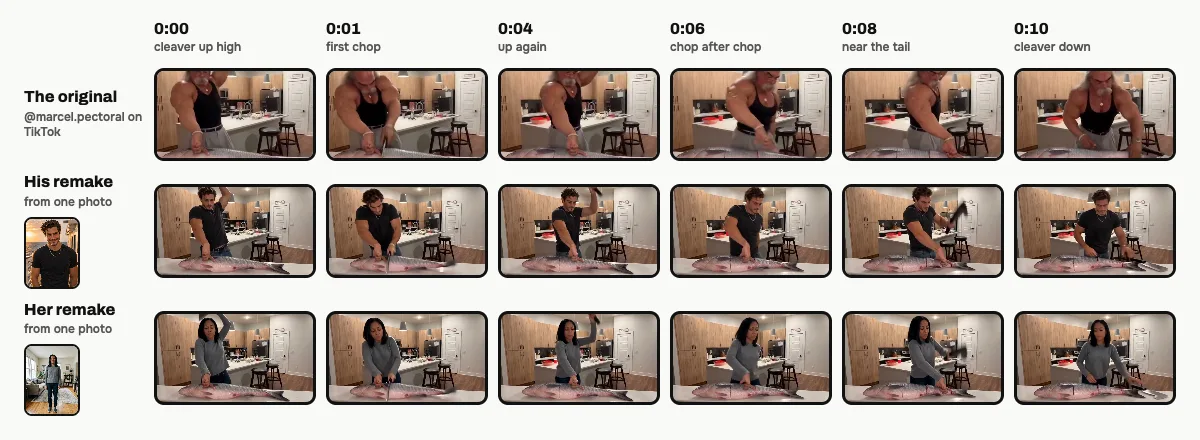
The kitchen, the fish, the camera and the rhythm of the chops come from the clip. Only the cook changes:
| Time | What happens |
|---|---|
| 0:00–0:01 | Your hand is flat on the fish and the cleaver goes up over your head |
| 0:01–0:02 | The first chop lands just behind the head |
| 0:02–0:06 | Lift, chop, lift, chop: the cuts march down the body |
| 0:06–0:09 | Faster chops toward the tail, face still serious |
| 0:09–0:10 | You lay the cleaver down on the counter |
Small moments can change from one render to the next. The cleaver only ever hits the fish.
Why it is 16:9
The fish runs the whole length of the counter, so the clip is wide, like the first posts. TikTok, Reels and Shorts show it with bars above and below. A vertical crop loses the fish's head or tail, and the joke needs the whole fish.
Caption ideas
The video has no text burned in, so the caption is yours:
- "grandpa said he'd handle dinner"
- "dad said he'd cook tonight"
- "my trading entries be precise"
- "me when it's my turn to make dinner"
Is it free?
No. Every video is a real render that costs money to make, so there is no free version, free trial or watermarked preview. One video costs $9.99, the pricing page lists packs and plans that cost less per video, and failed renders are refunded in credits automatically. Unused packs bought by mistake can be refunded under the refund policy.