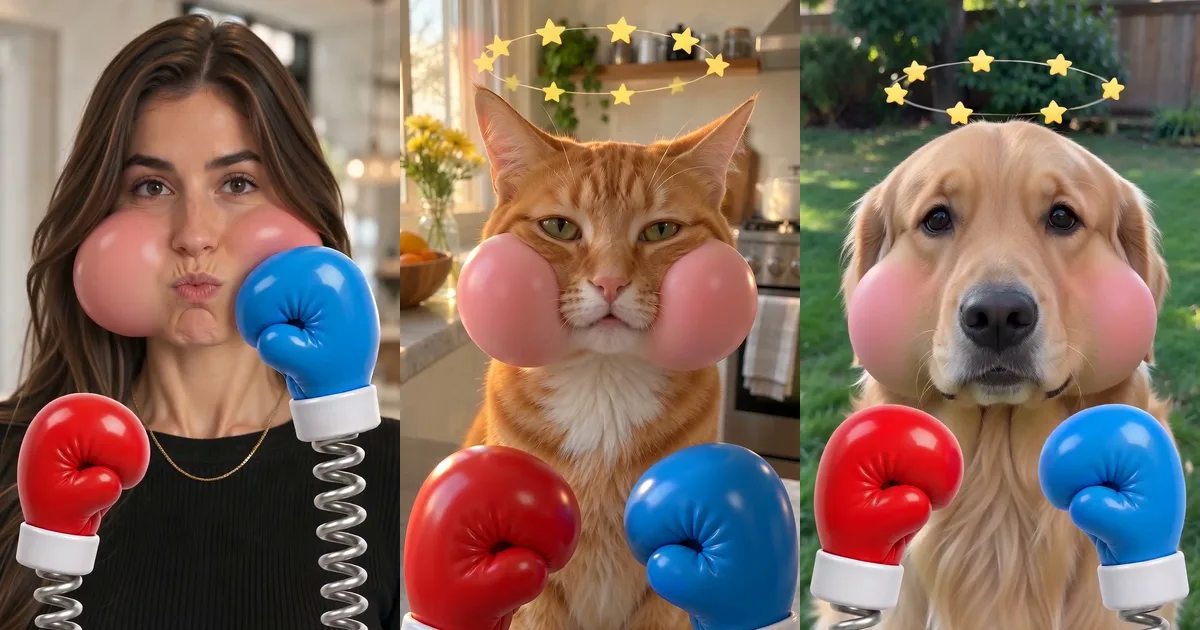
Open the Glove Knock AI template on ClipRemake, pick Your pet gets knocked (one photo of your dog or cat) or You get knocked (one photo of you) and press Remake this. About three minutes later you download a 6-second vertical MP4 of the boxing-glove effect from TikTok: a red and a blue cartoon boxing glove on coiled springs pop up from the bottom of the frame and knock the face six times on the beat, until the cheeks are puffed up pink and, on a pet, a ring of yellow stars spins overhead. The effect's sound is on it (or none, if you pick No song) and there is no watermark. One video is 100 credits ($9.99); there is no free version.
What is the Glove Knock trend?
It is a TikTok effect from November 2026 by the creator DunPig, tagged #DunpigEffect. Point the front camera at a face and two cartoon boxing gloves sit at the bottom of the screen and take turns knocking it, about once a second. The first demo went up on November 18 and passed 24 million plays. Within a week people were pointing it at their cats and dogs, and a black cat, a chihuahua and a sleepy selfie under it each passed 10 to 30 million plays.
The live effect has one catch: it needs a face that holds still in front of the phone, which pets rarely do. This maker works from a photo instead. It is searched as the Glove Knock trend, the boxing glove effect and the DunpigEffect.
Your pet or you?
| Choice | Photo | What you get |
|---|---|---|
| Your pet gets knocked (default) | One photo of your dog or cat | Six knocks, puffed pink cheeks and dizzy stars spinning over its head |
| You get knocked | One photo of you | Six knocks while you keep a straight face and your cheeks swell up |
Both cost the same.
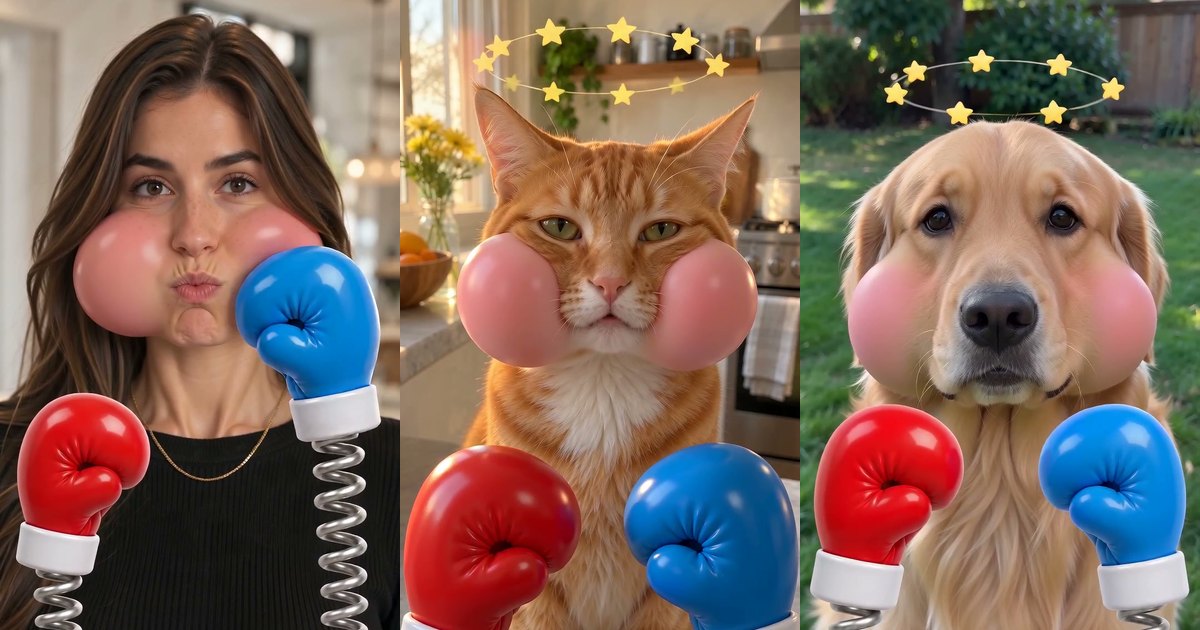
How to make the Glove Knock AI video, step by step
Step 1: Pick who gets knocked
Go to the Glove Knock AI page and choose Your pet gets knocked or You get knocked.
Step 2: Add the photo
- Face to the camera. The face sharp and turned toward the lens, head and shoulders in view. A close photo works best.
- For a pet: eyes open, the whole face visible, in good light. It keeps its own face and fur.
- For you: no sunglasses. A straight face in the photo makes the swollen cheeks funnier.
Step 3: Choose the sound and press Remake this
Trend sound puts the effect's sound under your video, with every knock landing on a hit; No song gives a silent clip. If you are not signed in, you sign in with Google first. Without credits, you get the Starter pack (100 credits, $9.99), paid by card, Apple Pay or Google Pay. If a render fails, the credits come back on their own.
Step 4: Download and post
About three minutes later the video waits in My videos. Download the MP4 (720p, 9:16, no watermark), add your caption and turn on the AI-generated label when you post.
What your video looks like
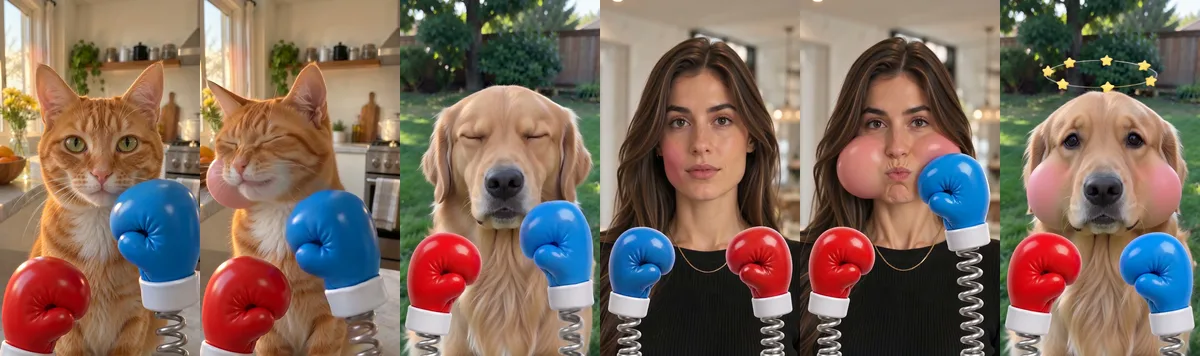
| Time | What happens |
|---|---|
| 0:00–0:01 | Close on the face in the place from your photo, the two gloves waiting at the bottom |
| 0:01–0:03 | The first knocks, blue then red: the head jolts and the face wobbles like jelly |
| 0:03–0:05 | Faster knocks, the cheeks turn pink and start to swell |
| 0:05–0:06 | The last knock: both cheeks puffed up round, stars spinning over a pet's head |
Small moments can change from one render to the next, such as which side a glove comes from and how far the cheeks swell.
How to post it like the trend
- The caption: say what your pet did today, like "she wouldn't stop barking".
- Tag it: #gloveknock #dunpigeffect.
- The sound: keep Trend sound on, or pick No song and add the sound inside TikTok.
- Label it as AI when you post.