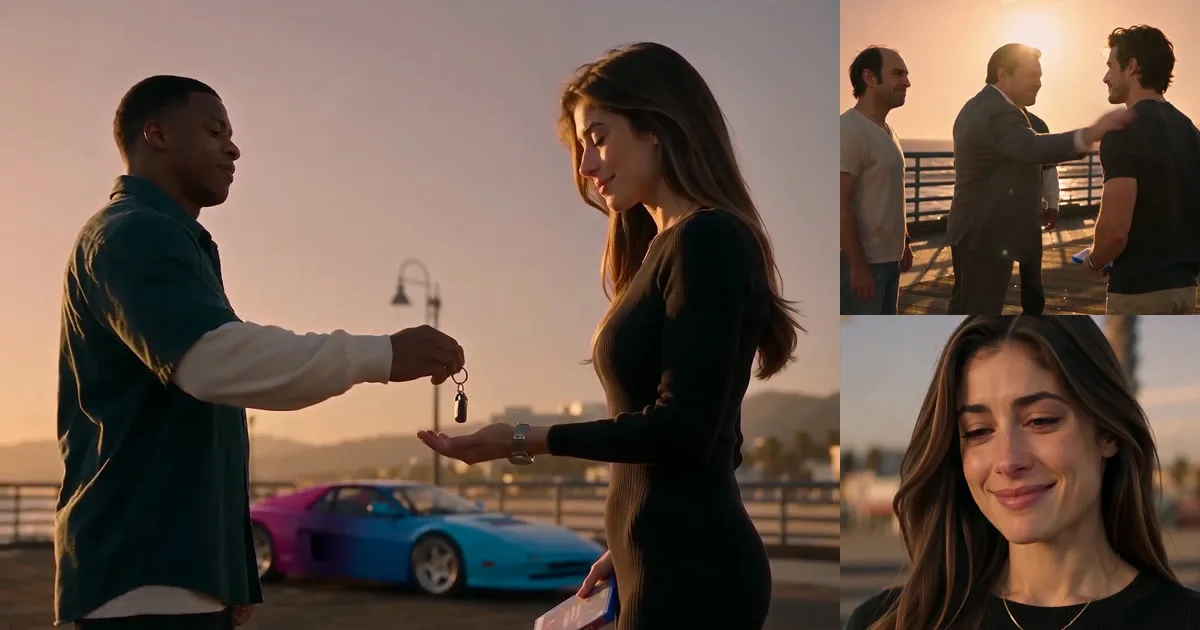
Open the Goodbye GTA 5 AI template on ClipRemake, add one photo of yourself and press Remake this. About five minutes later you download a 15-second MP4 of the farewell everyone is posting: on a sunset pier three men hand you a game case and a car key and pat your shoulder, the camera closes in while you hold back tears, then you get into a pink sports car, lay the game on the seat and drive away down a palm-lined road as they watch. It is 4:3, the song is on it, there is no watermark and you wear your own clothes.
What is the Goodbye GTA 5 AI trend?
Grand Theft Auto V came out in 2013. Thirteen years later, in the days before GTA 6 arrived on November 19, 2026, players started posting goodbyes. The first big one, on November 10, was a simple edit of the game's three leads, Michael, Franklin and Trevor, nodding to each other at a fork in the road and driving three different ways, with the words "Thank you for all the memories".
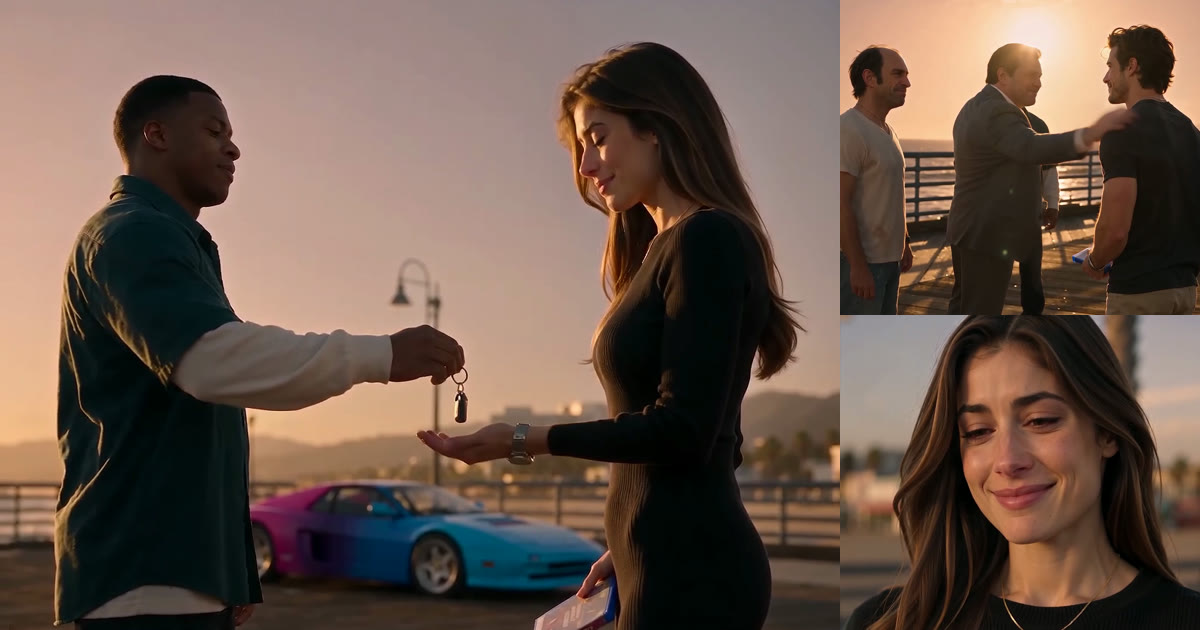
Then came the AI versions that put you in the goodbye. The one that stuck is the pier scene:
- You stand on a sunset pier facing the three men. The one in the grey suit hands you a game case and pats your shoulder.
- The one in the green shirt holds out a car key, and you take it. A pink-and-blue sports car waits behind you.
- A close-up: your eyes are wet, you manage a small smile and say thank you.
- You get into the car, lay the game on the passenger seat and take the wheel.
- The three of them stand at the railing and watch the car go.
- From high above, the pink car heads down a palm-lined beach road into the sunset.
People post it with "thank you for the memories" or "see you in Vice City", usually tagging the friends they played with.
How is this different from doing it with a prompt or a template app?
You do not need an app, a template link or a prompt. With a general video model you would have to describe six shots, three recurring men and yourself, then hope your face and your outfit hold from the pier to the car; most people burn several paid tries on that. The maker has the shot list, the places and the timing set already. You only choose the photo, and you keep your own face, hair and clothes in every shot you are in.
How to make the Goodbye GTA 5 AI video, step by step
Step 1: Add your photo
Go to the Goodbye GTA 5 AI page and tap the photo box.
- Face clear. The close-up fills the frame with your face. Use a sharp, well-lit photo, face to the camera, no sunglasses or heavy filters.
- Wear what you want to wear. You keep the clothes from your photo on the pier, in the close-up and in the car.
- Waist up or full body. You are seen full length on the pier, so a photo that shows your outfit helps.
Step 2: Choose the sound
Leave Trend sound on to keep the farewell song, or pick No song for a silent MP4 to score in TikTok.
Step 3: Press Remake this
If you are not signed in, you sign in with Google first. Without credits, you get the Starter pack (100 credits, $9.99), paid by card, Apple Pay or Google Pay. If a render fails, the credits come back on their own.
Step 4: Download and post
About five minutes later the video waits in My videos. Download the MP4 (720p, 4:3, no watermark), add your caption and turn on the AI-generated label when you post.
What your video looks like

| Time | Shot |
|---|---|
| 0:00–0:03 | The sunset pier: the man in the suit hands you the game and pats your shoulder |
| 0:03–0:06 | The man in the green shirt gives you the car key, the sports car behind you |
| 0:06–0:09 | Close-up: wet eyes, a small smile, a quiet thank you |
| 0:09–0:12 | In the car: the game goes on the passenger seat, your hands on the wheel |
| 0:12–0:13 | The three men at the railing watch the car leave |
| 0:13–0:15 | From above: the pink car on the palm-lined beach road |
Small moments can change from one render to the next.
How to post it like the trend
- The caption: "thank you for the memories" is the classic. "See you in Vice City" works for launch week.
- Tag the old crew: the friends from your heists, races and late-night lobbies.
- Use the strips: a 4:3 clip leaves space above and below on a phone, which is where most people put the caption.
- Label it as AI when you post.