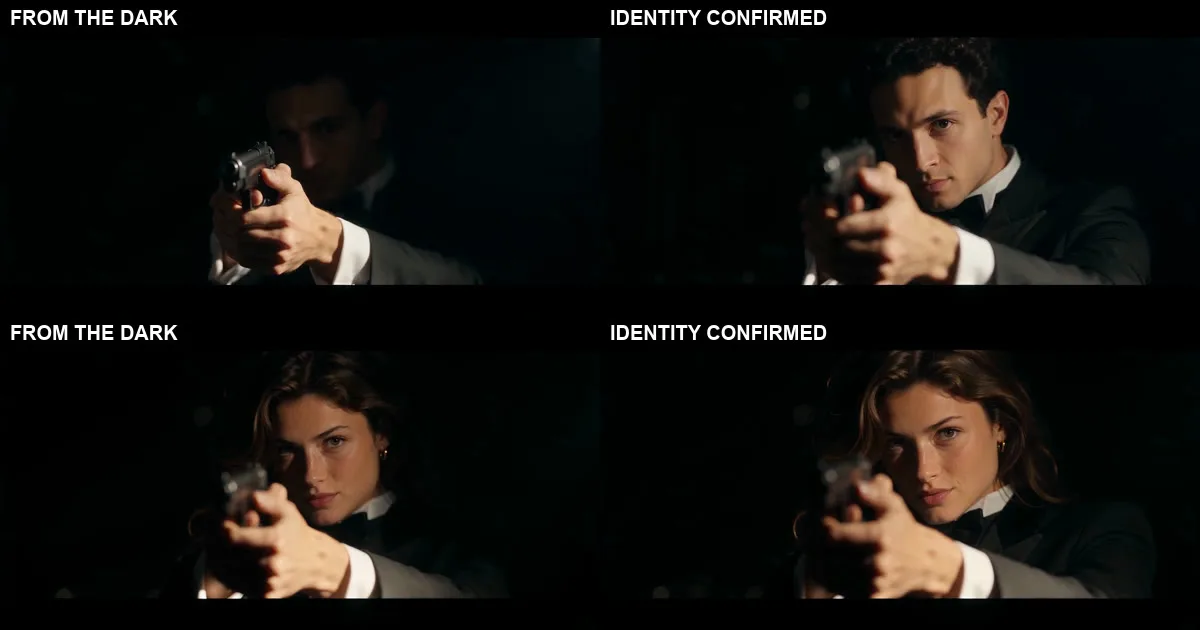
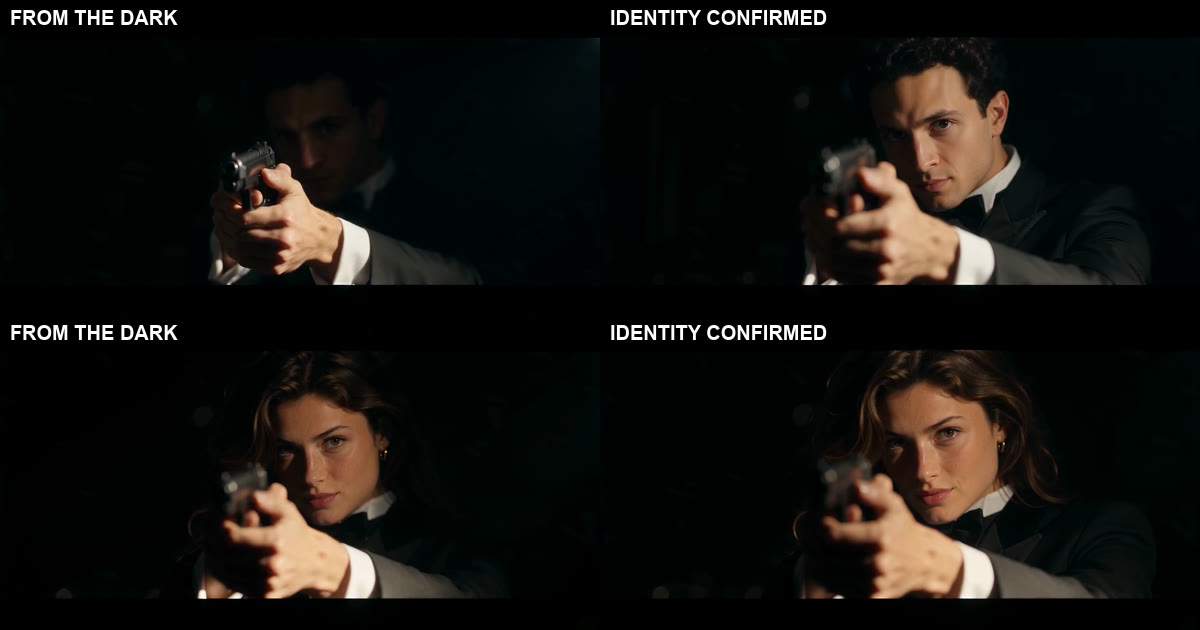
Open the James Bond Reveal AI template on ClipRemake, add one photo of yourself and press Remake this. About five minutes later you download a 10-second widescreen MP4 of the "Identity Confirmed" reveal: out of total darkness a hand with a pistol catches a single warm light, then your face rises out of the shadow behind it, in a black tuxedo and bow tie, and stares straight down the lens. It has cinema bars, the build-up sound and no watermark, and no footage, title or logo from the films is used. One video is 100 credits ($9.99); there is no free version.
What is the James Bond Reveal AI trend?
On November 16, 2026, the official James Bond account posted a short teaser captioned "Identity Confirmed" to announce the next 007. It is almost entirely black: a pistol slowly appears out of the darkness, then a face rises behind it into one hard, warm light and stares down the lens.
Within two days people were putting their own faces into that reveal, announcing themselves as the next Bond, and five AI template sites had added it. People search for it as the James Bond reveal, the "identity confirmed" AI trend or the next Bond AI video.
How does the AI version work?
The maker re-films the reveal with you in it: the darkness, the pistol, the single light and the slow push of your face out of the shadow, rebuilt from scratch by AI around your photo. You always appear in a black tuxedo, white shirt and black bow tie, whatever you wear in your photo. No frame of the teaser, no actor, no title card and no logo is in your video.
How to make the James Bond Reveal AI video, step by step
Step 1: Add your photo
Go to the James Bond Reveal AI page and tap the photo box.
- Face clear. The reveal ends on your face in a single warm light. Use a sharp, front-facing photo, no sunglasses or hats.
- Any outfit. The tuxedo comes with the scene, so wear what you like in the photo.
- One adult. One person in the photo; crop a group photo first.
Step 2: Choose the sound
Leave Trend sound on to keep the build-up, or pick No song for a silent MP4 to add your own sound.
Step 3: Press Remake this
If you are not signed in, you sign in with Google first. Without credits, you get the Starter pack (100 credits, $9.99), paid by card, Apple Pay or Google Pay. If a render fails, the credits come back on their own.
Step 4: Download and post
About five minutes later the video waits in My videos. Download the MP4 (720p, 16:9 with cinema bars, no watermark), add your caption and turn on the AI-generated label when you post.
What your video looks like

| Time | What happens |
|---|---|
| 0:00–0:01 | Total darkness |
| 0:01–0:03 | A hand in a white shirt cuff with a pistol comes out of the dark into a single warm light |
| 0:03–0:05 | Your face rises out of the shadow behind the pistol |
| 0:05–0:10 | You hold the aim and stare straight down the lens, cool and calm |
Small moments can change from one render to the next.
How to post it like the trend
- The caption: "Identity confirmed" is the one everyone uses.
- Make it an announcement: a new job, a birthday or just "they finally called me".
- Tag a friend who has always wanted the part, or make one of them.
- Label it as AI so nobody thinks you got the role.