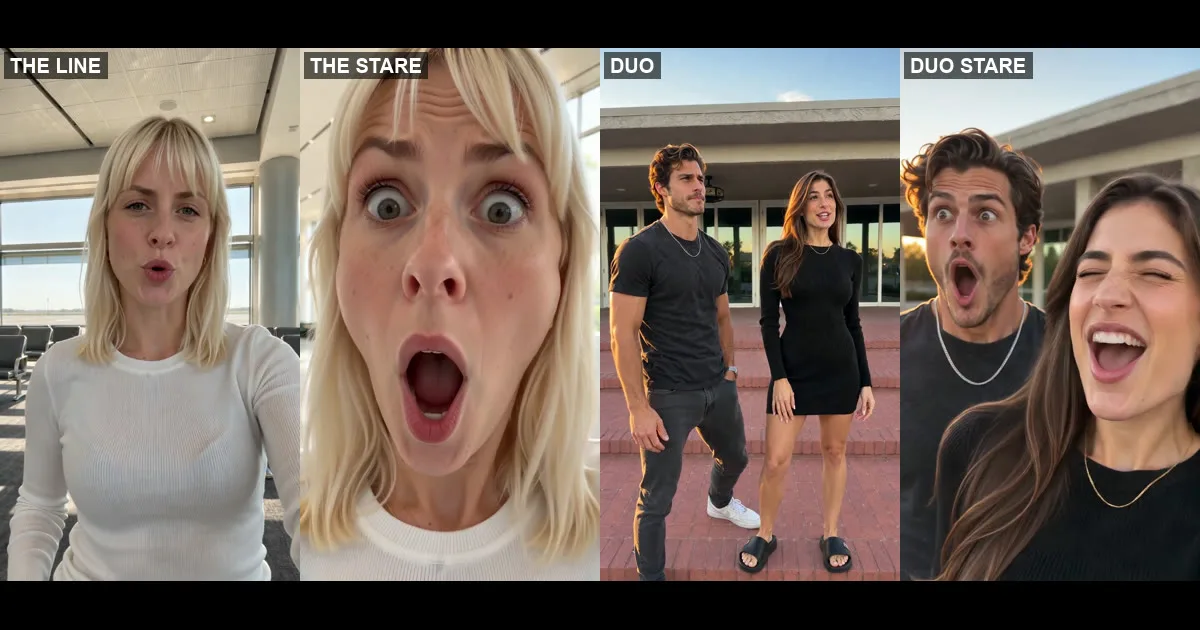
Open the More Like a Quesadilla AI template on ClipRemake, pick Just you (one photo) or You + a friend (two photos) and press Remake this. About five minutes later you download a 6- or 7-second vertical MP4 of the trend: you lip-sync the "more like a quesadilla" line from the Spy Ninjas song with a dead straight face, then a hard cut catches you turning back to the camera, eyes wide, mouth open in horror. In the duo, one of you sings while the other slowly loses it. The song is on it and there is no watermark. One video is 100 credits ($9.99); there is no free version.
What is the More Like a Quesadilla AI trend?
More Like a Quesadilla is a TikTok lip-sync trend from November 2026. The line comes from "Come Back Daniel", a 2021 song by the YouTube group Spy Ninjas, and the joke is all in the delivery: you mouth the silliest line on TikTok as if it were deep, perfectly deadpan, then cut to yourself realising what you just sang.
A selfie version posted on November 8 set it off. On November 11 the song's own creators posted a duo version, one singing on a set of steps while the other kept a straight face and then froze in horror, and that version alone passed twenty million plays.
Just you or You + a friend?
| Choice | Photos | What you get |
|---|---|---|
| Just you (default) | One | 6 s selfie: you sing the line deadpan, then the hard cut to your horrified stare |
| You + a friend | Two | 7 s duo outside on red steps: photo 1 sings, photo 2 keeps a straight face and then freezes |
Both cost the same.
How to make the More Like a Quesadilla AI video, step by step
Step 1: Pick who is in it
Go to the More Like a Quesadilla AI page and choose Just you or You + a friend.
Step 2: Add the photos
- Face clear. Your face fills the frame in the close-up. Use a sharp, front-facing photo in good light, no sunglasses or heavy filters.
- Chest up is enough. It is a selfie, so a chest-up photo shows everything the camera sees. You keep the clothes from your photo.
- Duo: who sings? Photo 1 sings the line; photo 2 keeps a straight face and then freezes. Put the friend with the best shocked face in photo 2.
Step 3: Choose the sound and press Remake this
Leave Trend sound on to keep the song, or pick No song for a silent MP4. Press Remake this; if you are not signed in, you sign in with Google first. Without credits, you get the Starter pack (100 credits, $9.99), paid by card, Apple Pay or Google Pay. If a render fails, the credits come back on their own.
Step 4: Download and post
About five minutes later the video waits in My videos. Download the MP4 (720p, 9:16, no watermark), add your caption and turn on the AI-generated label when you post.
What your video looks like
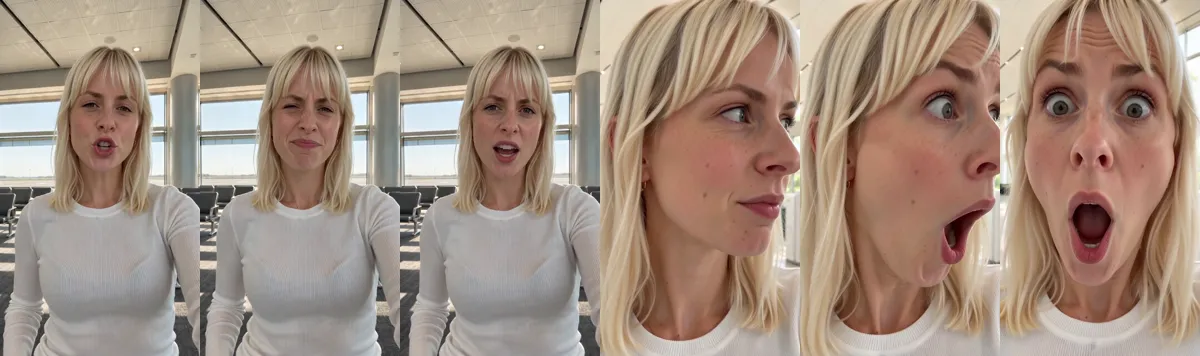
| Time | Just you |
|---|---|
| 0:00–0:04 | Selfie at arm's length: you lip-sync the line with a dead straight face |
| 0:04 | Hard cut to a very close selfie, your head turned to the side |
| 0:04–0:05 | Your eyes slide back toward the lens |
| 0:05–0:06 | You snap back to the camera: eyes wide, eyebrows up, mouth open in horror |
In the duo, the wide shot on the steps runs to 0:04, then the close selfie: the singer keeps going with a big grin while the friend behind freezes from 0:05.
Small moments can change from one render to the next.
How to post it like the trend
- The caption: "why is my song trending" or simply "more like a quesadilla".
- Duo it with the friend who would never let you live this down.
- Keep the song: the trend is the song, so leave Trend sound on.
- Label it as AI when you post.