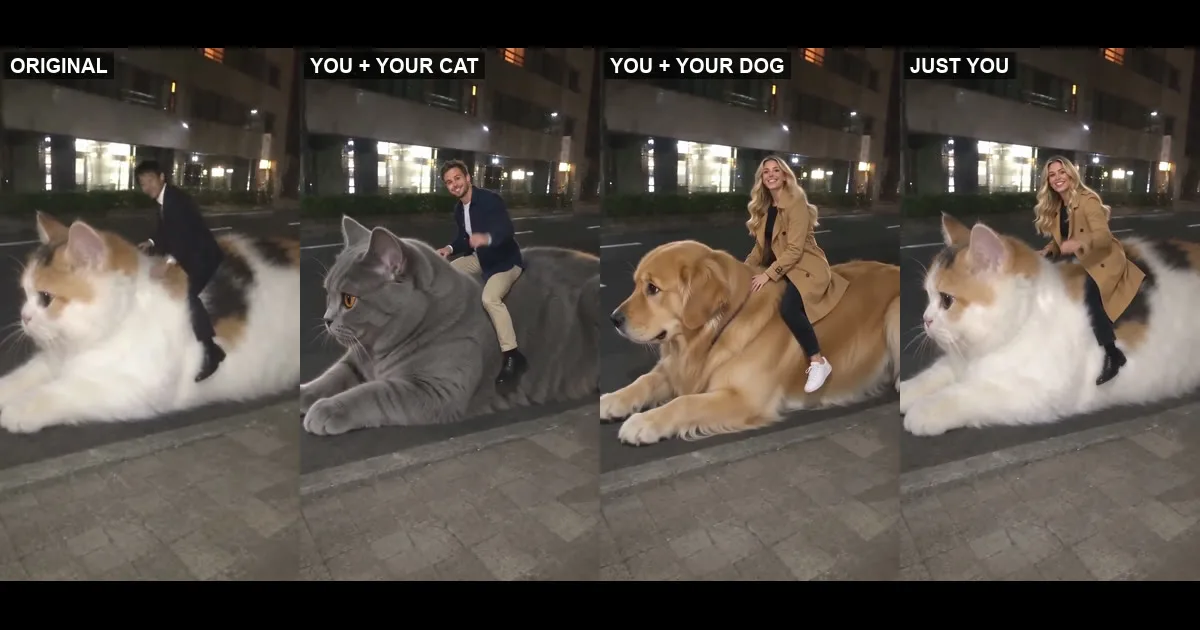
Open the Pet Taxi AI template on ClipRemake, pick You + your pet, Your pet or Just you, add the photos (two for the first, one for the others) and press Remake this. About five minutes later you download a 12-second vertical MP4 of the viral cat taxi clip: you raise a hand for a cab on a quiet night street, your own cat or dog comes running as big as a bus, lies down at the curb, gets a scratch on the cheek and carries you home on its back. The clip's street sound is on it and there is no watermark. One video is 100 credits ($9.99); there is no free version.
What is the Pet Taxi AI trend?
Pet Taxi AI, also posted as the cat taxi or the giant cat taxi, grew out of one AI clip. A tired office worker in a suit stands at the curb of an empty city street at night and waves for a cab. Instead of a car, a calico cat the size of a bus comes trotting down the road, lies down beside him and closes its eyes while he strokes its cheek. He climbs onto its back, waves at the camera and the cat walks off with him into the street lights.
Reposts spread on TikTok as "Cat taxi" from November 10, 2026, on top of a wave of giant cat videos that started in October. Within days pet owners wanted the same ride with their own cat or dog, and AI video sites added the scene as the pet taxi or the giant pet ride.
Which version should I make?
| Choice | Photos | What you get |
|---|---|---|
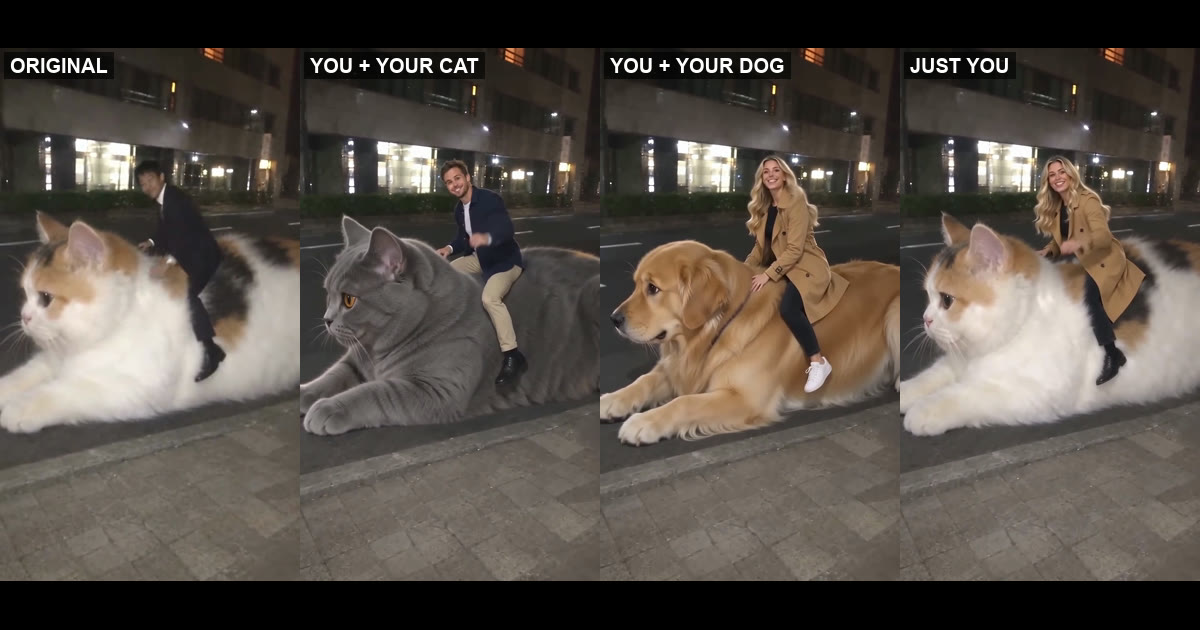
| You + your pet (default) | Two: you, then your pet | You at the curb, your own cat or dog grown to the size of a bus |
| Your pet | One: your pet | Your pet as the taxi, carrying the man from the clip |
| Just you | One: you | You at the curb, picked up by the clip's own calico |
All three are the same 12-second clip at the same price. Most people make You + your pet; Your pet is the one for a pet account, and Just you works when you have no pet or want the calico from the original.
How to make the Pet Taxi AI video, step by step
Step 1: Pick who is in it
Go to the Pet Taxi AI page and choose You + your pet, Your pet or Just you. The photo boxes change to match.
Step 2: Add the photos
- You, head to toe. The camera sees you from behind for most of the clip, so your hair, coat, trousers and shoes matter as much as your face. A full-length photo with the face clear works best.
- Your pet, whole body. A sharp photo of the whole animal, side-on or lying down, with its fur and markings easy to see. Its face, coat and breed carry over; only its size changes.
- One of each. One person in the first photo and one animal in the second. Crop a group photo first.
Step 3: Press Remake this
Leave Trend sound on to keep the clip's street sound, or pick No song for a silent MP4 you will score in TikTok. Press Remake this. If you are not signed in, you sign in with Google first; without credits, you get the Starter pack (100 credits, $9.99), paid by card, Apple Pay or Google Pay. If a render fails, the credits come back on their own.
Step 4: Download and post
About five minutes later the video waits in My videos. Download the MP4 (720p, 9:16, no watermark), add your caption and turn on the AI-generated label when you post.
What your video looks like
The street, the camera and the timing come from the clip. Only the people and the animal change:
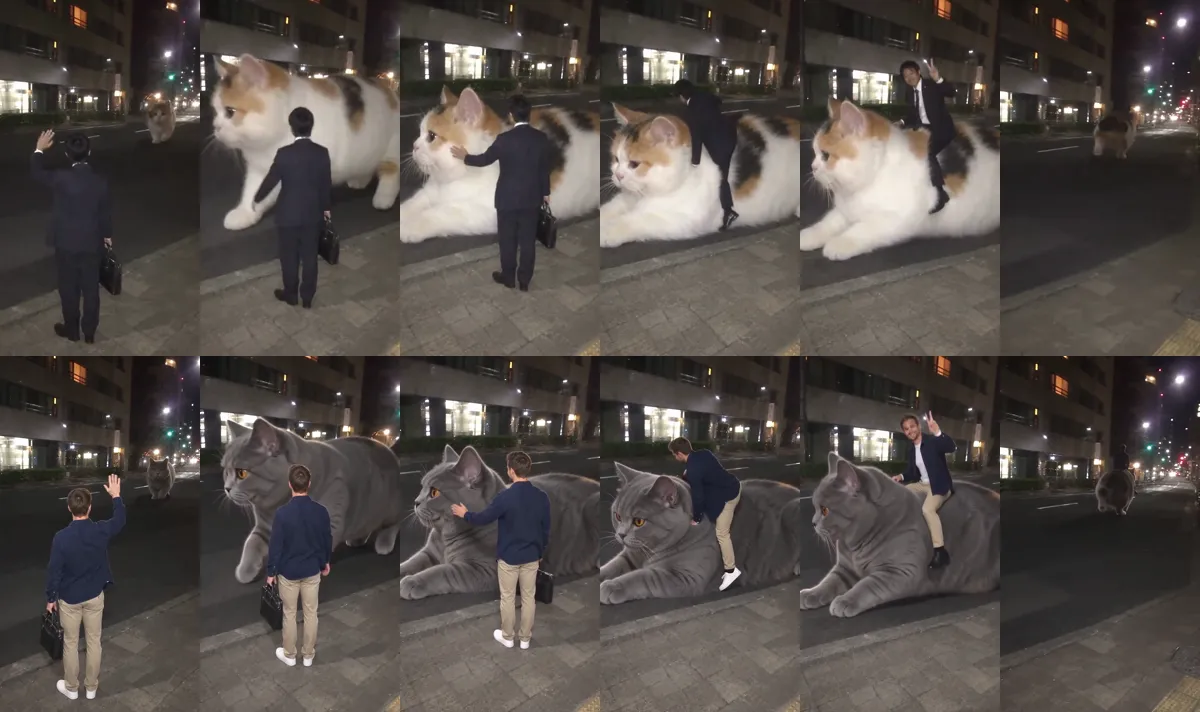
| Time | What happens |
|---|---|
| 0:00–0:02 | You stand at the curb with a bag and raise a hand for a cab |
| 0:02–0:04 | The giant cat or dog runs up the road and lies down beside you |
| 0:04–0:06 | You scratch its cheek and it closes its eyes |
| 0:06–0:09 | You climb onto its back, sit up and wave at the camera |
| 0:09–0:12 | It stands and walks off with you down the night street |
Small moments can change from one render to the next.
How to post it like the trend
- The caption: "My ride is here" or "Cat taxi after a long day" are the ones people use; with a dog, "Dog taxi" works the same way.
- Before and after: show a real photo of your pet curled up on the sofa first, then the clip.
- Tag a friend whose dog would definitely come and get them.
- Label it as AI. It is a fantasy commute, and nobody should think a real animal carried anyone.