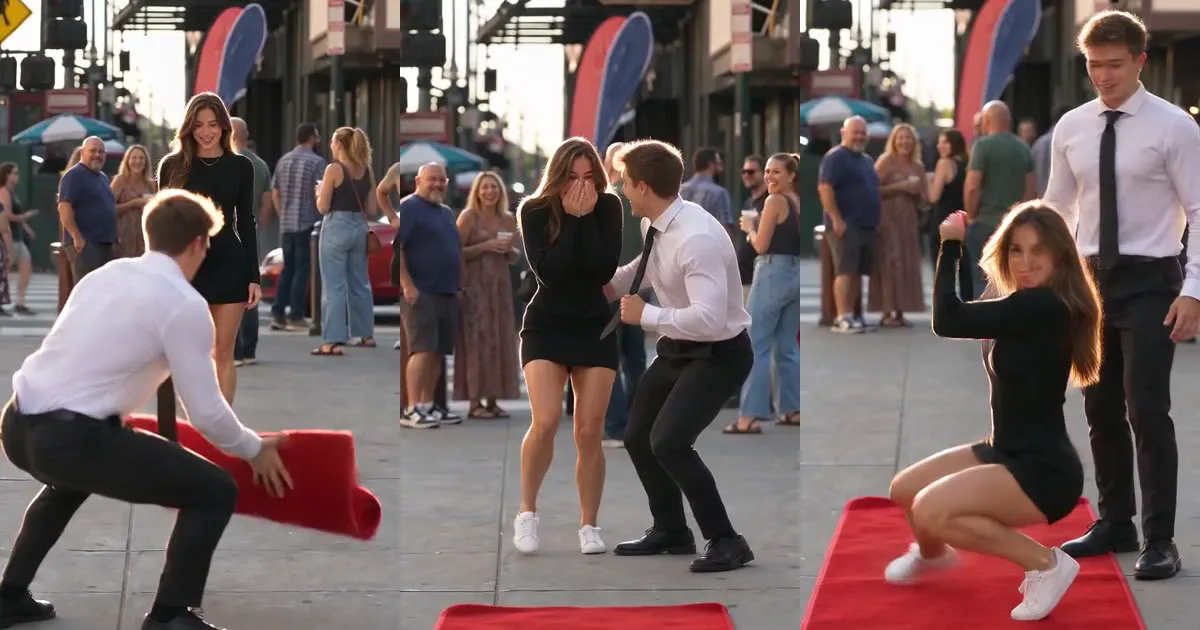
Open the Red Carpet Dance AI template on ClipRemake, add one photo and press Remake this. About five minutes later you download a 15-second vertical MP4 of the red carpet dance edit with your face: a guy in a white shirt and a thin black tie runs in, unrolls a small red carpet in front of you on a busy street, goofs around with you and waves you on, and you go all out on it, lunge, kick, spin and squat, while the crowd watches. Add a second photo and your friend is the one who rolls out the carpet. It has the sound from the edits (or nothing, if you pick No song) and no watermark. One video is 100 credits ($9.99); there is no free version.
What is the red carpet dance trend?
It started as a street prank. A performer known on TikTok as the Red Carpet Boy runs up to strangers on a busy street, unrolls a small red carpet in front of them and waves them on, and they dance on it while people stop to watch. His clip from Nice in September 2024 went around the world under #redcarpetboy, and people have copied it on their own streets since, from Times Square to their local high street.
In November 2026 it came back as an AI edit. A CapCut template put a photo on the dancer from November 7, AI edits of the red carpet dance took off on TikTok from November 22, and the comments filled up with people asking how to do it with their own face. The edits use the opening of Rihanna's "Please Don't Stop the Music". People search it as the red carpet dance trend, the red carpet AI edit and the red carpet CapCut template.
What you choose
| Choice | What it does |
|---|---|
| You dance | One photo: you are the dancer, and the carpet guy is made up for your video |
| A friend rolls it out | Two photos: photo 1 dances, photo 2 runs in and rolls out the carpet |
| The sound | Trend sound keeps the sound from the edits; No song gives a silent clip |
Both choices cost the same.
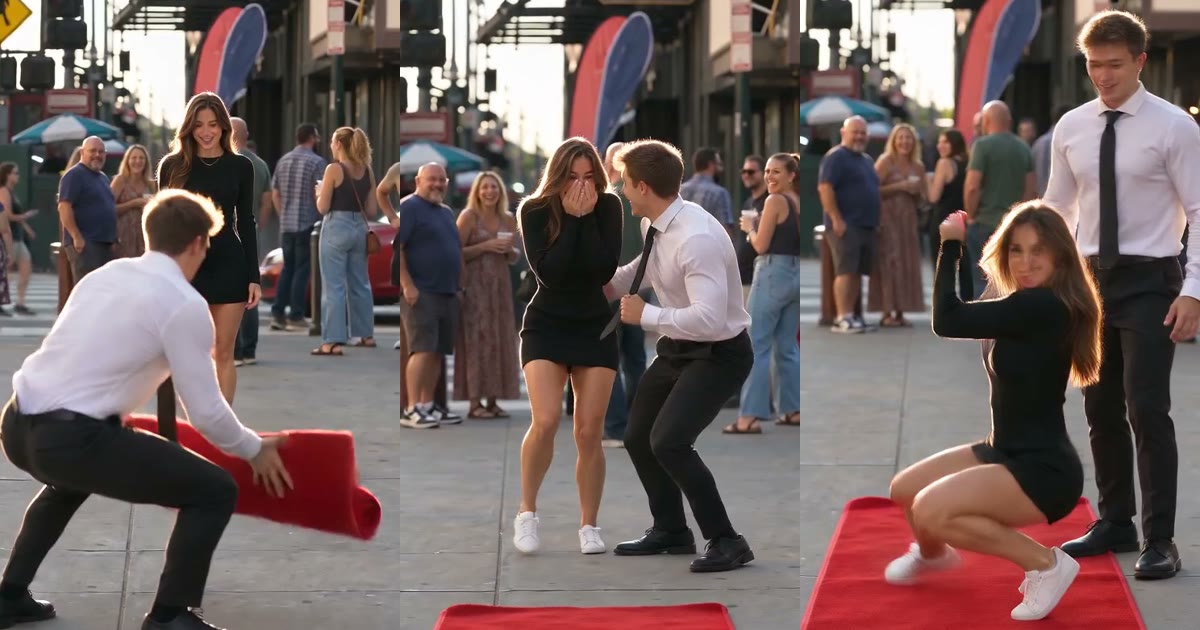
How to make the red carpet dance AI video, step by step
Step 1: Pick who rolls out the carpet
Go to the Red Carpet Dance AI page and choose You dance or A friend rolls it out. You dance is the version most people post.
Step 2: Add your photo
- Face to the camera. One adult, the face sharp and toward the lens.
- Head to shoes if you can. The dance is full body, so a full-length photo brings your whole outfit and your shoes. If your feet are not in the photo, you dance in plain white sneakers.
- Good light. Daylight or a bright room, no sunglasses.
With A friend rolls it out, add your friend's photo second: one adult who agreed to be in it, face to the camera.
Step 3: Choose the sound and press Remake this
Trend sound puts the 15 seconds of sound from the edits under your video; No song gives a silent clip. If you are not signed in, you sign in with Google first. Without credits, you get the Starter pack (100 credits, $9.99), paid by card, Apple Pay or Google Pay. If a render fails, the credits come back on their own.
Step 4: Download and post
About five minutes later the video waits in My videos. Download the MP4 (720p, 9:16, no watermark) and post it with the AI-generated label turned on.
What your video looks like
| Time | What happens |
|---|---|
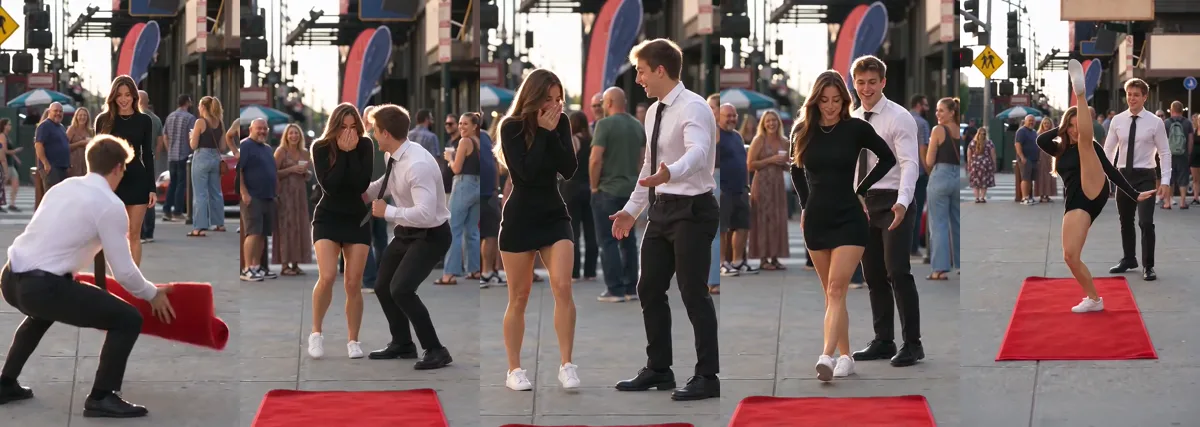
| 0:00–0:03 | The carpet guy runs in with a rolled-up red carpet and unrolls it towards the camera |
| 0:03–0:04 | He jogs over to you; you cover your face and laugh |
| 0:04–0:06 | The two of you goof around with little dance steps, and he waves you on |
| 0:06–0:10 | You walk up behind the carpet while the crowd watches |
| 0:10–0:15 | You go all out on the carpet: a lunge, a high kick, a spin and a low squat |
It is ten quick cuts, like the original edits. Small details change from one render to the next, such as which leg kicks and how far you spin.
How to post it like the trend
- The caption: "when they roll out the carpet for you" or the news you are celebrating.
- Tag it: #redcarpet #redcarpetboy.
- Keep it vertical. It is 9:16 like the edits, so it fills the screen on TikTok, Reels and Shorts.
- Label it as AI when you post.