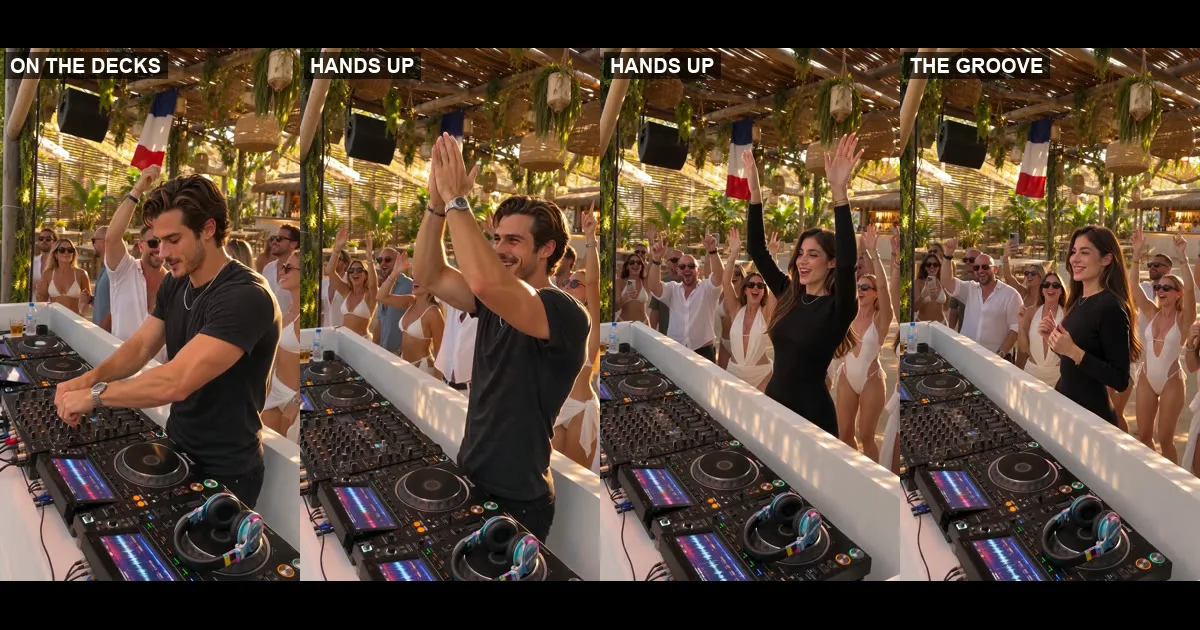
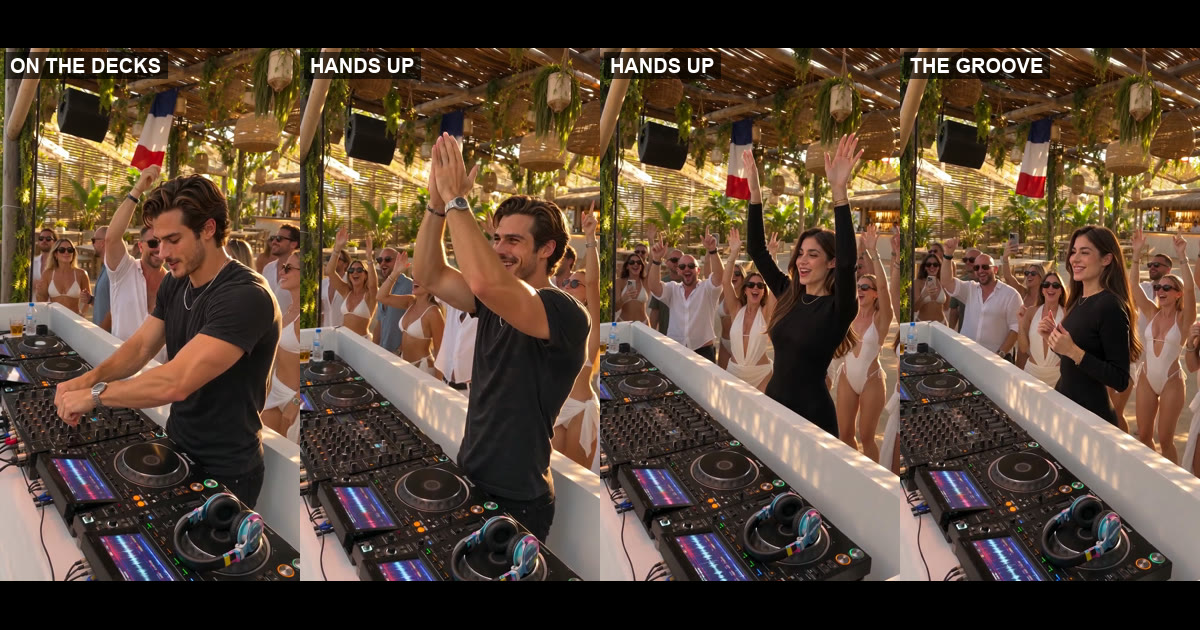
Open the St Tropez DJ AI template on ClipRemake, add one photo of yourself and press Remake this. About five minutes later you download a 10-second vertical MP4 of the "St tropez knows how to party" trend: you work the decks at a packed Saint-Tropez beach club in golden afternoon light, throw both arms up and clap above your head while the crowd goes wild, then dive back into the mixer. The live set from the clip is on it, there is no watermark and you DJ in your own clothes. One video is 100 credits ($9.99); there is no free version.
What is the St Tropez DJ AI trend?
St Tropez DJ, also searched as the "St tropez knows how to party" trend, starts with a phone clip filmed in August 2025 right beside the DJ booth at a packed beach club in Saint-Tropez. It has everything people picture when they think of a summer on the Riviera: golden afternoon light under a reed roof, a crowd dressed in white with sunglasses and phones up, and a DJ who works the decks, throws both arms in the air and claps along with everyone.
In November 2026 the clip turned into an AI template. People started swapping themselves, film characters and even their pets in as the DJ, and template sites added it within days.
How does the AI version work?
The maker re-films 10 seconds of that set with you as the DJ. The booth, the moves and the timing stay the same; the person behind the decks becomes you, with your own face, hair and clothes. The crowd is made up by the AI, so nobody from the original clip is in your video, and no frame of it is used.
How to make the St Tropez DJ AI video, step by step
Step 1: Add your photo
Go to the St Tropez DJ AI page and tap the photo box.
- Face clear. You turn to the crowd and the camera sees your face. Use a sharp, well-lit photo, face to the camera, no sunglasses.
- Waist up is enough. The booth hides your legs, so a waist-up photo that shows your top works well.
- Pick the outfit. You DJ in the clothes from your photo: a light summer outfit or an all-black DJ look both fit.
Step 2: Choose the sound
Leave Trend sound on to keep the live set under your video, or pick No song for a silent MP4 to score in TikTok.
Step 3: Press Remake this
If you are not signed in, you sign in with Google first. Without credits, you get the Starter pack (100 credits, $9.99), paid by card, Apple Pay or Google Pay. If a render fails, the credits come back on their own.
Step 4: Download and post
About five minutes later the video waits in My videos. Download the MP4 (720p, 9:16, no watermark), add your caption and turn on the AI-generated label when you post.
What your video looks like
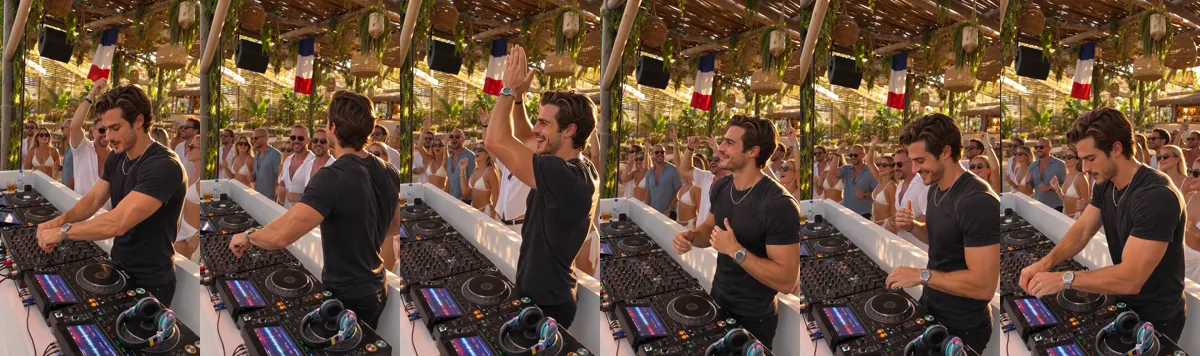
| Time | What happens |
|---|---|
| 0:00–0:01 | You work the decks with both hands, bouncing to the beat |
| 0:01–0:05 | You turn to the crowd, throw both arms up and clap above your head; the crowd cheers with hands in the air |
| 0:05–0:07 | You groove with your hands at chest height, smiling at the crowd |
| 0:07–0:10 | You lean over the decks again and work the mixer, nodding to the beat |
Small moments can change from one render to the next.
How to post it like the trend
- The caption: "St tropez knows how to party" is the original.
- Winter version: "take me back to St Tropez".
- Tag a friend who always takes over the aux, or make one of them.
- Label it as AI when you post.