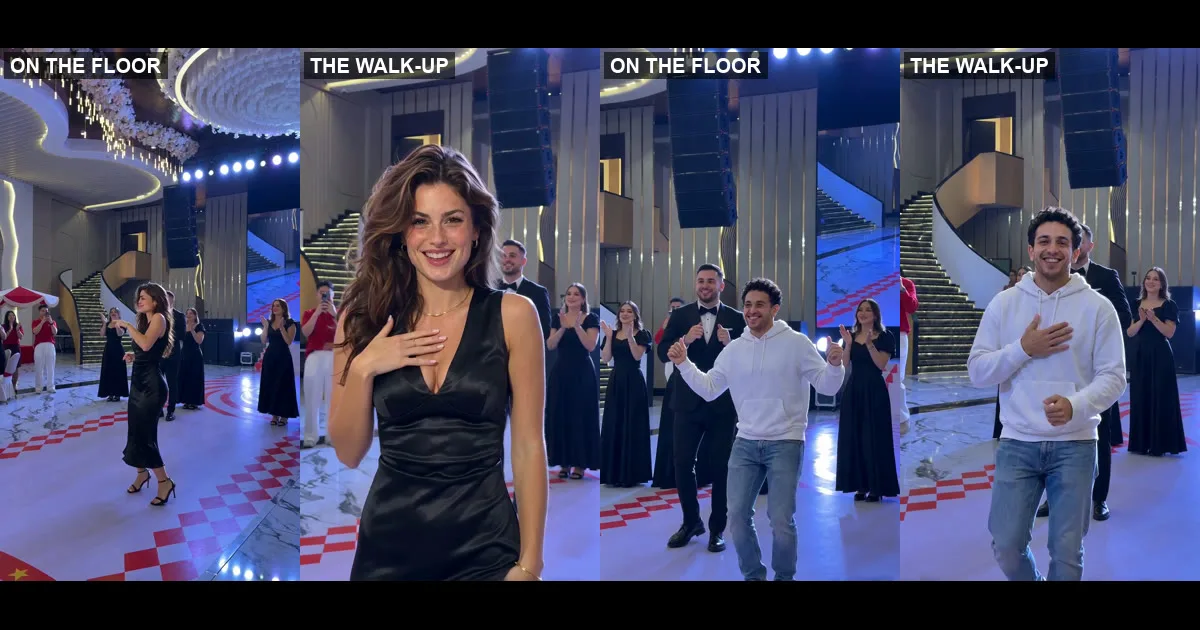
Open the Yamal Dance AI template on ClipRemake, add one photo of yourself and press Remake this. About five minutes later you download a 15-second vertical MP4 of the Yamal dance: you take the floor of a glittering banquet hall to "Y Que Fue?", with hip sways, finger points and shoulder shimmies while a row of women in black dance behind you and the guests film, then the phone zooms in and you walk right up to the camera with a big smile. The song is on it, there is no watermark and you dance in your own clothes. One video is 100 credits ($9.99); there is no free version.
What is the Yamal Dance AI trend?
Yamal Dance, also searched as the Y Que Fue dance, started with one TikTok posted on November 16, 2026. At a party in a grand banquet hall in Kazakhstan, under a huge ring of chandelier lights, a guest in a long ruffled gown took over the dance floor to "Y Que Fue?", Don Miguelo's dembow hit. She swayed, pointed and shimmied while a line of women in black danced along behind her, and finished by strolling straight up to the phone with the widest smile in the room.
The post was captioned "Yamal dance?", and that is the name that stuck. It spread overnight, and by the next day people wanted to see themselves on that dance floor, which is where AI remakes come in.
How does the AI version work?
The maker re-films 15 seconds of the dance with you in it. The hall, the moves, the zoom and the timing stay the same; the person on the floor becomes you, with your own face, hair and clothes. The guests and dancers around you are people the AI makes up, so nobody from the original post is in your video, and no frame of it is used.
How to make the Yamal Dance AI video, step by step
Step 1: Add your photo
Go to the Yamal Dance AI page and tap the photo box.
- Head to toe if you can. You are seen full length for most of the clip, so a full-body photo keeps your outfit and shoes.
- Face clear. The clip ends on a close-up of you, so use a sharp, well-lit photo, face to the camera, no sunglasses or heavy filters.
- One adult. One person in the photo; crop a group photo first.
Step 2: Choose the sound
Leave Trend sound on to keep "Y Que Fue?" from the original post under your video, or pick No song for a silent MP4 you will score in TikTok.
Step 3: Press Remake this
If you are not signed in, you sign in with Google first. Without credits, you get the Starter pack (100 credits, $9.99), paid by card, Apple Pay or Google Pay. If a render fails, the credits come back on their own.
Step 4: Download and post
About five minutes later the video waits in My videos. Download the MP4 (720p, 9:16, no watermark), add your caption and turn on the AI-generated label when you post.
What your video looks like
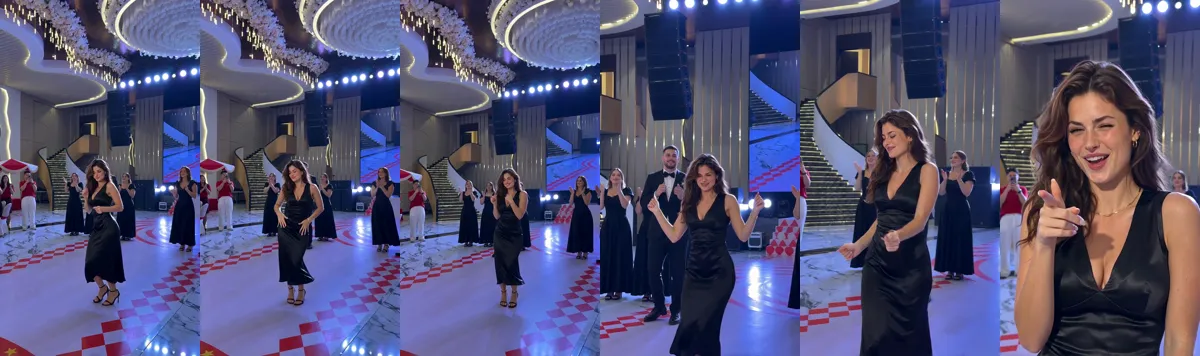
| Time | What happens |
|---|---|
| 0:00–0:09 | Wide shot: you dance in the middle of the floor, hip sways, finger points, shimmies; women in black dance behind you and guests film |
| 0:09 | The phone zooms in |
| 0:09–0:12 | You keep dancing with a big grin, a man in a tuxedo dancing just behind you |
| 0:12–0:15 | You walk right up to the camera, hand on your chest, and end on a close-up smile |
Small moments can change from one render to the next.
Does it work for men?
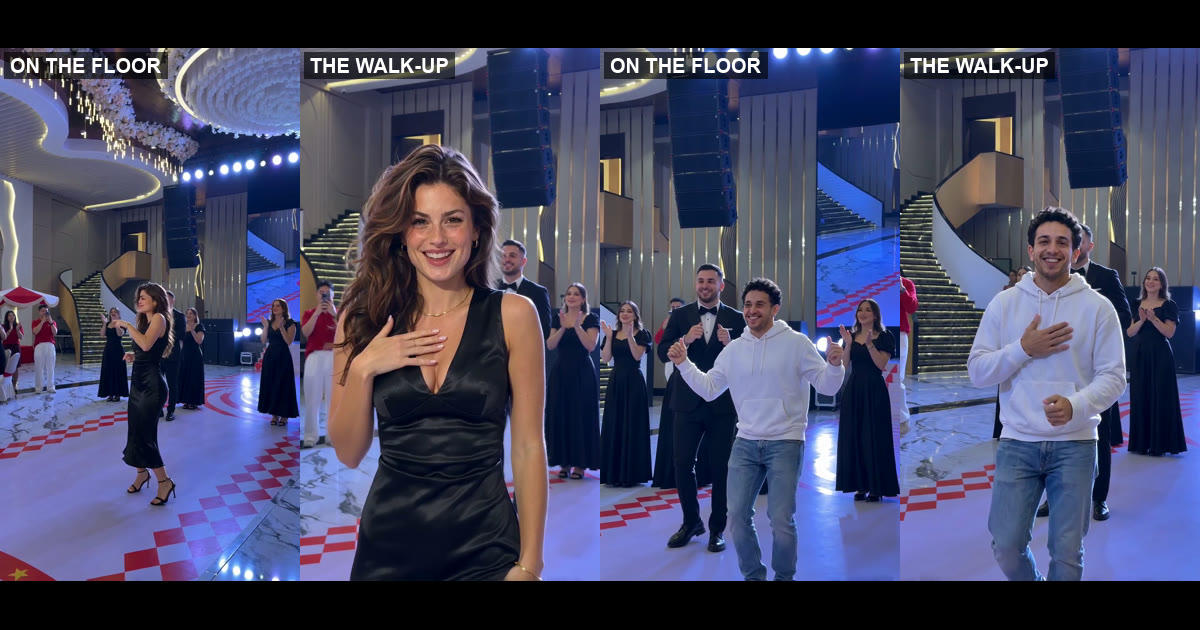
Yes. The moves are the same for anyone, and you dance in the clothes from your photo, so you do not end up in a gown. The example on the template page shows a man in a white hoodie and jeans doing the whole routine.
How to post it like the trend
- The caption: "Yamal dance?" like the original, or "me at every wedding".
- Tag a friend who always takes over the dance floor.
- Keep the song: most posts use "Y Que Fue?", so leave Trend sound on.
- Label it as AI when you post.