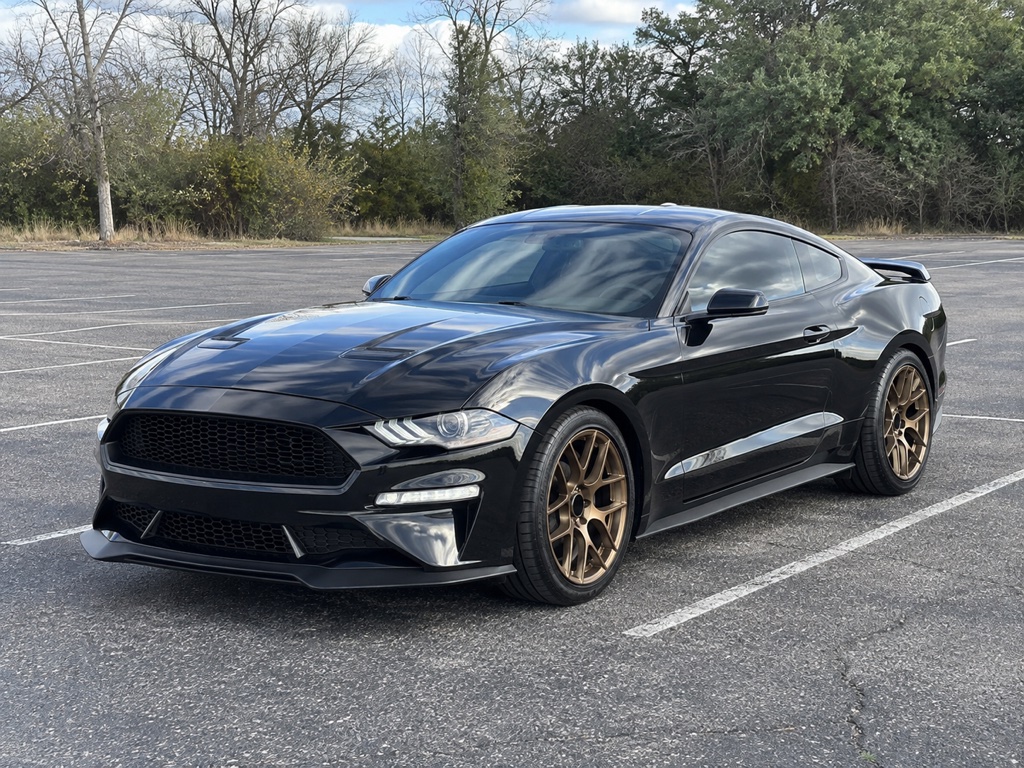
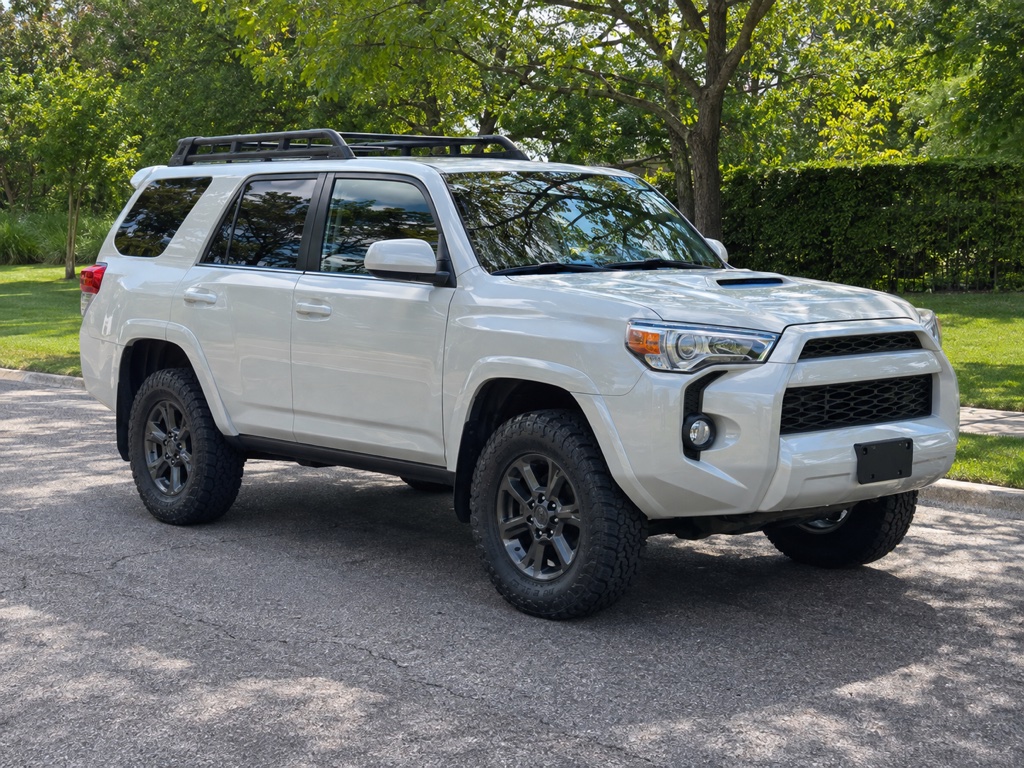
The whole vehicle, from a front corner
Stand at a front corner so the photo shows the front and one side, roof to tires, nothing cropped off. That is what the model copies into every angle.
Add one photo of your car, truck or SUV and it takes the hero car's place in the viral clip: the cruise through a sunny small town, the burnouts in thick white smoke while a restaurant patio stares, the chase and the last burnout. The full 30 seconds or the first 15, widescreen with the bars, with the trend's sound.
ClipRemake turns one photo of your car, truck or SUV into the Need for Speed AI trend: your own vehicle in every shot of the viral car-movie scene, cruising a sunny small town, burning out at an intersection in thick white smoke while a restaurant patio watches, chased through traffic and lost in smoke. The full 30 seconds (1,000 credits) or the first 15 (500 credits), 720p widescreen with the trend's sound, no watermark. Sign in with Google, add the photo and press Remake this. There is no free generation.
Your vehicle1 needed
One sharp daylight photo of your whole car, truck or SUV from a front corner, nothing cropped off and no other car in front of it. Its body, paint, wheels and mods carry into every shot.
Soundtrack
Keeps the clip's own audio under your video.
What you getFixed
Sign in with Google at the next step.
Failed renders are refunded automatically. Photos are deleted after 30 days.
What changes
More examples
The trend
Need for Speed AI, also posted as "What did AI do to my truck" and tagged #needforspeedaitrend, is a TikTok car trend from November 2026. Owners put a photo of their own car or truck into one AI clip shot like a street-racing film: it cruises through a small American town, spins burnouts at an intersection in a cloud of tire smoke while people on a restaurant patio turn to watch, rolls past a gas station and disappears in smoke. Posters call it the Need for Speed scene after the street-racing films and games; the clip itself is AI-made.
This maker swaps the vehicle from your photo into that clip shot by shot. Most app templates give everyone the same movie car with a new paint job; here the body, paint, wheels and mods come from your photo, whether it is a coupe, a lifted pickup or an SUV. Pick the full 30 seconds, the version people post, or the first 15. ClipRemake is not affiliated with Electronic Arts, the Need for Speed games or films, or the creators who posted the trend.
It is a car-owner flex with a joke built in: your daily driver or your old truck as the star of a street-racing film. People post it as "What did AI do to my truck", "my truck being in the movie" or "haters will say it's AI".
Timeline
The first AI clips of owners' own cars in the same small-town car-movie scene appear on TikTok.
@lakenyoung posts his pickup in the scene as "What did Ai do to my truck".
Tutorials point people to a Kling app template; #needforspeedaitrend and #needforspeedaicar start.
ClipRemake adds this maker: your vehicle in the full 30-second scene or the first 15, with the sound.
Photo tips
Stand at a front corner so the photo shows the front and one side, roof to tires, nothing cropped off. That is what the model copies into every angle.
Park it alone in daylight. Night or colored lights change the paint; another car in front of it can get copied in.
Lift, wheels, bumpers, racks and light bars carry over when the photo shows them.
How-to
One sharp daylight photo of the whole car, truck or SUV from a front corner, nothing cropped off, no other cars in front of it.
Full 30 s is the whole clip as people post it (1,000 credits); First 15 s is the cruise, the burnouts and the patio crowd (500 credits).
Press Remake this. The 720p MP4 with the trend's sound lands in My videos in about 10 to 20 minutes, with no watermark; label it as AI-generated when you post.
How to Make the Need for Speed AI Video With Your Own Car: the step-by-step guide with pictures
Before you pay
It is not free: every video is a real render, so there is no free tier. It uses 500 credits for 15 s · 1000 credits for 30 s; the smallest pack that covers the 15 s is the Plus pack (500 credits, $29). You download a clean MP4 with no watermark.
ClipRemake is an unofficial tool, not affiliated with Electronic Arts, the Need for Speed games or films, Kling, CapCut or the creators of the trend. Your video is a new AI video made from your photo.
You can watch the original and the examples on this page without signing in. Google sign-in only comes when you make your own.
Refunds: a failed render's credits come back automatically, and an unused credit pack bought by mistake can be refunded within 14 days of purchase.
FAQ
Like yours. The maker copies the body, paint, wheels, ride height, racks and light bars from your photo into every shot, and the red car of the original clip is gone. Use a clear daylight photo of the whole vehicle from a front corner for the closest match.
Yes. Pickups keep their own cab and bed, SUVs and vans their own body. Any vehicle works as long as the photo shows all of it.
The full 30 seconds is 1,000 credits; the first 15 seconds is 500 credits. Both are 720p widescreen with the trend's sound and no watermark. There is no free version, and a failed render gives the credits back automatically.
The viral clip is shot like a film, with bars at the top and the bottom, and the posts keep that look: on TikTok the black space above the clip holds the caption, such as "What did AI do to my truck".
No. The clip is AI-made and only borrows the street-racing look; no footage from the games or films is used. Badges and number plates are left off your vehicle.
Add one photo of your vehicle on this page, pick Full 30 s or First 15 s and press Remake this. Sign in with Google and get the credits; the clip is in My videos in about 10 to 20 minutes.
No. Every video is a real render of the whole scene that costs money to make, so there is no free version or watermarked preview. The first 15 seconds is 500 credits and the full 30 seconds 1,000 credits, and a failed render gives the credits back automatically.
No. It runs in the browser on a phone or a computer: one car photo in, the finished MP4 out.
No. You download a clean 720p MP4 to post on TikTok, Reels or Shorts. Label it as AI-generated when the app asks.
No text is burned in. Write "What did AI do to my truck", or your own line, in the black space above the clip when you post.
Who it's for
Your car or truck as the star of the scene everyone in your feed is posting.
Post the real photo first, then the clip, with "What did AI do to my truck".
Make one of each member's car, or of a car you just finished.
Up next
Something blew up today?
We add new trends as they take off. Ask for the one you want to remake.