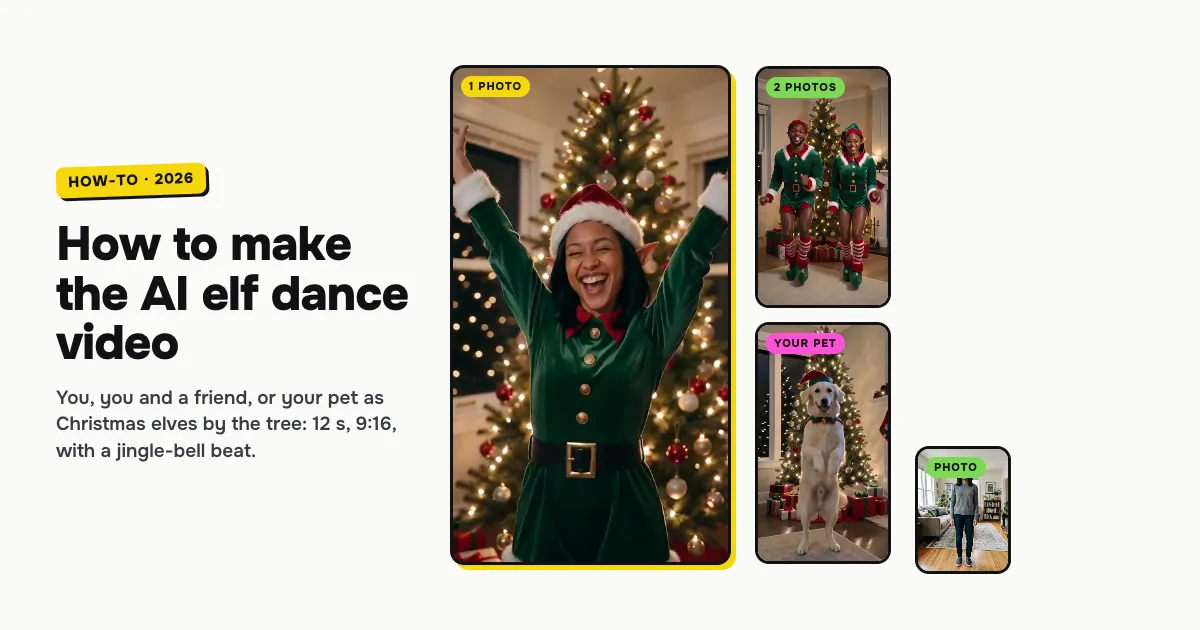
Short answer: to make the AI elf dance video, open the AI elf dance template on ClipRemake, pick You, You + a friend or Your pet, add the photo (two for the duo) and press Remake this. The AI films a new clip of you as a real-looking Christmas elf: a green velvet tunic, striped stockings, curled shoes, a bell hat and pointed ears, dancing by a lit tree in a cozy living room. About five minutes later you download a 12-second, 9:16 MP4 with a jingle-bell beat and no watermark. One video costs $9.99, and there is no free version.
What is the AI elf dance trend?
Putting your face on a dancing elf has been a Christmas habit since the mid-2000s, first as a cut-out face on a cartoon body. The AI elf dance is this year's version. Instead of a pasted face, the AI films you as a real elf, in costume, dancing by the tree. Couples, best friends and pets get the same treatment.
US searches for it come back every year from mid-October and peak in December. That is why people search for it as AI elf dance, elf dance AI and turn yourself into an elf.
There is no single original clip to copy. So this template is a scene: the same room, costume and dance every time, filmed new from your photo.
Who can be in it: you, a friend or your pet
| Pick | Photos | What you get |
|---|---|---|
| You | One adult, face clearly visible | You in the elf costume, dancing alone by the tree |
| You + a friend | Two adults, one per photo | Two elves dancing in sync, a high five and arms up together at the end |
| Your pet | One cat or dog, face and fur clear | Your pet standing up in an elf hat and collar, dancing with real paws |
All three cost the same: one video, 10 credits.
How to make the AI elf dance video, step by step
Step 1: Pick who dances
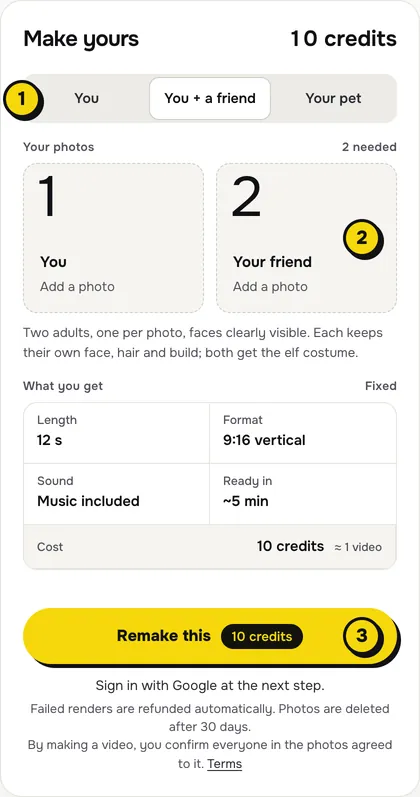
Open the AI elf dance page. At the top of the maker, choose You, You + a friend or Your pet (1 in the picture).
Step 2: Add your photo
Tap the photo box (2) and choose your photo. For You + a friend there are two boxes, one for each of you.
- People: one person per photo, face to the camera, no sunglasses or heavy filters. The elf hat covers most of your hair, so your face carries the likeness. Your clothes become the costume, so any outfit works.
- Pets: a sharp photo of one cat or dog with its face, eyes and markings clear.
Step 3: Press Remake this
Press Remake this (3). If you are not signed in, you sign in with Google first. If you have no credits yet, you pick a pack: one video is $9.99, and bigger packs and plans cost less per video. Pay by card, Apple Pay or Google Pay. If a render fails, the credits come back on their own.
Step 4: Download and send
About five minutes later the video is in My videos. Download the MP4: it is 12 seconds, 9:16, with the music on it and no watermark. Post it, or send it to the family chat as a Christmas card. Switch on the AI-generated label when you post.
What your video looks like
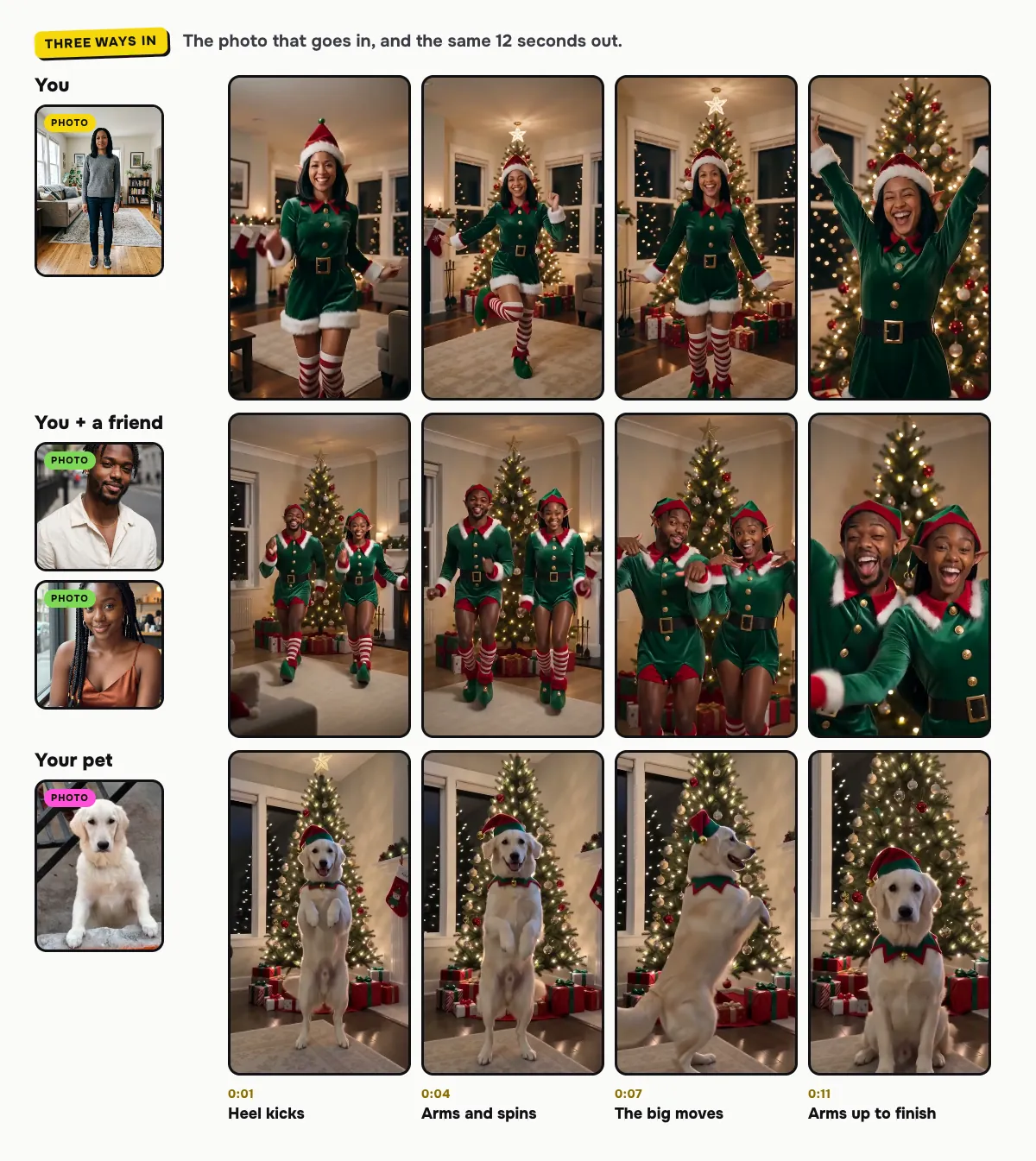
The living room, the costume and the routine are the same every time:
| Time | What happens |
|---|---|
| 0:00–0:03 | Heel kicks to the beat by the lit tree |
| 0:03–0:06 | Arms swinging side to side and a spin |
| 0:06–0:09 | The big moves: jazz hands, hops (a high five for the duo) |
| 0:09–0:12 | Arms up and a big smile to finish (pets sit up proudly) |
The music
The video comes with an upbeat instrumental Christmas beat full of jingle bells and sleigh bells, made with the video. It has no vocals and is not a copyrighted song, so you can post it as it is. Every render gets its own take on the beat. To use a sound from TikTok's or Instagram's library instead, mute the clip's audio in the app and add yours.
Tips for a better result
- One person per photo. A group photo confuses who goes where; for the duo, give each of you your own photo.
- Faces to the camera. Front-facing photos in even light hold up best in the close-up at the end.
- Make a set. Make one of you, one with your partner and one of the dog, and post them together as your Christmas card.
Is it free?
No. Every video is a real render that costs money to make, so there is no free version, free trial or watermarked preview. One video costs $9.99 for one person, two people or a pet, the pricing page lists packs and plans that cost less per video, and failed renders are refunded in credits automatically. Unused packs bought by mistake can be refunded under the refund policy.