Kickflip
6 seconds. Your vehicle lifts off on thrusters, rolls upside down over the Semi and the parked Teslas and flies out of frame. The example on this page was made this way.
One photo of your car, motorbike or bike and it takes the Roadster's place in Tesla's reveal: lift off and flip over the Semi and the parked Teslas, or climb the curved ramp and flip off the top.
Short answer: ClipRemake puts your car, motorbike or bike into the flying car AI trend: pick the kickflip or the ramp flip from the Roadster reveal, upload one photo of your vehicle, sign in with Google, and a few minutes later download a 16:9 MP4 (6 or 15 seconds, no watermark, no sound) of it doing the stunt. A video costs $9.99; your first is $5.99. There is no free generation.
Your vehicle1 needed
One vehicle (car, motorbike, bike, anything on wheels), the whole of it in frame, from the side or a front three-quarter angle, in daylight. No people needed.
What you getFixed
Sign in with Google at the next step.
Failed renders are refunded automatically. Photos are deleted after 30 days.
Original vs remake
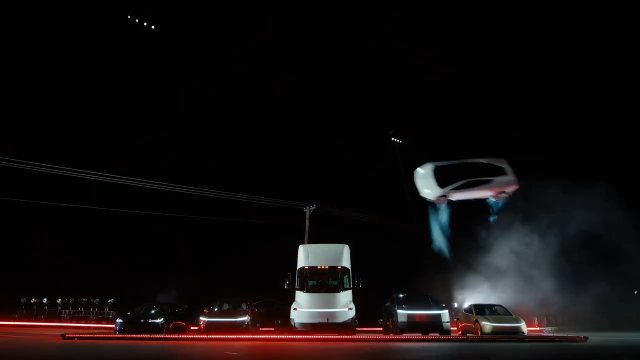 A · ORIGINAL
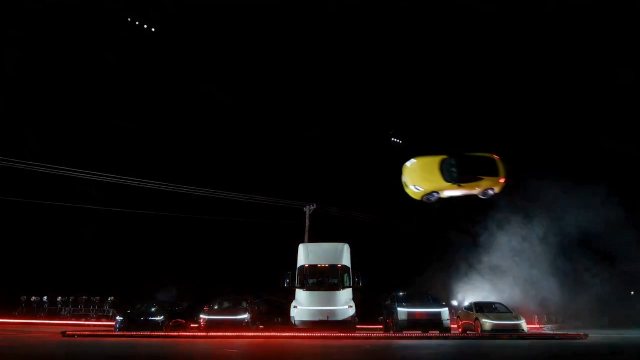 B · REMAKE
The car rises from behind the line of parked cars on its thrusters.
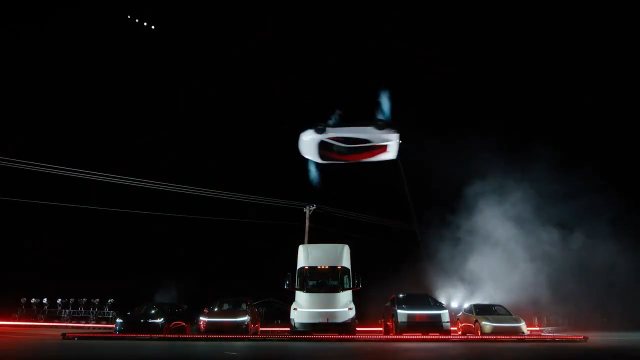 A · ORIGINAL
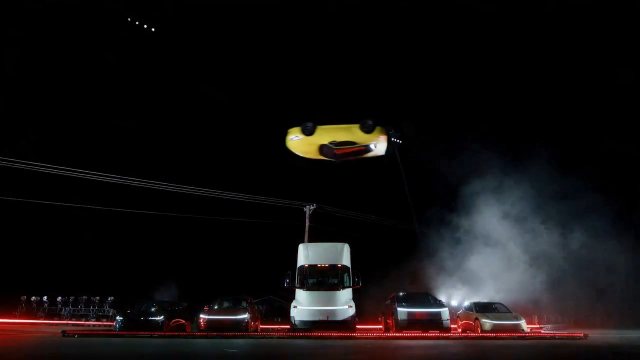 B · REMAKE
It rolls onto its side right above the Semi truck.
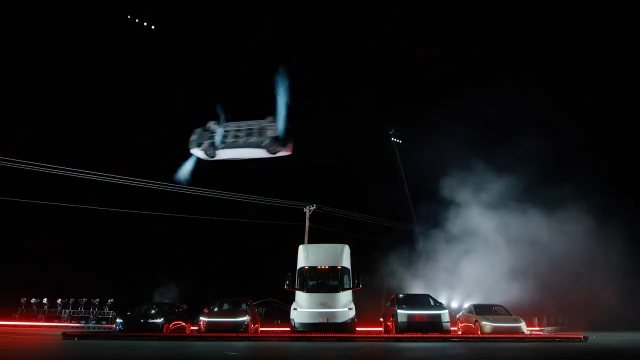 A · ORIGINAL
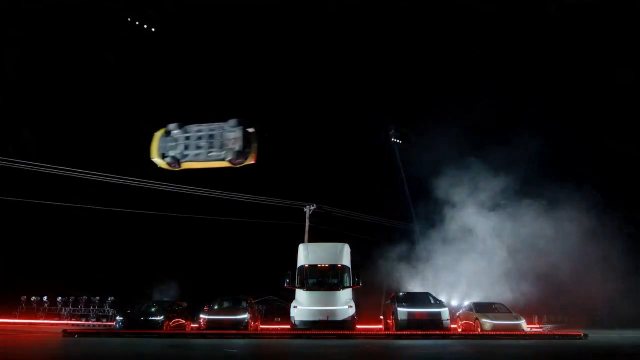 B · REMAKE
The underside faces the camera at the top of the flip.
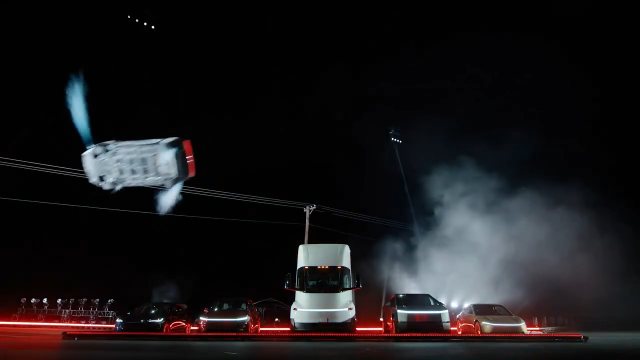 A · ORIGINAL
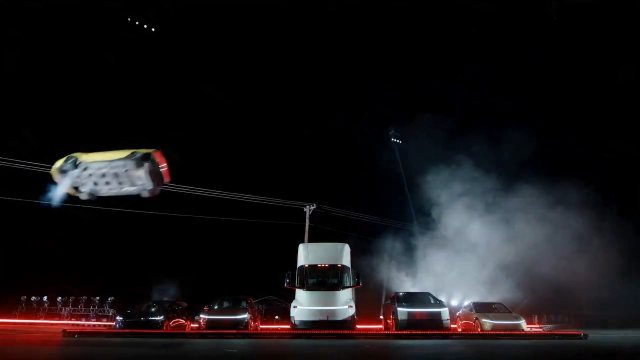 B · REMAKE
Still rolling, it heads out of frame to the left in a trail of air.
What changes
More examples
The trend
On October 15, 2026 Tesla showed its new Roadster with stunts nobody expects from a car. In one clip it lifts off on thrusters and flips upside down over a row of parked Teslas and a Semi truck; in another it drives up a towering curved ramp and flips off the top. Within two days people were posting AI versions with their own cars doing the same stunts.
This maker uses two of those clips: the 6-second side view of the kickflip and the 15-second wide shot of the ramp. The vehicle in your photo, a car, a motorbike or a bike, replaces the Roadster; the set, the parked vehicles, the smoke and the camera stay. The clip is silent, so you add a sound when you post. ClipRemake is not affiliated with Tesla.
Only the vehicle changes. The model takes its colour, shape, lights and wheels from your photo and puts it on the Roadster's path: the same lift-off, the same roll over the Semi, the same exit, or the same climb up the curved wall and flip off the top. Everything else in the clip stays where it was.
Timeline
Tesla unveils the new Roadster in a livestream. One clip shows it lifting off and flipping over a row of its own cars and a Semi.
AI versions with other cars in the Roadster's place start showing up, along with sites that make them from a car photo. ClipRemake adds this template on Oct 17.
Three ways
6 seconds. Your vehicle lifts off on thrusters, rolls upside down over the Semi and the parked Teslas and flies out of frame. The example on this page was made this way.
15 seconds. Your vehicle drives up a towering curved ramp, climbs the vertical wall, flips off the top, lands in a cloud of smoke and drives away.
Second by second
Night, red lights along the stage floor, the Semi in the middle and parked Teslas on both sides.
The yellow coupe rises from behind the line on jets of white air.
Above the Semi it rolls upside down, its underside facing the camera.
It keeps rolling and flies out of frame to the left, leaving smoke over the stage.
Spotlights sweep across the smoke while the parked cars stay where they are.
Photo tips
Bumper to bumper in frame. A car cut off at the edge of the photo comes back with a guessed end.
The clip shows the car from the side, so a side or front three-quarter photo gives the model the most to work with.
Even light shows the real colour; keep people, other cars and poles out of the way.
How-to
Kickflip (6 s): lift off and flip over the Tesla lineup. Ramp flip (15 s): up the curved wall, off the top, down in smoke.
A car, motorbike or bike, the whole of it in frame, from the side or a front three-quarter angle, in daylight.
A few minutes later the MP4 is in My videos, with no watermark. Add a sound and label it as AI-generated.
Real example
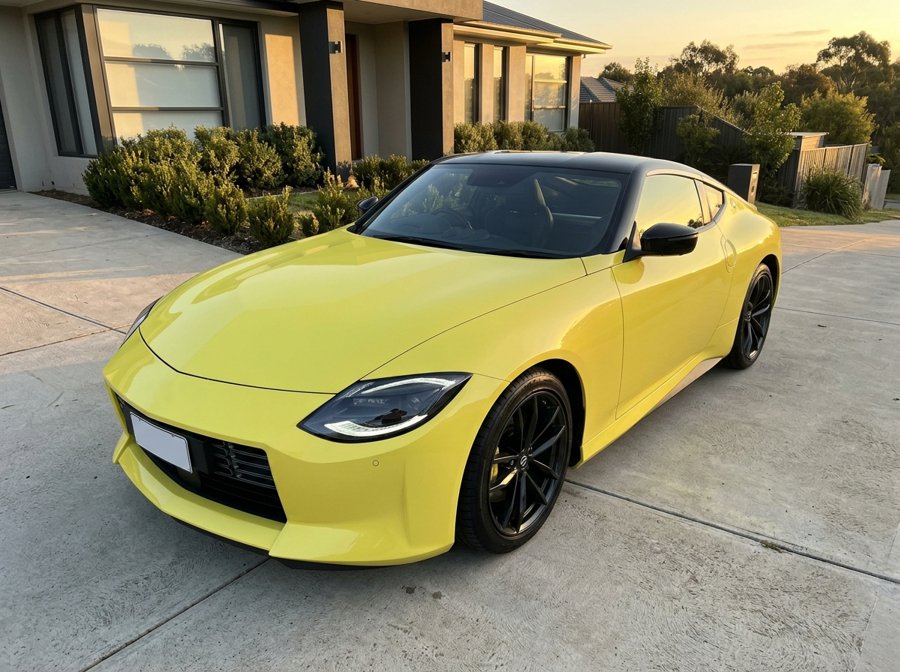
In: One phone photo of a yellow two-door sports coupe with black wheels, parked on a driveway at golden hour (an AI-generated car without badges, not a real listing).
Out: Tesla's 6-second kickflip with that coupe in the Roadster's place: its colour, shape, black roof and wheels; the lift-off, the roll over the Semi and the exit from the original; no sound. One render, unedited, made with the same model and prompt as this maker.
Before you pay
It is not free: every video is a real render, so there is no free tier. A video uses 10 credits, $9.99 on its own; your first credit pack is 40% off, so a first video is $5.99. You download a clean MP4 with no watermark.
ClipRemake is an unofficial fan tool, not affiliated with Tesla. We do not sell or host Tesla's footage: the clip is filmed again with your car, so the result is a new AI video.
You can watch the whole example on this page without signing in. Google sign-in only comes when you make your own.
Refunds: a failed render's credits come back automatically, and an unused credit pack bought by mistake can be refunded within 14 days of purchase.
FAQ
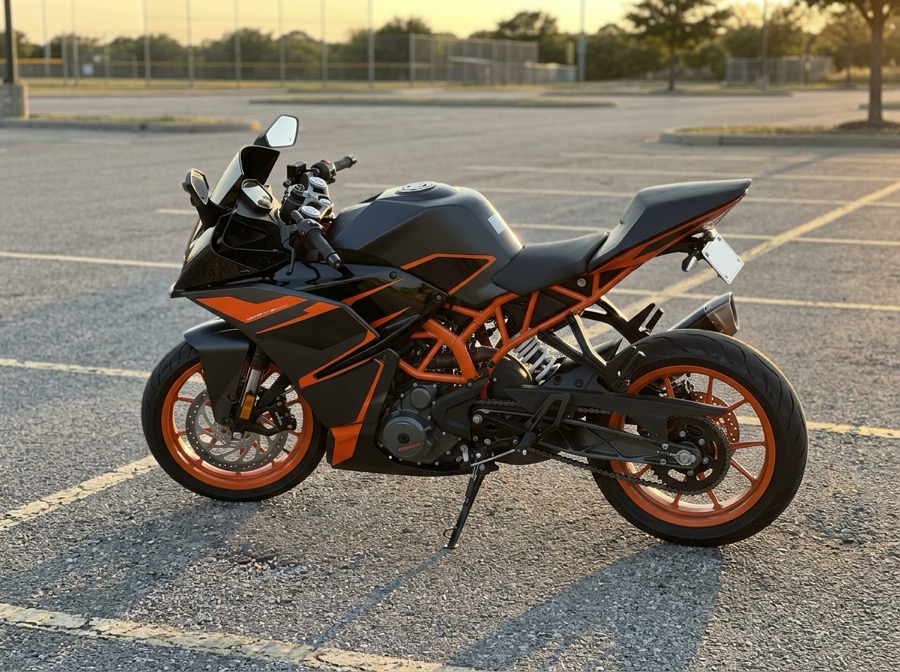
Any vehicle you can photograph whole: hatchbacks, sedans, SUVs, pickups, sports cars, motorbikes and bikes. The model keeps its colour, shape, lights and wheels. Our tests used a red hatchback, a yellow sports coupe and an orange-and-black sport motorbike.
No. An AI video model films Tesla's clip again with your vehicle in the Roadster's place, so the result is a new AI video. ClipRemake is not affiliated with Tesla.
Like the flying car videos in the trend, it comes out silent, so you can add any sound inside TikTok, Reels or Shorts.
Kickflip: 6 seconds. Ramp flip: 15 seconds. Both are 16:9, 720p and cost the same, one video.
Yes. Upload a photo of the motorbike or bike instead of a car: it takes the Roadster's place and does the same stunt, without a rider.
No. One photo of the vehicle is all it takes; nobody appears in the clip.
Your own, or one you have the right to post. Keep number plates you would rather not show out of the photo or cover them.
Who it's for
Your daily driver, motorbike or road bike doing the stunt Tesla used to unveil a supercar.
One clip per member's car, posted as a series.
The family minivan, a first car or a friend's old hatchback, flying.
Up next
Something blew up today?
We add new trends as they take off. Ask for the one you want to remake.