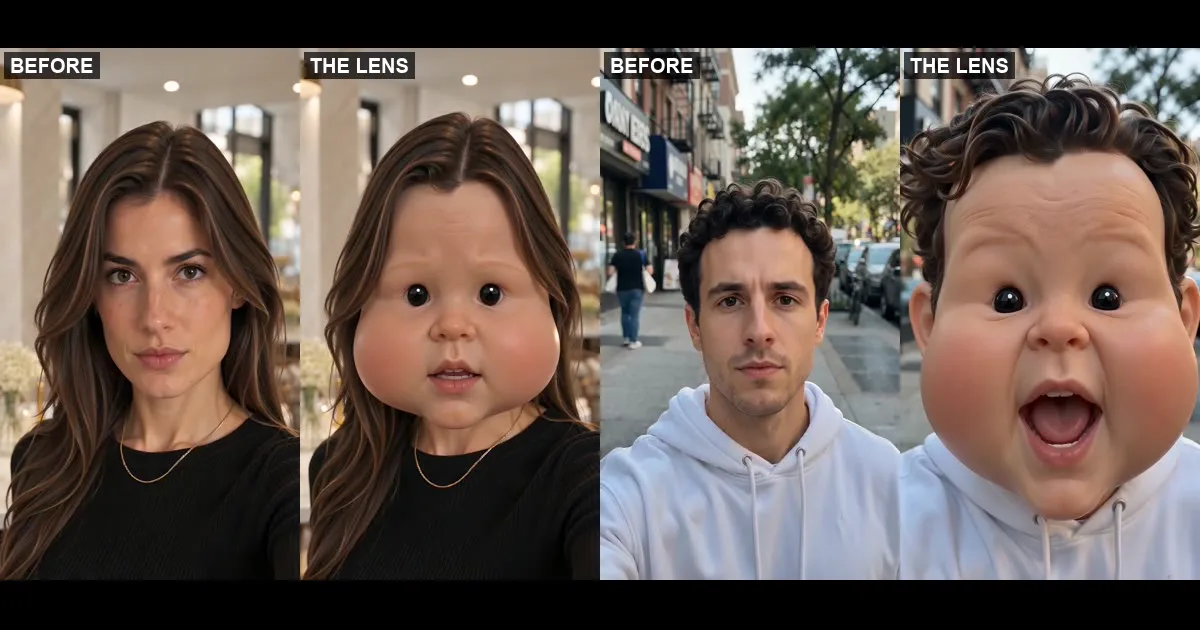
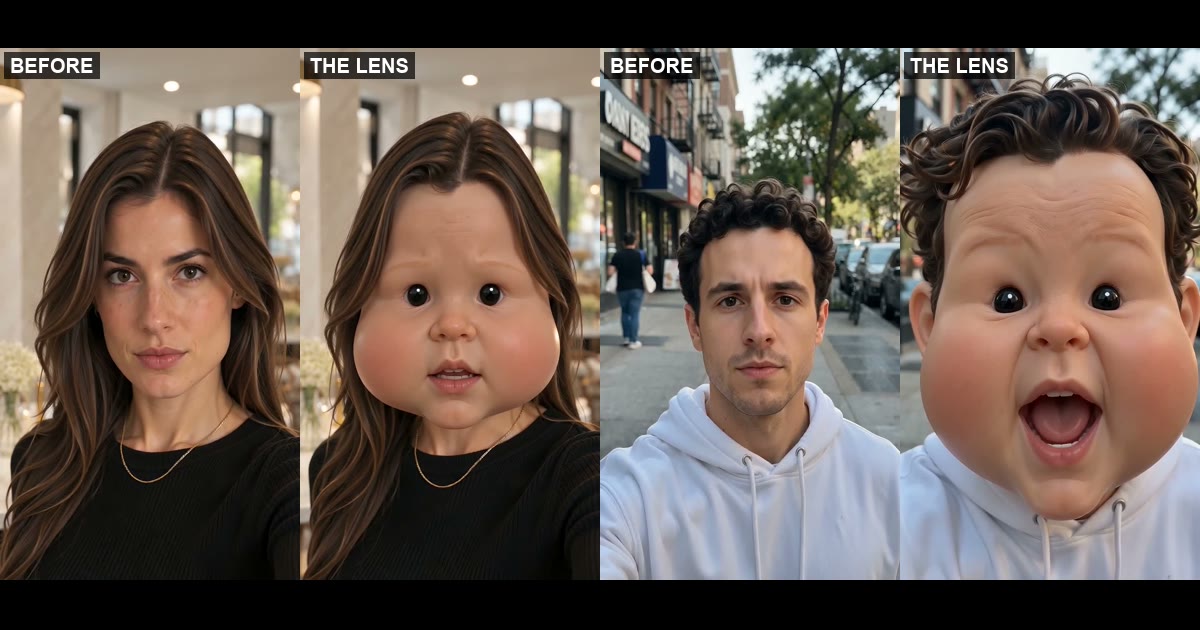
Open the Baby Face Filter AI template on ClipRemake, add one photo of yourself and press Remake this. About five minutes later you download an 8-second vertical selfie video: it opens on your real face, then the viral doll-baby lens snaps on, tiny black bead eyes, cheeks puffed out past your jaw, a button nose, and you talk to the camera with a straight face before shouting "I am a baby!" in a grown-up voice. Sound is on and there is no watermark. One video is 100 credits ($9.99); there is no free version.
What is the Baby Face Filter AI trend?
The baby face filter is a Snapchat lens, often called ggg11 or the Cabbage Patch filter, that turns an adult face into a doll baby: two tiny black bead eyes with no whites, cheeks puffed far past the jaw, a button nose and a small mouth. It had been floating around since September 2026.
In mid-November it took over TikTok. People put the lens on the most serious scenes they could find, a surgeon's speech from a TV drama, a streamer shouting into the webcam, and captioned them "I AM A BABY". The joke is always the same: a grown-up voice and a grown-up life under a blank doll face.
How to make the Baby Face Filter AI video, step by step
Step 1: Add your photo
Go to the Baby Face Filter AI page and add one photo.
- Face to the camera. The lens sits on your face, so use a sharp, front-facing photo in good light, no sunglasses or heavy filters.
- Chest up is best. It is a selfie, so a chest-up photo shows everything the camera sees.
- Your look stays. Hair, clothes, accessories and the background come from your photo, so friends know it is you.
- Adults only. Never upload a photo of a child.
Step 2: Press Remake this
If you are not signed in, you sign in with Google first. Without credits, you get the Starter pack (100 credits, $9.99), paid by card, Apple Pay or Google Pay. If a render fails, the credits come back on their own.
Step 3: Download and post
About five minutes later the video waits in My videos. Download the MP4 (720p, 9:16, no watermark), add your caption and turn on the AI-generated label when you post.
What your video looks like
| Time | What happens |
|---|---|
| 0:00–0:01 | Your own face in a front-camera selfie |
| 0:01 | The lens snaps on: bead eyes, puffy cheeks, button nose |
| 0:01–0:05 | You talk to the camera with total seriousness |
| 0:05–0:07 | You lean in and shout "I am a baby!" |
| 0:07–0:08 | A blank doll-baby stare into the lens |
Small moments, like the words before the shout, can change from one render to the next.
How to post it like the trend
- The caption: "I AM A BABY", or the most serious thing you have said this week.
- Keep the voice: the grown-up voice under the baby face is the joke.
- Tag the friend who acts like a baby, if they are fine with it.
- Label it as AI when you post.