Face clear
The lens sits on your face, so use a sharp, front-facing, chest-up photo in good light, no sunglasses.
Add one photo. For a second it is just you looking into your phone, then the lens snaps on: tiny black bead eyes, cheeks puffed out past your jaw, a button nose, and you keep talking with a straight face until you lean in and shout "I am a baby!" Eight seconds, vertical, with your voice and no watermark.
ClipRemake turns one photo into the Baby Face Filter trend: an 8-second front-camera selfie that opens on your real face, then the viral doll-baby lens snaps on, tiny black bead eyes, cheeks puffed past your jaw, a button nose, and you talk with a straight face before shouting "I am a baby!" in a grown-up voice. Vertical, with sound, no watermark. Sign in with Google, add the photo and press Remake this. A video costs $9.99. There is no free generation.
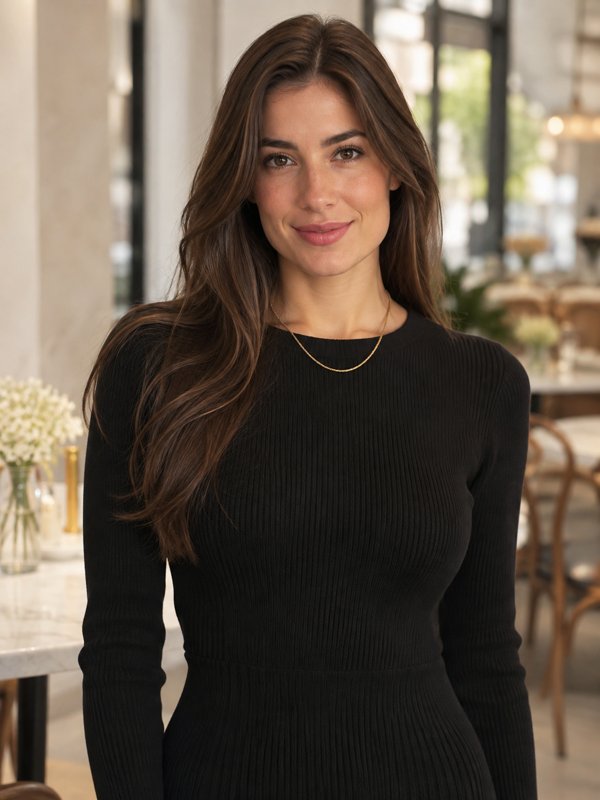
Your photo1 needed
One adult, face to the camera, chest up and sharp. For a moment it is you, then the doll-baby lens snaps on and you shout "I am a baby!"
What you getFixed
Sign in with Google at the next step.
Failed renders are refunded automatically. Photos are deleted after 30 days.
What changes
More examples
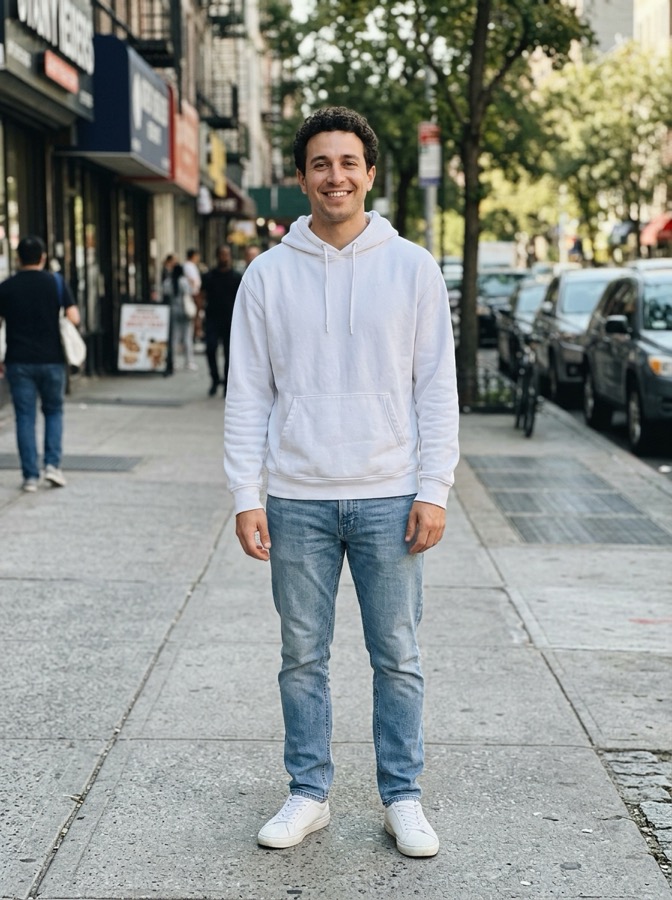
The trend
The baby face filter is a Snapchat lens, often called ggg11 or the Cabbage Patch filter, that turns an adult face into a doll baby: two tiny black bead eyes, cheeks puffed far past the jaw, a button nose and a small mouth. It had been around since September, then in November 2026 TikTok filled up with it, first on serious scenes from TV shows and films, then on streamers yelling into their webcams, captioned things like "I AM A BABY".
This maker turns one photo of you into that clip: an 8-second front-camera selfie in which you are yourself for a moment, the lens snaps on, and you talk straight-faced and then shout "I am a baby!" Your hair, clothes and background stay from your photo, and the voice is a normal grown-up one, which is the joke. It is an AI video made from your photo, not the Snapchat lens itself, and ClipRemake is not affiliated with Snapchat or the creators who posted the trend.
The joke is the mismatch: a very grown-up person, voice and outfit under a blank doll-baby face. People post it with "I AM A BABY", put it on their most serious moments, or tag the friend who acts like one.
Timeline
The Snapchat doll-baby lens, later known as ggg11, starts to show up on TikTok.
Clips of TV scenes and streamers with the lens take off on TikTok, captioned "I AM A BABY".
ClipRemake adds this maker: one photo, an 8-second selfie with the lens.
Photo tips
The lens sits on your face, so use a sharp, front-facing, chest-up photo in good light, no sunglasses.
Your hair, clothes and background come from the photo, so friends know it is you under the baby face.
The joke is an adult face under the lens: never upload a photo of a child.
How-to
One adult, face to the camera, chest up and sharp. Good light and no sunglasses.
Sign in with Google and pay for one video (100 credits, $9.99).
About five minutes later the 8-second MP4 with sound is in My videos, with no watermark; label it as AI-generated when you post.
How to Make the Baby Face Filter AI Video (the Doll Baby Lens): the step-by-step guide with pictures
Before you pay
It is not free: every video is a real render, so there is no free tier. A video uses 100 credits, $9.99 on its own. You download a clean MP4 with no watermark.
ClipRemake is an unofficial tool, not affiliated with Snapchat, the lens creator or the creators who posted the trend. Your video is a new AI video made from your photo.
You can watch the examples on this page without signing in. Google sign-in only comes when you make your own.
Refunds: a failed render's credits come back automatically, and an unused credit pack bought by mistake can be refunded within 14 days of purchase.
FAQ
It is the same look made by AI from your photo: black bead eyes, puffy doll cheeks and a button nose, on your face, as an 8-second video. You do not need Snapchat.
Yes. The video opens on your own face for a second before the lens snaps on, and your hair, clothes and background stay from your photo the whole time.
You talk to the camera with a straight face and then shout "I am a baby!" in a normal grown-up voice. The voice is made by AI.
No. The lens is the joke on adults: use your own photo or one of an adult friend who said yes. Photos of children and famous people are not allowed.
One video is 100 credits ($9.99). There is no free version, and if a render fails the credits come back automatically.
Not yet. This maker is for people only for now.
Add one photo on this page and press Remake this. Sign in with Google and pay for one video; about five minutes later the 8-second clip is in My videos.
No. Every video is a real render that costs money to make, so there is no free version or watermarked preview. One video costs $9.99 (100 credits), and if a render fails the credits come back automatically.
No. It runs in the browser on a phone or a computer: photo in, the finished MP4 out.
No. You download a clean MP4 to post on TikTok, Reels or Shorts. Label it as AI-generated when the app asks.
Yes. The video comes with an AI voice that talks and shouts "I am a baby!", plus the room's sound.
Who it's for
Caption it "I AM A BABY".
Make one of the friend who acts like a baby, with their OK.
Answer a serious question with the baby face.
Up next
Something blew up today?
We add new trends as they take off. Ask for the one you want to remake.