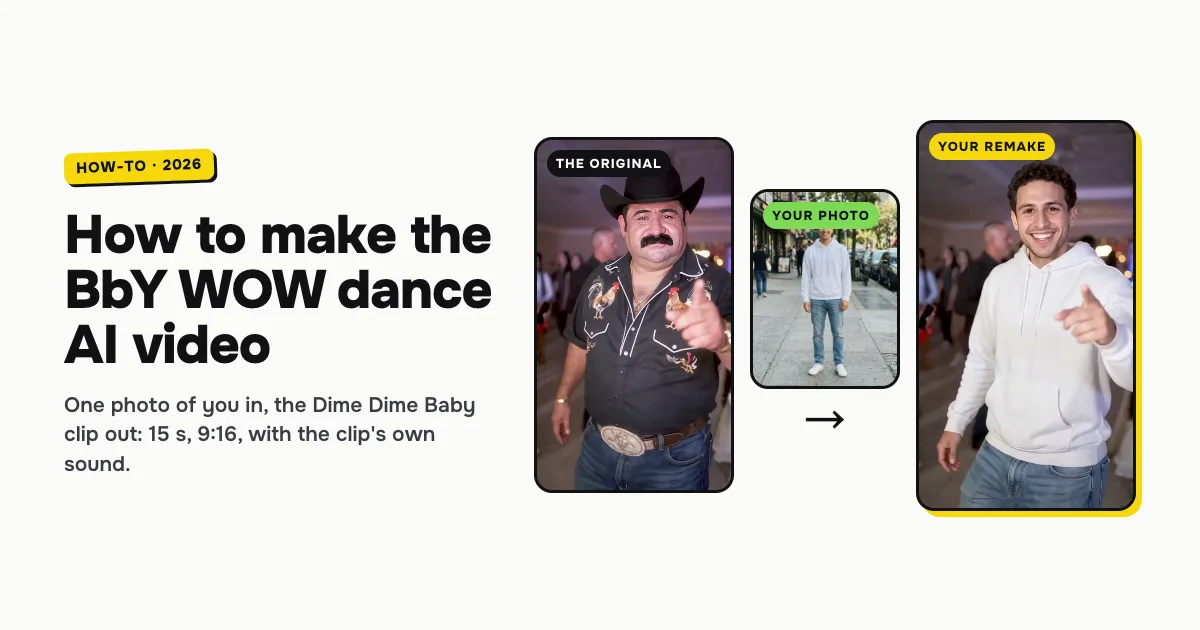
Short answer: to make the BbY WOW dance AI video, open the BbY WOW dance AI template on ClipRemake, add one clear photo of yourself and press Remake this. You take the dancer's place in the 15-second Dime Dime Baby clip: the strut to the camera, the bite of bread, the dance back into the crowd, the point and the grin. About five minutes later you download a 9:16 MP4 with the clip's own sound (or none) and no watermark. One video costs $9.99, and there is no free version.
What is the BbY WOW dance trend?
The Dime Dime Baby meme is a party clip from a quinceañera, a Latin American fifteenth-birthday party. A guest struts up to someone's phone through the party lights, nibbles a piece of bread mid-step, sways his hips, dances back into the crowd, then comes back to point at the camera and grin. It is set to a sped-up cut of "BbY WOW" by KAROL G with Judeline and rusowsky, which is why people search for it as BbY WOW dance AI, Dime Dime Baby AI or "the bby wow guy".
The version everyone remakes is a 15-second clip of a man in a black cowboy hat and a rooster-embroidered shirt, posted on TikTok by @elmariobrox on October 17, 2026. Within days people were putting themselves, their friends and their pets in his place. The joke works because the clip never changes: same hall, same guests, same moves, and a different person doing them.
That is also why a generic "AI dance" app does not give you this video. You want a tool that keeps the original clip and swaps only the dancer.
What you need
- One photo of one adult. The face in full view, no sunglasses or mask. A head-to-shoes photo is best, because the remake takes your build and your outfit from it.
- About five minutes. You can close the tab while it renders.
- One video's worth of credits: 10 credits, which is $9.99 bought once. Credits from a pack never expire.
Only use photos of adults who agreed to it. Children, pets and celebrities are not supported in this template.
How to make the BbY WOW dance AI video, step by step
Step 1: Pick a good photo
The photo decides how much the dancer looks like you. Pick one where you stand alone, in clear daylight or even indoor light, ideally full length. The clothes in the photo are the clothes you wear in the video, so a party outfit looks great, and a hoodie and jeans work too. Avoid group photos, heavy filters and photos cut off at the neck.
Step 2: Open the template and add your photo
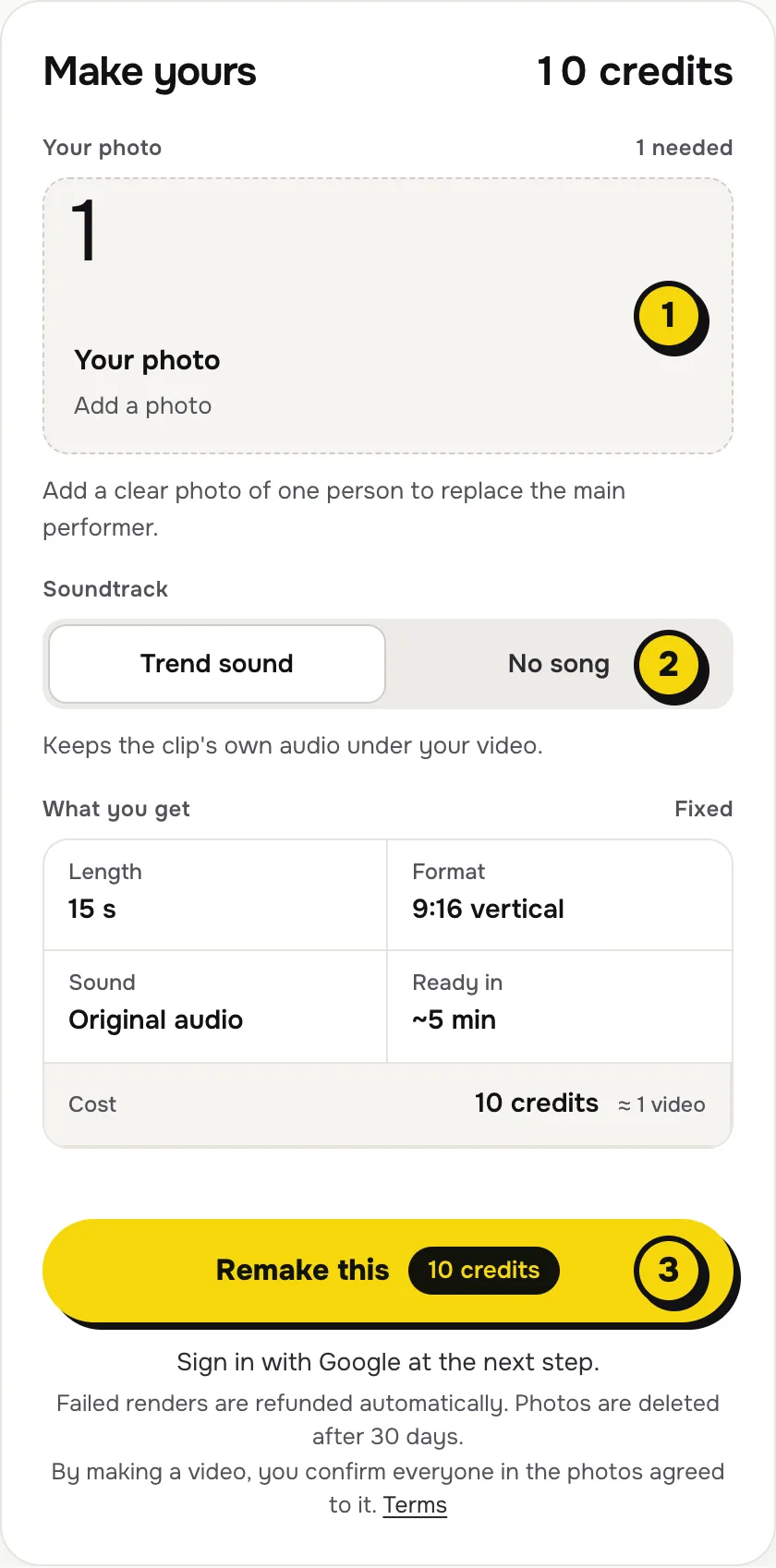
Go to the BbY WOW dance AI page. The maker sits next to the original clip and a finished example. Tap the photo box (1 in the picture) and choose your photo.
Step 3: Choose the sound
The switch (2) has two settings:
| Setting | What you get | When to pick it |
|---|---|---|
| Trend sound (default) | Your video with the clip's own 15 seconds of audio under it | You want it ready to post as is, beat for beat with the original |
| No song | A silent video | You will add the BbY WOW sound inside TikTok or Reels, the safer way if an app mutes copyrighted audio |
Step 4: Press Remake this
Press Remake this (3). If you are not signed in, you sign in with Google first. If you have no credits yet, you pick a pack: one video is $9.99, and bigger packs and plans cost less per video. Pay by card, Apple Pay or Google Pay. If a render fails, the credits come back on their own.
Step 5: Download and post
About five minutes later the video is in My videos. Download the MP4: it has no watermark. When you post, label it as AI-generated if the app asks, and tag the friend whose photo you used.
What your video looks like, second by second
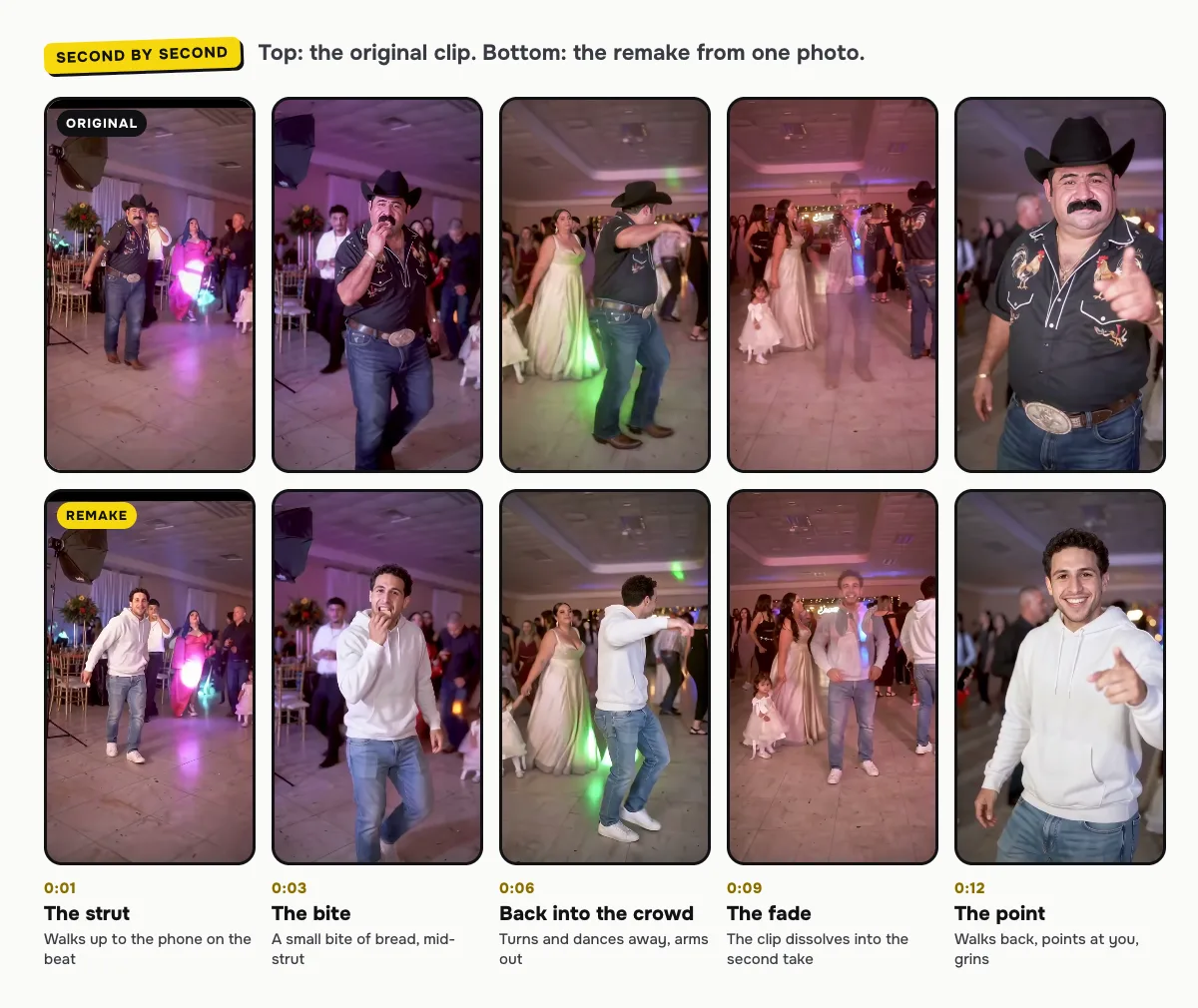
The remake follows the original frame for frame. Only the dancer changes:
| Time | What happens |
|---|---|
| 0:00–0:03 | You strut up to the phone on the beat, past the photographer's light |
| 0:03 | A small bite of bread, without breaking step |
| 0:04–0:08 | You turn and dance back into the crowd, arms out, hips swaying |
| 0:09 | The clip fades into its second take |
| 0:10–0:15 | You walk back to the camera, point straight at it and grin |
Why does the dancer fade at nine seconds?
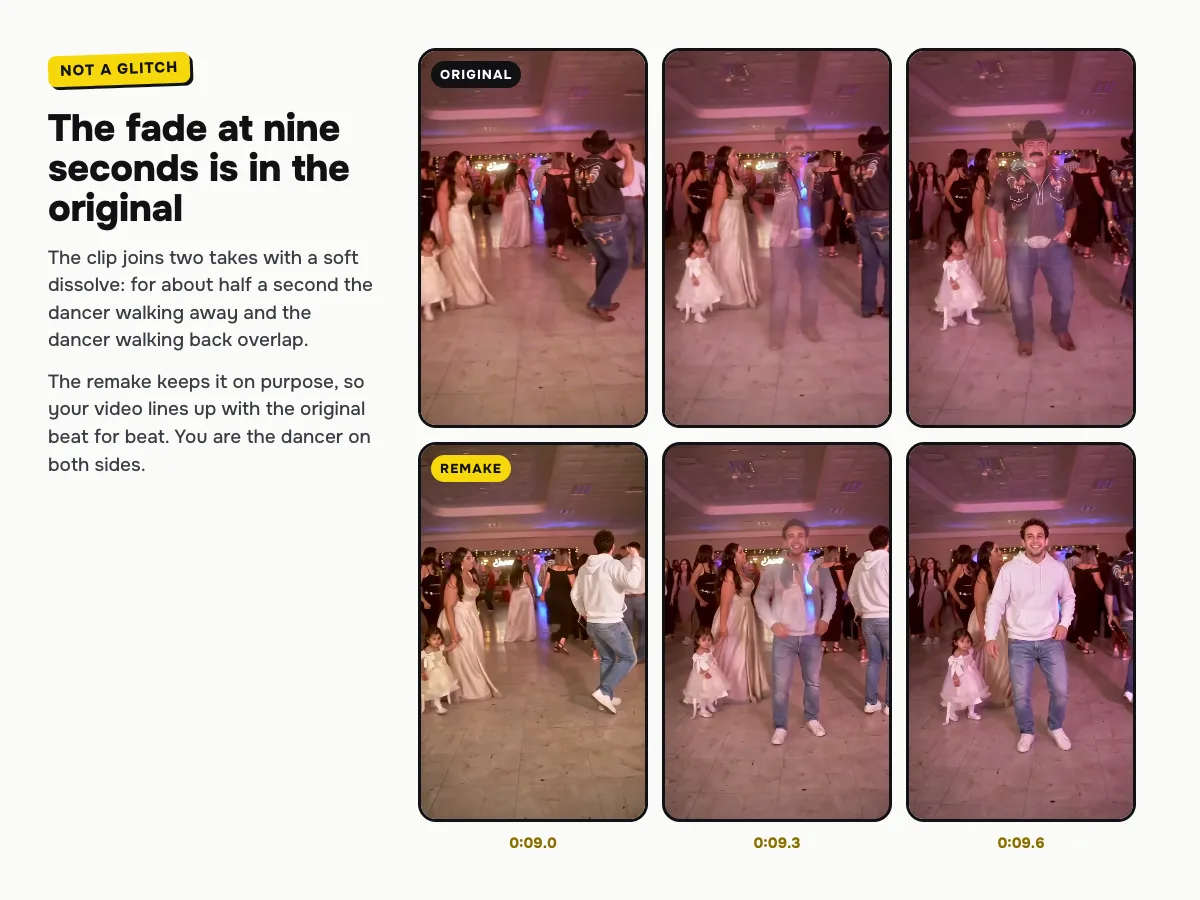
Because the original does. The clip was put together from two takes, joined with a soft dissolve, so for about half a second the dancer walking away and the dancer walking back overlap and look see-through. The remake keeps that moment on purpose: it lets your video line up with the original beat for beat, and you are the dancer on both sides of it.
How to add the BbY WOW sound on TikTok or Reels
- You kept Trend sound: the audio is already in the file. Post it as it is.
- You picked No song: in TikTok, tap Add sound, search for "BbY WOW" or "dime dime baby" and pick the sped-up version most posts use. Start it so the "dime dime baby" line lands on the bite at about three seconds. Reels works the same way with Audio.
If an app mutes your video for copyrighted audio, make the No song version and add the sound from the app's own library instead.
Tips for a better remake
- Match the energy. A smiling, relaxed photo makes the grin at the end look natural.
- Mind the outfit. Whatever you wear in the photo is what you dance in, logos and all, so plain clothes come out cleanest.
- Make a pair. Make one for you and one for a friend and post them side by side, or next to the original cowboy clip.
Is it free?
No. Every video is a real render that costs money to make, so there is no free version, free trial or watermarked preview. One video costs $9.99, the pricing page lists packs and plans that cost less per video, and failed renders are refunded in credits automatically. Unused packs bought by mistake can be refunded under the refund policy.