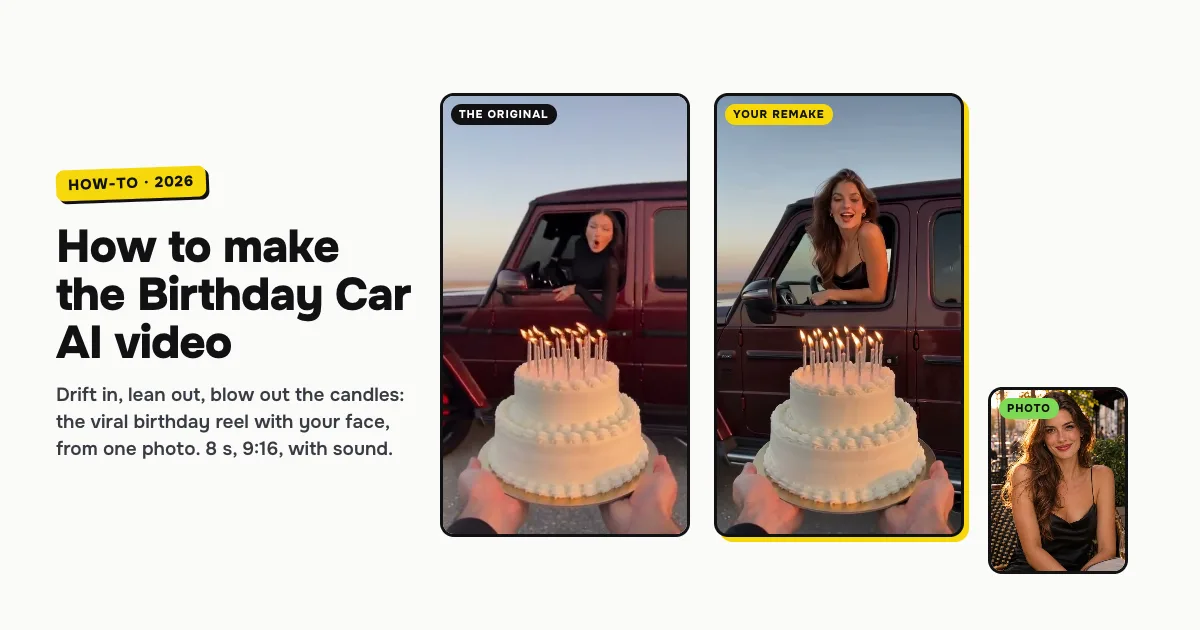
Short answer: to make the Birthday Car AI video, open the Birthday Car AI template on ClipRemake, add one clear photo of yourself and press Remake this. You become the driver in the viral birthday reel: a friend holds a birthday cake on a desert lot at sunset, a dark-red SUV drifts in through tire smoke, you lean out of the window, blow out every candle, and the picture turns black and white. About five minutes later you download an 8-second, 9:16 MP4 with sound and no watermark. One video costs $9.99, and there is no free version.
What is the Birthday Car AI trend?
The birthday car trend is a birthday reel filmed from a friend's point of view: they hold a cake with lit candles, a car pulls up or drifts in right behind it, the driver leans out of the window and blows out the candles, and the clip freezes in black and white. @mira__98kr posted the first car version on Instagram on October 5, 2026: a black SUV on a wet city street at dusk, with a slow fade to black and white.
The version everyone copies came on October 28, 2026. @udinu281 posted a dark-red SUV that drifts in through tire smoke on a desert lot at sunset; she leans out, blows out the candles, and the clip freezes in black and white with her age. It passed 94,000 likes in 15 hours. People search for it as Birthday Car AI, the drift birthday cake video and the "car birthday reel" to make their own.
Who can be in it
One adult, from one photo. You keep your face, hair and clothes, and you are the one at the wheel. Women and men both work: our examples below are one of each, made the same way.
It is made for people only. A pet can't be the driver yet; for a pet, try Mini Me AI or Nestle Crunch AI, which both have a Your pet option.
How to make the Birthday Car AI video, step by step
Step 1: Add one photo
Open the Birthday Car AI page. There is nothing to pick: one photo, one 8-second reel. Tap the photo box (1 in the picture) and choose your photo.
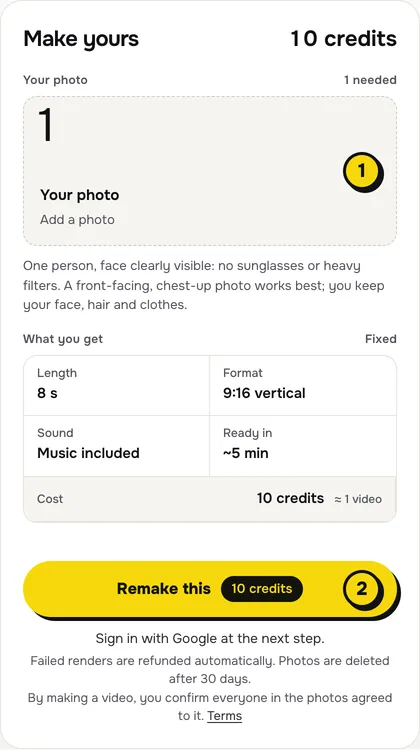
- One person, face to the camera, no sunglasses or heavy filters.
- The face matters most. The last seconds are a close-up of you leaning over the candles, so a sharp, well-lit face is what makes it look like you.
- Your hair blows in the wind as you lean out, so its color, length and style come from your photo.
- Chest up shows the top you will wear in the car.
Step 2: Press Remake this
Press Remake this (2). The card above the button shows what you get, and none of it needs setting: 8 seconds, 9:16 vertical, sound included, ready in about five minutes, 10 credits.
If you are not signed in, you sign in with Google first. If you have no credits yet, you pick a pack: one video is $9.99, and bigger packs and plans cost less per video. Pay by card, Apple Pay or Google Pay. If a render fails, the credits come back on their own.
Step 3: Download and post
About five minutes later the video is in My videos. Download the MP4: it is 8 seconds, 9:16, with sound and no watermark. The video has no text on it, so add your age or "happy birthday" as a caption or a text sticker, and switch on the AI-generated label when you post.
What your video looks like, beat by beat
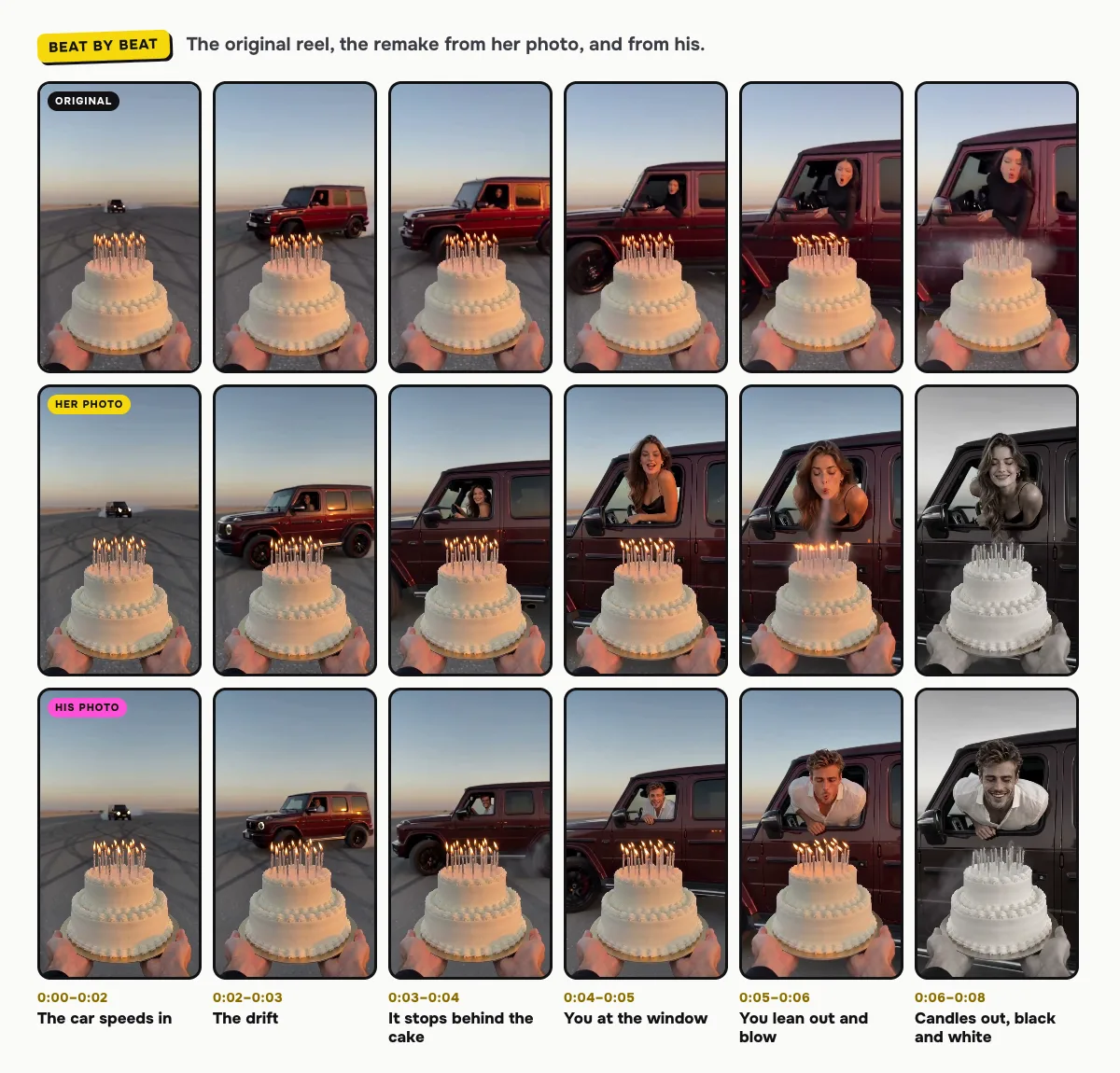
The desert lot, the sunset, the cake, the SUV and the drift come from the reel. Only the driver changes:
| Time | What happens |
|---|---|
| 0:00–0:02 | The cake fills the bottom of the frame, candles burning; far away the SUV speeds toward you across the lot, tire smoke behind it |
| 0:02–0:03 | The SUV drifts in fast and swings sideways in a cloud of tire smoke |
| 0:03–0:04 | It slides to a stop right behind the cake; you are at the wheel, seen through the open window |
| 0:04–0:05 | You lean out of the window toward the cake, smiling |
| 0:05–0:06 | You lean further out and blow out all the candles at once |
| 0:06–0:08 | The candles smoke and the picture turns black and white |
The moments can shift a little between renders. In both our examples the drift comes about half a second later than in the original. In the original the last frame freezes; in ours the driver smiles at the camera in black and white instead of holding still.
The sound, and how to change it on TikTok or Reels
Your video comes with its own sound, made with the video: screeching tires and the engine as the SUV drifts in, then an upbeat beat and the candles being blown out. It has no lyrics, so you can post it as it is.
The viral reel uses a pop song. To use it or any other sound, add it in TikTok with Add sound, then open Volume and turn the original sound down. Reels works the same way with Audio.
Tips for a better result
- Even, warm light. A photo in daylight blends best with the golden-hour lot of the reel.
- One person per photo. A second face in the frame confuses who should be at the wheel.
- Make one for a friend. Make it with a friend's photo and their OK, and send it at midnight on their birthday.
Is it free?
No. Every video is a real render that costs money to make, so there is no free version, free trial or watermarked preview. One video costs $9.99, the pricing page lists packs and plans that cost less per video, and failed renders are refunded in credits automatically. Unused packs bought by mistake can be refunded under the refund policy.