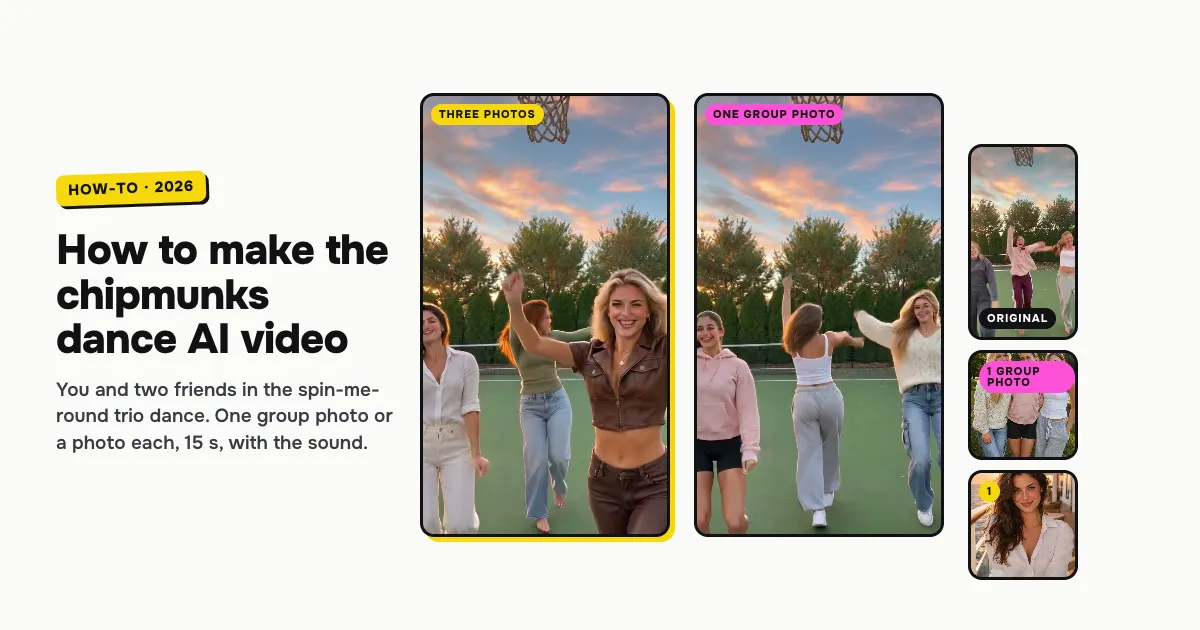
Short answer: to make the Chipmunks Dance AI video, open the Chipmunks Dance AI template on ClipRemake, add one group photo of you and two friends (or a photo each) and press Remake this. The three of you dance the viral trio routine to the Chipmunks' sped-up "You Spin Me Round": you line up on a tennis court at sunset, spin, twirl a finger in the air like a record, sway side to side and take turns running up to the camera. With only your photo, the AI makes up the two friends. About five minutes later you download a 15-second, 9:16 MP4 with the reel's own sound and no watermark. One video costs $9.99 with one, two or three photos, and there is no free version.
What is the chipmunks dance trend?
The chipmunks dance is a TikTok trio dance to the Chipmunks' cover of "You Spin Me Round (Like a Record)": three friends or sisters stand in a row, spin, twirl a finger like a spinning record, sway from side to side and take turns in front. It took off in mid-October 2026, when one sibling trio's post passed 20 million plays, and by Halloween trios were dancing it in chipmunk costumes with round ears.
On October 26, 2026 TikTok creator @bopieandjo posted the version this template copies: three sisters on an outdoor tennis court at sunset, more than 7 million plays. People search for it as chipmunks dance, the chipmunks dance trend and the Alvin and the Chipmunks dance.
Who can be in it
Three adults, or just you. There are two ways in:
- A photo each: photo 1 is you, in the middle, the one who runs up to the camera. Photos 2 and 3 are optional: the friends on the left and the right. An empty spot gets a friend the AI makes up, who looks like none of your photos.
- One group photo: a photo of the three of you side by side. The one in the middle of the photo takes the middle; left and right keep their sides.
Everyone keeps their own face, hair and clothes. Our three examples below are made all three ways. It is made for people only.
How to make the Chipmunks Dance AI video, step by step
Step 1: Pick how you add your photos
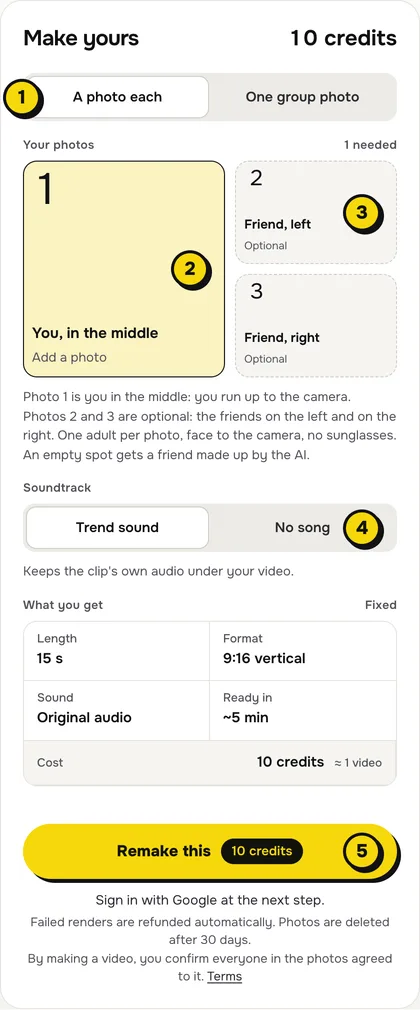
Open the Chipmunks Dance AI page. The maker opens on A photo each; switch to One group photo if you have a photo of the three of you together.
Step 2: Add your photos
With A photo each, tap box 1, You, in the middle, and choose a clear, front-facing photo of yourself. Boxes 2 and 3 are the friends on the left and the right; add them or leave them empty, the price is the same. With One group photo, add the one photo of the three of you.
- Faces to the camera. Every face sharp and turned to the lens, no sunglasses or heavy filters.
- Head to knees is best. It is a full-body dance, so a photo that shows more than your face helps the outfit come through.
- Costumes in the photo. Clothes come from your photos: wear the chipmunk looks in them if you want the Halloween version.
Use only photos of adults who agreed to be in the video.
Step 3: Choose the sound
The switch has two settings:
| Setting | What you get | When to pick it |
|---|---|---|
| Trend sound (default) | Your video with the reel's own 15 seconds of audio | You want it ready to post, like the original |
| No song | A silent video | You will add a sound inside TikTok or Reels |
Step 4: Press Remake this
Press Remake this. If you are not signed in, you sign in with Google first. If you have no credits yet, you pick a pack: one video is $9.99, and bigger packs and plans cost less per video. Pay by card, Apple Pay or Google Pay. If a render fails, the credits come back on their own.
Step 5: Download and post
About five minutes later the video is in My videos. Download the MP4: it is 15 seconds, vertical 9:16, with no watermark. Tag your friends and switch on the AI-generated label when you post.
What your video looks like, beat by beat
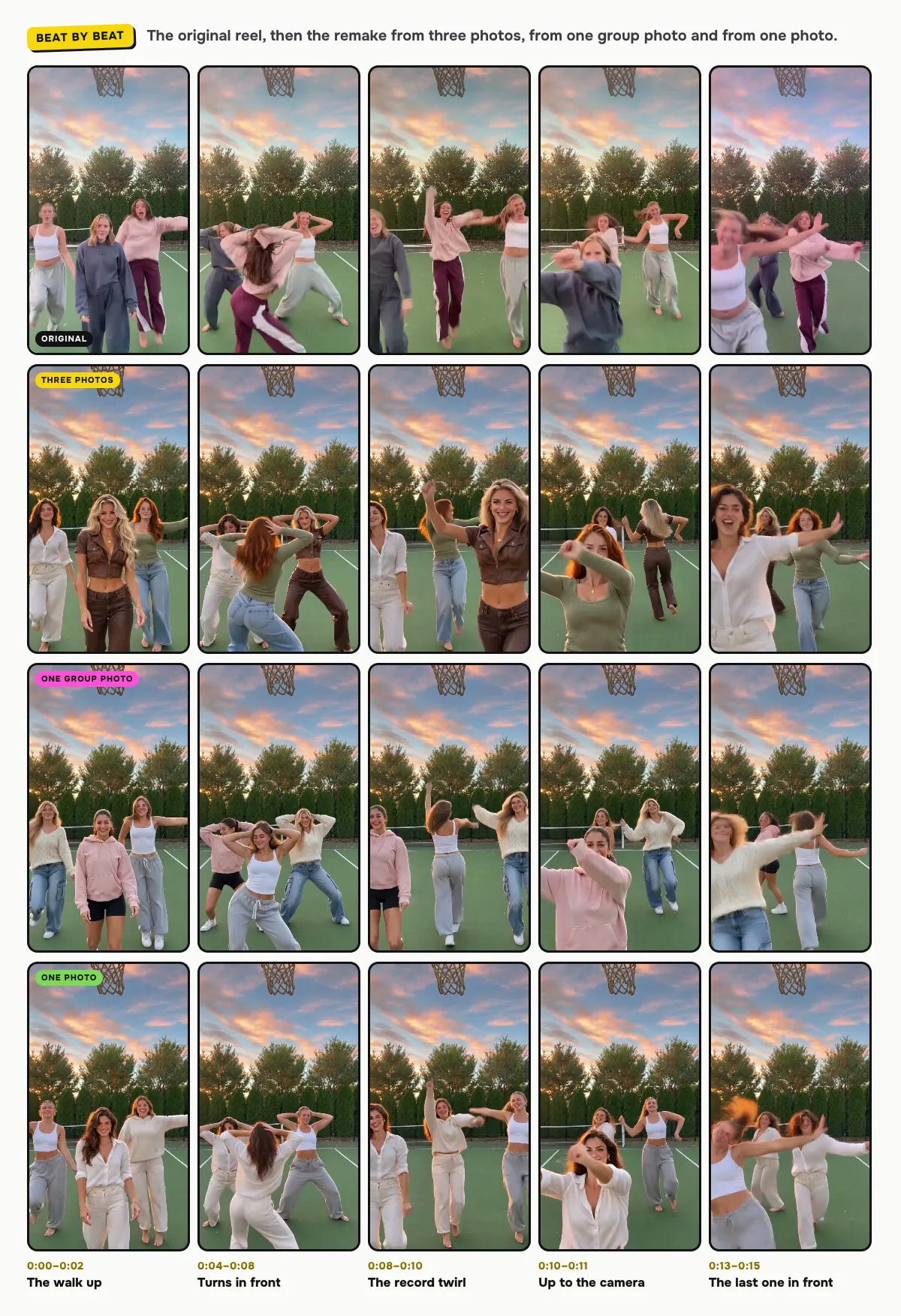
The tennis court, the sunset, the steady camera and every move come from the reel. Only the three dancers change:
| Time | What happens |
|---|---|
| 0:00–0:02 | The three of you walk toward the camera in a loose row, you in the middle a step ahead |
| 0:02–0:04 | Arms up and a full turn; the friend on the right steps into the middle |
| 0:04–0:08 | She dances in front and spins while you and the other friend dance beside her |
| 0:08–0:10 | All three in a row: a finger twirled like a record, a sway, hair flips |
| 0:10–0:11 | You run up to the camera for a close-up |
| 0:11–0:13 | The friend on the right takes the front again with a full spin |
| 0:13–0:15 | The friend on the left comes to the front, arms out wide |
The moments can shift a little between renders.
Tips for a better result
- Three different looks. The dance reads best when the three of you look different, as in the original.
- Even light. Photos in daylight blend best with the warm sunset light of the court.
- No extra people. A fourth face in a group photo confuses who goes where.
Is it free?
No. Every video is a real render that costs money to make, so there is no free version, free trial or watermarked preview. One video costs $9.99 with one, two or three photos, the pricing page lists packs and plans that cost less per video, and failed renders are refunded in credits automatically. Unused packs bought by mistake can be refunded under the refund policy.