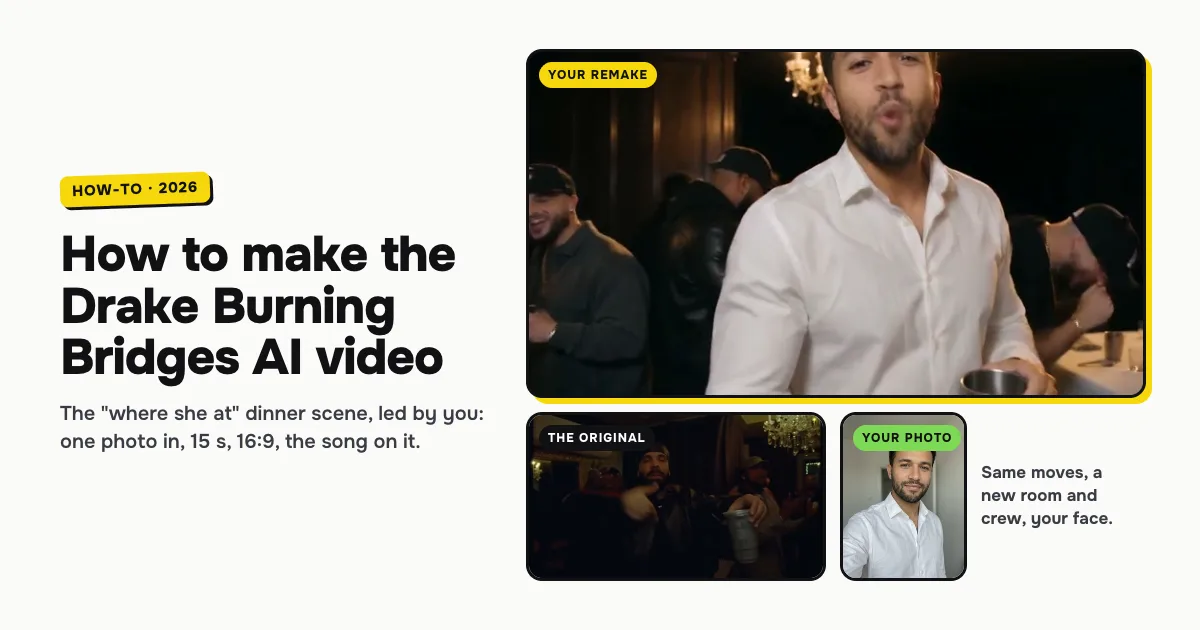
Short answer: to make the Drake Burning Bridges AI video, open the Burning Bridges AI template on ClipRemake, add one clear photo of yourself and press Remake this. The "where she at" chandelier dinner scene is filmed again with you leading it: the step up to the lens, the finger guns, the silver cup up, the hand on the collar and the crew hyping you up, with your lips moving to the song. About five minutes later you download a 15-second, 16:9, 720p MP4 with the song on it and no watermark. One video costs $9.99, and there is no free version.
What is the Drake "where she at" Burning Bridges AI trend?
It is a short clip built from the dinner-party scene in Drake's "Burning Bridges" video, from the album Iceman: a dim private dining room under crystal chandeliers, a crew of friends in streetwear and caps, and one man at the front with a silver cup, pointing at the lens, raising the cup, fixing his collar and pointing out his friends while the room cheers.
"Where she at?" is the line from the song that the scene is tied to. That is why the same trend goes by several names: Burning Bridges AI, Drake Burning Bridges AI, the Drake "where she at" AI video or just the Burning Bridges trend. Since October 2026 people have been putting themselves, their friends, cartoon characters and pets at the front of that room, and most of those posts carry "where she at?" in the caption.
What makes a version recognisable is the room and the moves, not the face. So the tool you want keeps every move of the scene and changes who leads it.
What you need
- One clear photo of one adult. Front-facing, the whole face visible, no sunglasses, masks or heavy filters, nobody else in the frame. A normal selfie works.
- About five minutes. You can close the tab while it renders.
- One video's worth of credits: 10 credits, which is $9.99 bought once. Credits from a pack never expire.
Photos of minors, celebrities or public figures are refused. Only use a friend's photo with their permission.
How to make the Drake Burning Bridges AI video, step by step
Step 1: Pick a clear photo
The face in your video comes from this photo, so it matters more than anything else. Pick one where you face the camera in even light, with your hair and beard the way you want them. Your clothes come through too, so whatever you wear in the photo is what you wear at the dinner. A plain, evenly lit photo reads better in the dark dining room than a dark or heavily filtered one.
Step 2: Open the template and add your photo
Go to the Burning Bridges AI page. The maker sits next to the original scene and a finished example. Tap the photo box (1 in the picture) and choose your photo.
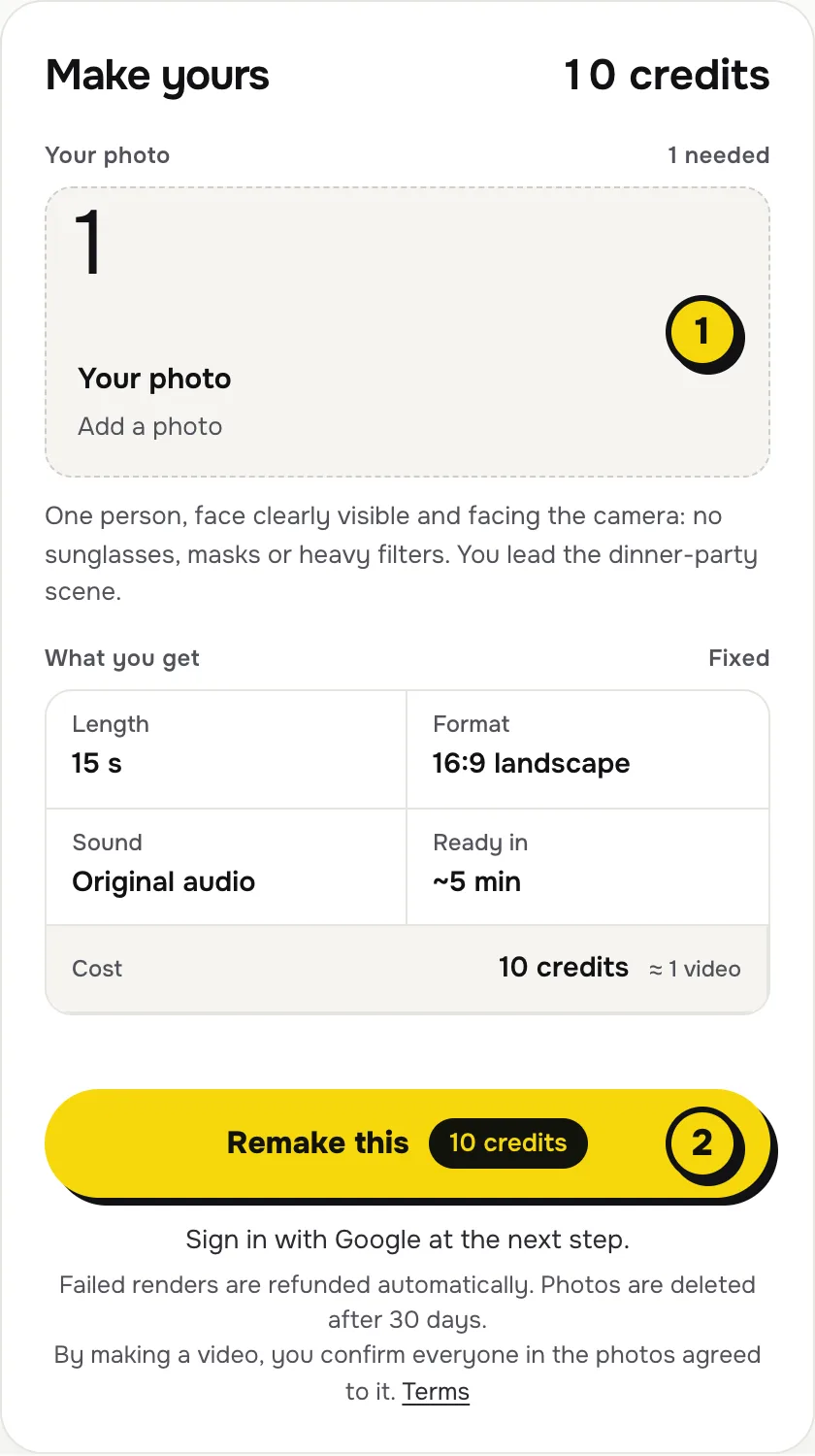
There is nothing else to set: no prompt, no second photo, no length or quality to pick. The room, the crew, every move and the song come with the template.
Step 3: Press Remake this
Press Remake this (2). If you are not signed in, you sign in with Google first. If you have no credits yet, you pick a pack: one video is $9.99, and bigger packs and plans cost less per video. Pay by card, Apple Pay or Google Pay. If a render fails, the credits come back on their own.
Step 4: Download and post
About five minutes later the video is in My videos. Download the MP4: it is 15 seconds, 16:9, 720p, with the song on it and no watermark. When you post, caption it "where she at?" the way the trend does, and switch on the AI-generated label if the app asks.
What your video looks like, move by move
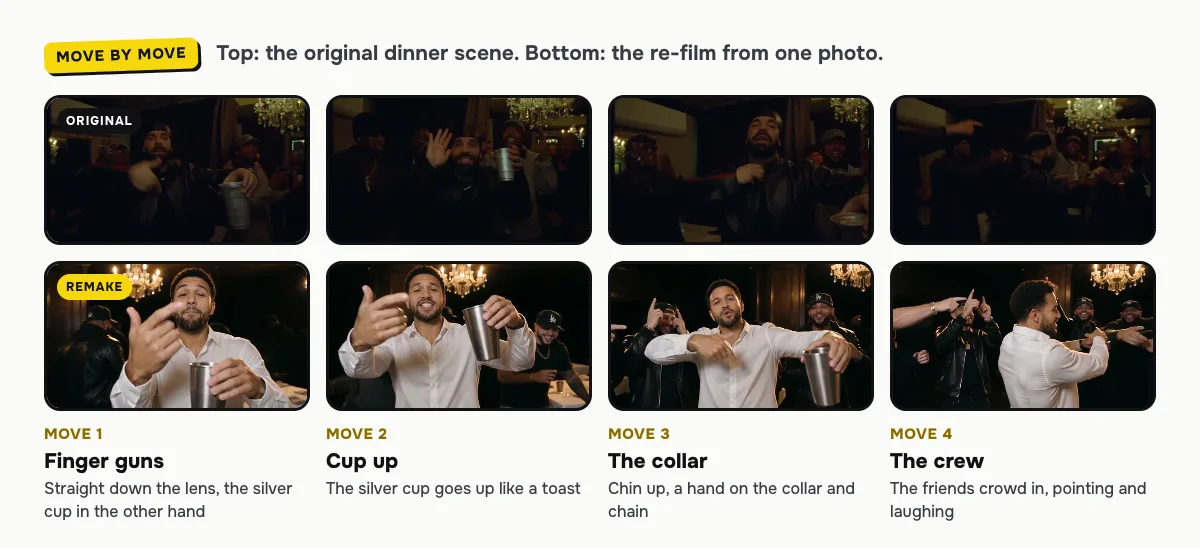
The scene is filmed again around your photo. Every move and camera turn comes from the original; the room and the crew are made new, and the face leading it is yours.
| Time | What happens |
|---|---|
| 0–2 s | You step up to the camera, silver cup low, the chandeliers and the crew behind you |
| 2–4 s | Finger guns straight at the lens, your lips moving to the song |
| 4–6 s | The silver cup goes up and the crew lifts theirs with you |
| 6–9 s | Chin up, a hand on the collar, then you turn toward the friends at your side |
| 9–12 s | You point them out one by one and they hype you back |
| 12–15 s | The crew crowds in cheering and the clip ends on a wave at the camera |
Does it include the "where she at" look?
Your video follows the moves of the dinner scene it is based on: the step up, the finger guns, the cup, the collar and the crew. The hand-over-the-eyes "where she at" look is not a separate beat in it. Most posts carry the line in the caption instead, and the song is on the video, so the reference lands either way.
Caption ideas
- where she at? 👀
- When you booked the table and nobody showed up on time
- Me at the group dinner when the bill comes
- POV: you planned the birthday dinner
Tag the friend whose photo you used, or make one for each friend and post them back to back.
Tips for a better result
- Face the camera. A front-facing photo keeps your face steady through the close-ups and the turn to the crew.
- Keep it plain. Logos and busy prints on your clothes can come out blurred; a plain shirt looks closest to the scene.
- Even light. A photo in daylight or soft indoor light holds up best in the dim chandelier room.
Is it free?
No. Every video is a real render that costs money to make, so there is no free version, free trial or watermarked preview. One video costs $9.99, the pricing page lists packs and plans that cost less per video, and failed renders are refunded in credits automatically. Unused packs bought by mistake can be refunded under the refund policy.