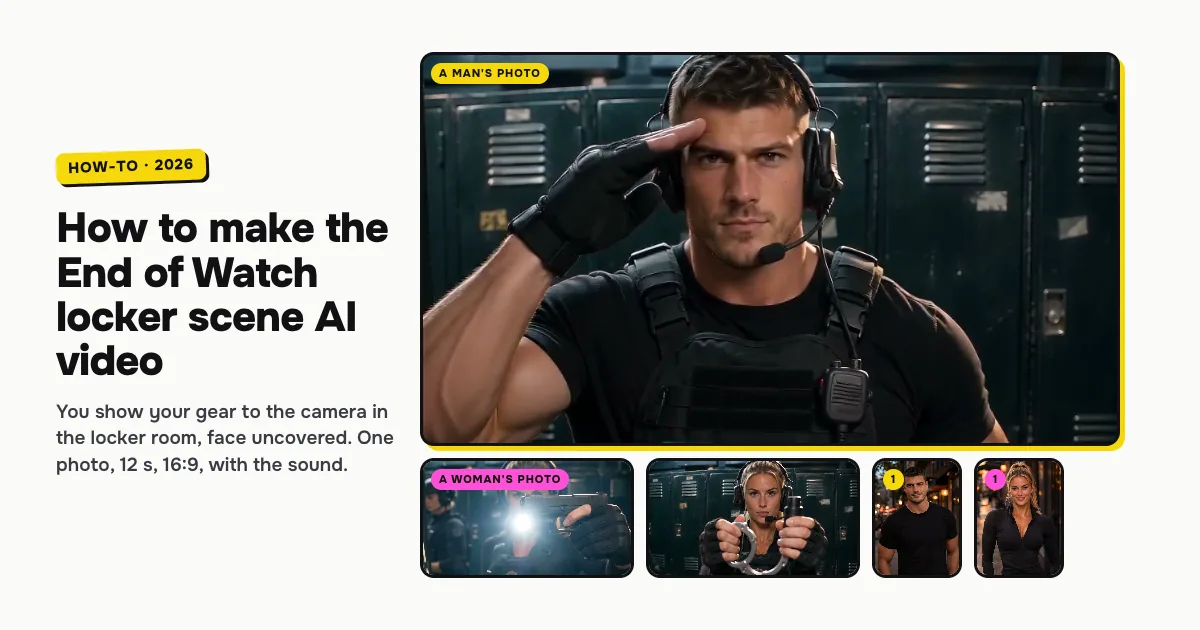
Short answer: to make the End of Watch locker scene AI video, open the End of Watch Locker Scene AI template on ClipRemake, add one clear photo of yourself and press Remake this. You take the place of the figure in the viral AI template clip: in black tactical gear in a dark locker room, you hold each piece of gear up to a shaky handheld camera between flashes, then salute. Your face stays uncovered. About five minutes later you download a 12-second, wide 16:9 MP4 with the clip's own sound and no watermark. One video costs $9.99, and there is no free version.
What is the End of Watch locker scene trend?
The locker scene comes from the 2012 cop film End of Watch: in a police locker room, an officer films himself with a handheld camera and shows off his gear one piece at a time. It has been a TikTok meme for years, with people holding up whatever they carry, from work tools to snacks.
In October 2026 a new wave of edits took off, and an AI template clip of the scene spread with it: a figure in black tactical gear and a headset, in a dark locker room, holds up a pistol, a flashlight, a knife, handcuffs and a pepper spray to the camera between flashes, then gives a two-finger salute. People search for it as End of Watch locker scene AI and the "locker scene trend" to put themselves in that clip.
Who can be in it
One adult, from one photo. You keep your face and hair, uncovered, so friends know it is you; the vest, the gloves and the headset come with the scene. Women and men both work: our examples below are one of each, made the same way. It is made for people only.
How to make the End of Watch locker scene AI video, step by step
Step 1: Add one photo
Open the End of Watch Locker Scene AI page. Tap the photo box (1 in the picture) and choose your photo.
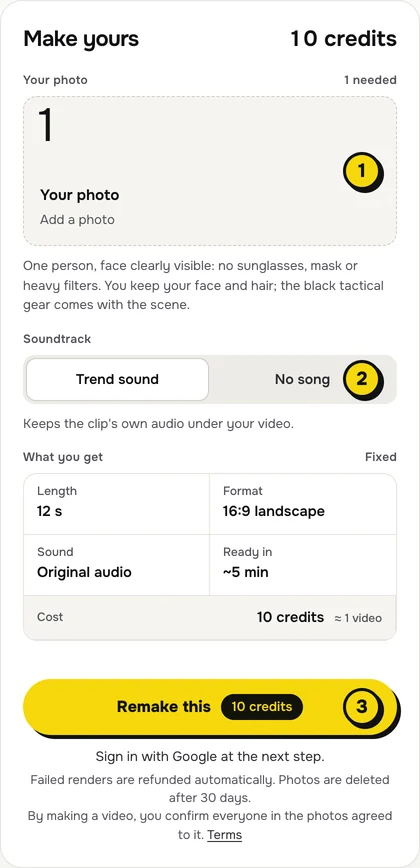
- One person, face to the camera, no sunglasses, mask or heavy filters.
- The face matters most. The whole video is a close-up of you, so a sharp, well-lit face is what makes it look like you.
- Head and shoulders is enough. The gear comes with the scene, so your own clothes don't show.
Step 2: Choose the sound
The switch (2) has two settings:
| Setting | What you get | When to pick it |
|---|---|---|
| Trend sound (default) | Your video with the clip's own sound under it | You want it ready to post, beat for beat with the template clip |
| No song | A silent video | You will add a sound inside TikTok or Reels |
Step 3: Press Remake this
Press Remake this (3). If you are not signed in, you sign in with Google first. If you have no credits yet, you pick a pack: one video is $9.99, and bigger packs and plans cost less per video. Pay by card, Apple Pay or Google Pay. If a render fails, the credits come back on their own.
Step 4: Download and post
About five minutes later the video is in My videos. Download the MP4: it is 12 seconds, wide 16:9 like the template clip, with no watermark. Switch on the AI-generated label when you post.
What your video looks like, piece by piece
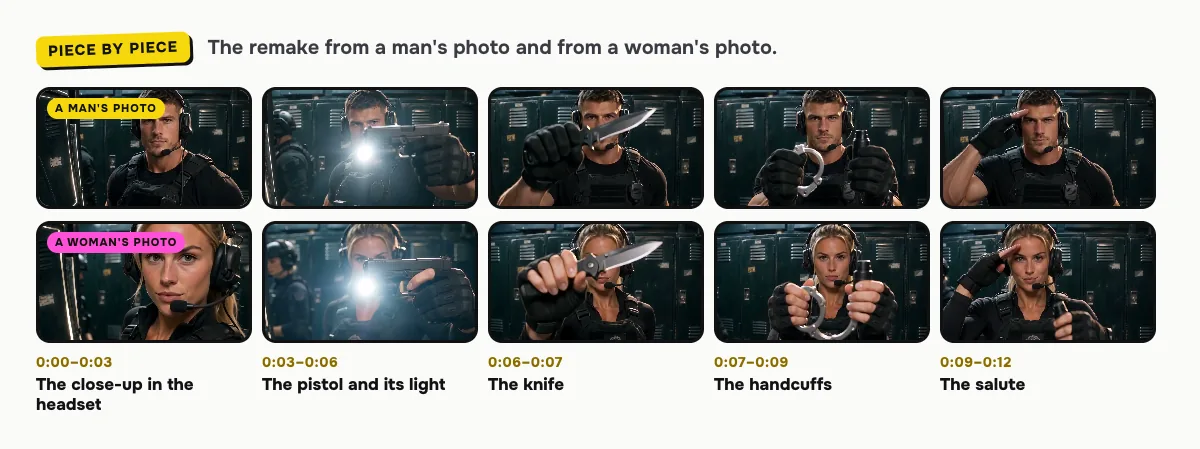
The locker room, the gear, the flashes and the handheld camera come from the template clip. Only the face changes:
| Time | What happens |
|---|---|
| 0:00–0:03 | A close-up of you in the gear and the headset, looking into the lens, a teammate out of focus behind you |
| 0:03–0:06 | After a flash, you hold up a pistol, its light flaring into the lens |
| 0:06–0:07 | You hold up a folding knife |
| 0:07–0:09 | You hold up a pair of handcuffs |
| 0:09–0:12 | A two-finger salute from the brow, then you look proudly into the lens |
Small moments can differ between renders. In both our examples the flashlight is mounted on the pistol instead of shown on its own, and the pepper spray is only a quick glimpse.
Tips for a better result
- A clear, front face. Face to the camera, no sunglasses or mask, in even light.
- Hair as you want it. The headset sits over your own hair, so its color and style come from your photo.
- Make one for a friend. Make it with a friend's photo and their OK, and send it before their first shift.
Is it free?
No. Every video is a real render that costs money to make, so there is no free version, free trial or watermarked preview. One video costs $9.99, the pricing page lists packs and plans that cost less per video, and failed renders are refunded in credits automatically. Unused packs bought by mistake can be refunded under the refund policy.