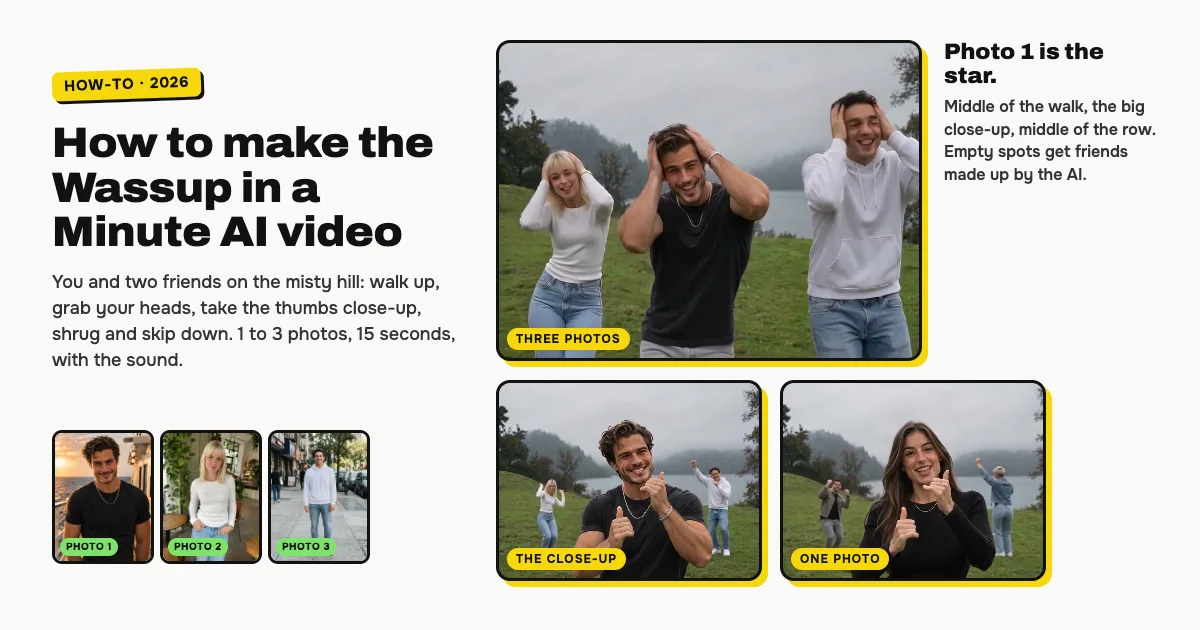
Open the Wassup in a Minute AI template on ClipRemake, add your photo in box 1 and, if you like, one or two friends in boxes 2 and 3, then press Remake this. About five minutes later you download a 15-second MP4 of the hillside version: the three of you stride up a green hill above a foggy lake and clutch your heads, you get the close-up with both thumbs pointed at yourself, then you all line up, shrug and skip down a slope. The trend sound is on it and there is no watermark. One video costs $9.99 with one, two or three photos, and there is no free version.
Where the Wassup in a Minute trend comes from
The name is the first line of a sped-up jersey club flip of "From Time", the 2013 song by Drake and Jhené Aiko. The greeting sounds like "wassup in a minute" to most people, "wassup, been a minute" to others. The remix was posted in January 2026, and the trend took off in late October with anime edits where cartoon characters sway one by one.
The hillside version arrived on November 12 as a CapCut template. It uses a clip of three actors from the sitcom Modern Family on a grassy hill by a misty lake: they walk at the camera holding their heads, one hams it up in a close-up, and they skip off down the hill. That is why you also see it called the Modern Family wassup. The joke is how calm and silly three grown-ups look on such a gloomy day.
ClipRemake does not use that footage in your video. The AI rebuilds the four shots with the people in your photos, so nobody from the show appears.
Who can be in it
| Photo | Where they are | Their moments |
|---|---|---|
| 1 (needed) | The middle | Leads the walk-in, gets the thumbs close-up, middle of the row |
| 2 (optional) | The left | Walks in, dances behind the close-up, left end of the row |
| 3 (optional) | The right | Nearest the camera at the start, right end of the row |
Any empty spot gets a friend made up by the AI, at no extra cost. Adults only, one person per photo, and people only for now.
How to make the Wassup in a Minute AI video, step by step
Step 1: Add your photo
On the Wassup in a Minute AI template, tap box 1 and pick a photo of yourself.
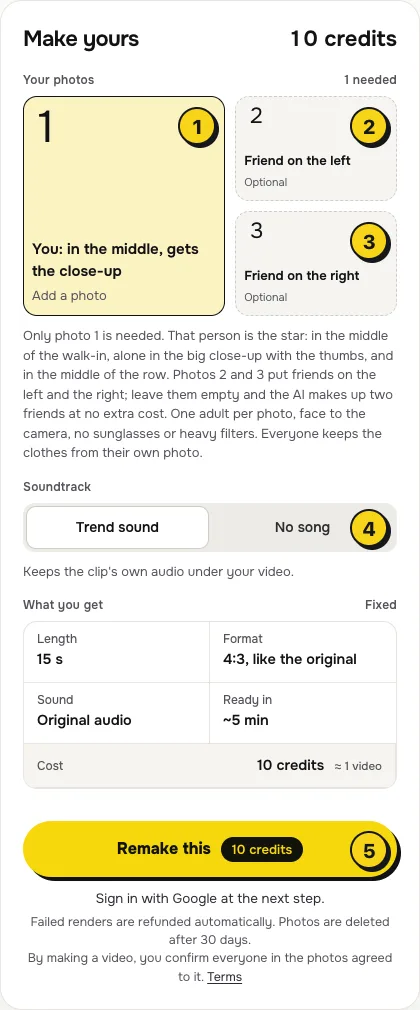
- Face to the camera, sharp and well lit, no sunglasses or heavy filters.
- Waist or knees up is plenty. Everyone keeps the clothes in their own photo, so wear something that pops against a grey sky.
- One person per photo.
Step 2: Add friends, or skip them
Boxes 2 and 3 put friends on the left and the right. They are in every shot but never in the big close-up, so give box 1 to whoever should be the star. Leave them empty and the AI invents two friends.
Step 3: Choose the sound
The switch (4) has two settings:
| Setting | What you get | When to pick it |
|---|---|---|
| Trend sound (default) | The remix from the hillside clip | You want to post it as it is |
| No song | A silent MP4 | You will add the sound in TikTok or Reels yourself |
Step 4: Press Remake this
Press Remake this (5). If you are not signed in, you sign in with Google first. With no credits yet, you choose a pack: one video is $9.99 (100 credits), and bigger packs and plans cost less per video. Pay by card, Apple Pay or Google Pay. If a render fails, the credits come back on their own.
Step 5: Download and post
About five minutes later the video is in My videos. Download the MP4 (15 seconds, 4:3, 480p, no watermark) and switch on the AI-generated label when you post. On a phone a 4:3 clip sits in the middle of the screen with dark strips top and bottom, exactly like the hillside posts.
What your video looks like, shot by shot
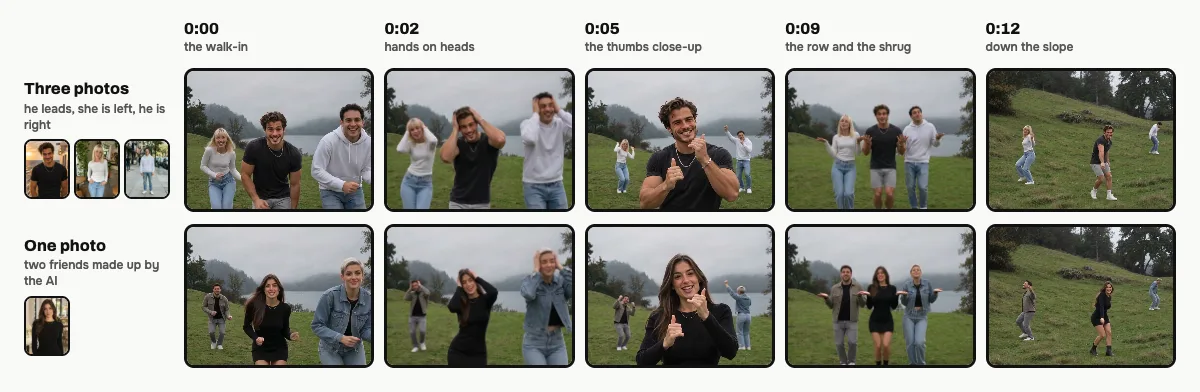
Two of our examples, one made from three photos and one from a single photo:
| Time | What happens |
|---|---|
| 0:00–0:02 | The three of you walk quickly toward the camera on the hill above the lake |
| 0:02–0:04 | Everyone grabs their head with both hands and shakes it |
| 0:04–0:07 | Close-up of photo 1: goofy rolling hands, both thumbs pointed at the chest, the other two dancing far behind |
| 0:07–0:11 | All three walk up side by side, then shrug with palms up and bounce |
| 0:11–0:15 | A wide shot on another slope: you skip and dance down the grass, spread apart |
Small moments can differ between renders.
Caption ideas
There is no text in the video, so the caption is yours:
- "me and the group chat after not talking for 3 months"
- "wassup, been a minute"
- "when the plans finally happen"
- "us showing up to the reunion"
Is it free?
No. Every video is a real render that costs money to make, so there is no free version, free trial or watermarked preview. One video costs $9.99 with one, two or three photos, the pricing page lists packs and plans that cost less per video, and failed renders are refunded in credits automatically. Unused packs bought by mistake can be refunded under the refund policy.