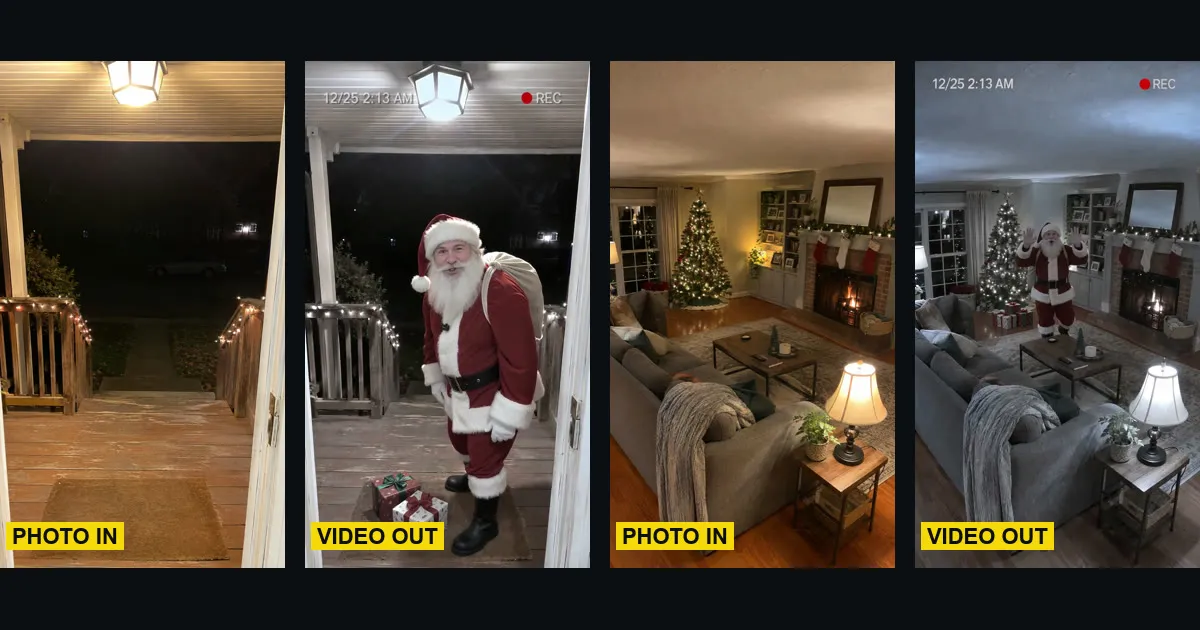
Short answer: to make the AI Santa caught on camera video, open the AI Santa Caught on Camera template on ClipRemake, add one photo of your living room or front porch with nobody in it, type the name Santa should say and press Remake this. You get night footage from a home camera in your own home: Santa sneaks in, leaves presents, looks straight into the lens and says "Merry Christmas" with that name. About five minutes later you download a 10-second, 9:16 MP4 with his voice and no watermark. One video costs $9.99, and there is no free version.
What is the Santa caught on camera trend?
Every December people post clips of Santa "caught" on a home security camera or a doorbell camera: grainy night footage in which Santa shows up in the living room or on the porch, leaves presents and is gone again. The AI versions took off in the 2025 season, when a 15-second living-room camera clip passed 2.5 million plays a week before Christmas. In late October 2026 the next step appeared: Santa looks into the camera and says a name.
The joke is the proof: your own room, your own camera angle, and Santa right there.
What you need
One photo of the place, with nobody in it: no people, no pets, not even a hand or a reflection. Santa is the only person in your video. A name is optional; without one Santa says "Merry Christmas!".
How to make the AI Santa caught on camera video, step by step
Step 1: Add a photo of your room or porch
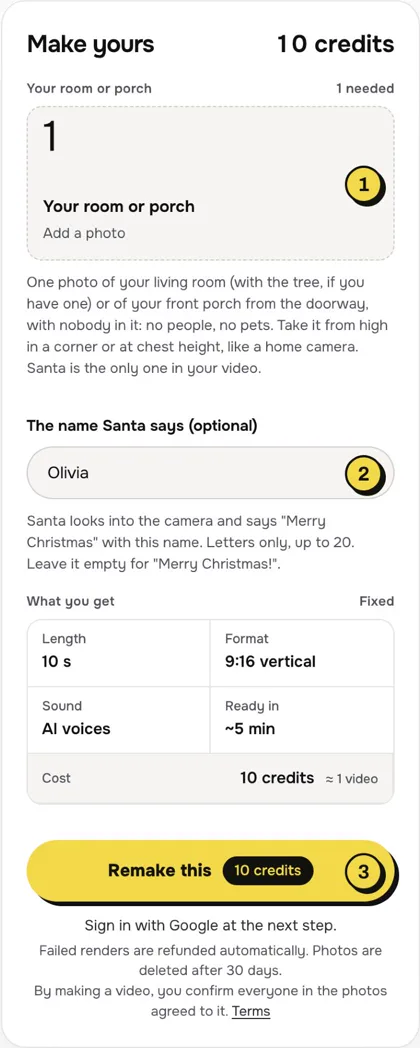
Open the AI Santa Caught on Camera page and tap the photo box (1). Choose a photo of the place, taken the way a home camera would see it.
- Living room: hold the phone high in a corner and point it down a little, with the tree (if you have one) and the floor in view.
- Front porch: stand in the open front door at chest height and look out at the porch and the path. A night photo with the porch light on looks the most real.
- Nobody in the photo. Photos of people, and of children in particular, are not allowed.
Step 2: Type the name
Type the name Santa says in the name box (2): letters only, up to 20 characters and three words, like "Olivia" or "Mom and Dad". Write it the way it sounds. Numbers, links, emoji and rude words are refused. Leave it empty and Santa says "Merry Christmas!".
Step 3: Press Remake this
Press Remake this (3). If you are not signed in, you sign in with Google first. If you have no credits yet, you pick a pack: one video is $9.99, and bigger packs and plans cost less per video. Pay by card, Apple Pay or Google Pay. If a render fails, the credits come back on their own.
Step 4: Download and post
About five minutes later the video is in My videos. Download the MP4: it is 10 seconds, vertical 9:16, with Santa's voice and no watermark. Switch on the AI-generated label when you post.
What your video looks like, beat by beat
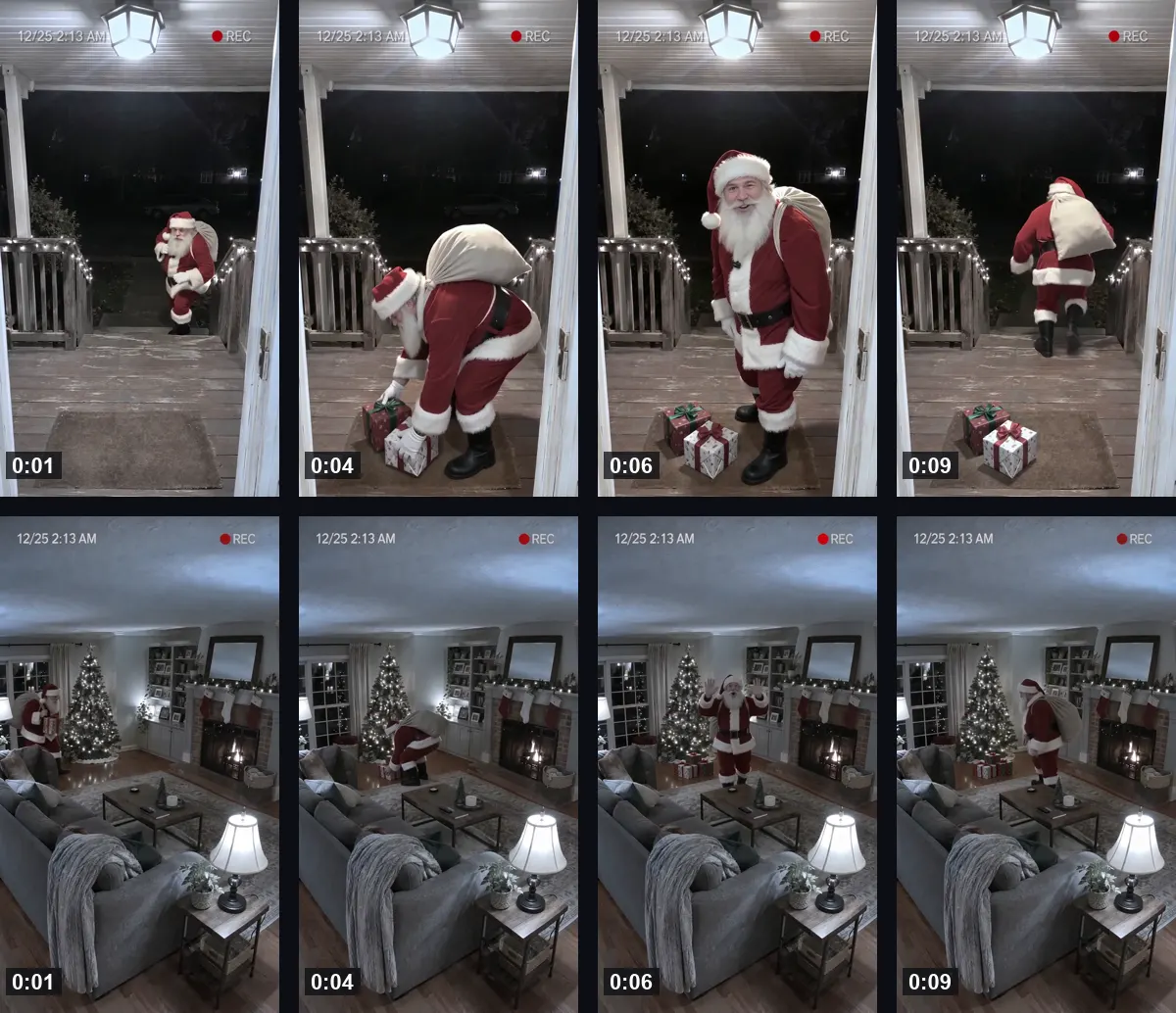
The same place as your photo, at night, through a home camera that never moves. Only Santa comes and goes:
| Time | What happens |
|---|---|
| 0:00–0:03 | Santa walks quietly into view with his sack, from the side or the far door or path |
| 0:03–0:06 | He sets down two or three wrapped presents, under the tree if there is one, otherwise on the floor or the doormat |
| 0:06–0:08.5 | He turns, looks straight into the camera, waves and says "Ho ho ho! Merry Christmas" with your name |
| 0:08.5–0:10 | He winks, puts a finger to his lips and walks back out the way he came |
The picture is black-and-white night vision with a camera timestamp and a red REC dot, like a real home camera clip. Small moments, and how close Santa comes to the camera, depend on your photo and can differ between renders.
The voice
Santa's voice is made in the same render as the picture, so his mouth moves with the words. It is a warm, deep, jolly voice saying one line: "Ho ho ho! Merry Christmas" with the name you typed. There is no music; add a Christmas song in TikTok with Add sound or in Reels with Audio if you like, and turn the original volume down a little.
Tips for a better result
- Shoot like a home camera. A corner view of the whole room, or the porch from the doorway, looks the most like real footage.
- Leave space. Santa needs floor to walk on and somewhere to put the presents; a view of only a sofa or a wall gives him nowhere to go.
- One name per video. For several names, make one video for each with the same photo.
Is it free?
No. Every video is a real render that costs money to make, so there is no free version, free trial or watermarked preview. One video costs $9.99, the pricing page lists packs and plans that cost less per video, and failed renders are refunded in credits automatically. Unused packs bought by mistake can be refunded under the refund policy.