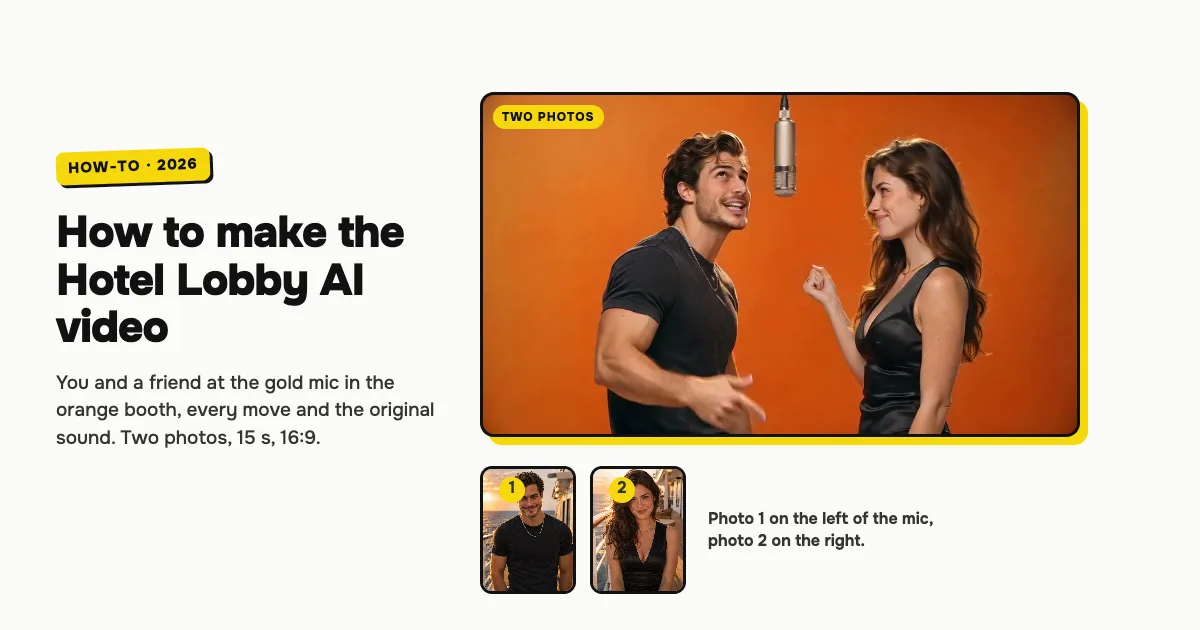
Short answer: to make the Hotel Lobby AI video, open the Hotel Lobby AI video generator on ClipRemake, add a clear photo of yourself and one of your friend, and press Remake this. The two of you take both spots at the hanging gold mic in the bright orange booth: you open the verse, your friend smirks, points and raps back, spins away, and you finish together. About five minutes later you download a 15-second, 16:9 MP4 with the performance's own sound and no watermark. One video costs $9.99, and there is no free version.
What is the Hotel Lobby AI trend?
"HOTEL LOBBY" is a song by Quavo and Takeoff of Migos. Their performance of it on COLORS, the music channel known for its single-colour booths, puts the two face to face at one vintage mic hanging between them in a bright orange booth, trading lines with big hand gestures.
In late September 2026, AI edits that put other people into that performance spread on TikTok. The ones that took off kept everything from the original (the orange booth, the moves, the lip sync and the song) and changed only the faces. People search for it as Hotel Lobby AI, the Migos AI video, the Hotel Lobby trend and the orange booth rap.
Who can be in it
Two adults: you and a friend, a sibling, a partner, the friend you rap along with in the car. Each of you keeps your own face, hair and clothes. The maker takes exactly two photos, one for each spot at the mic, because that is the version that follows the original line for line.
Neither artist appears in your video. ClipRemake never puts a real celebrity's face in a video, so you can't rap next to Quavo or Takeoff here: both spots at the mic are the people in your photos. It is made for people only, so pets can't join this one.
How to make the Hotel Lobby AI video, step by step
Step 1: Add your photo
Open the Hotel Lobby AI page. Tap box 1, You, on the left, and choose a clear, front-facing photo of yourself. You stand on the left of the mic and open the verse.
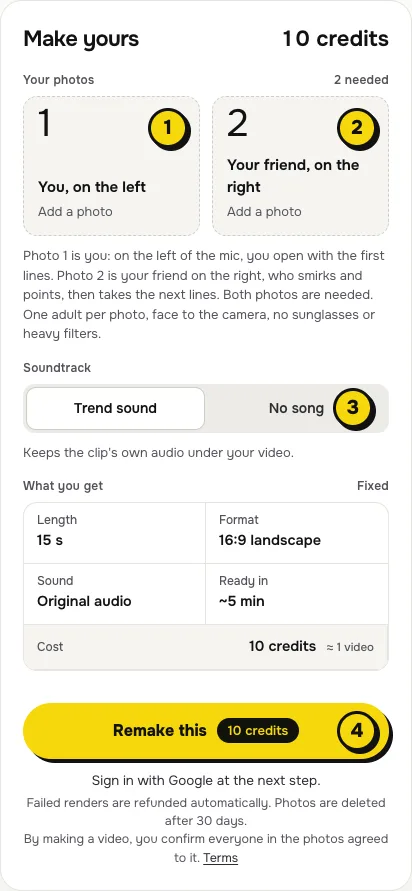
- One person per photo, face to the camera, no sunglasses or heavy filters.
- Waist up shows the top you will perform in; the AI adds the rest.
- The face matters most. Both of you are on screen for all 15 seconds, so a sharp, well-lit face is what makes it look like you.
Step 2: Add your friend
Box 2, Your friend, on the right, is the one who points at you with a closed-lip smirk while you open the verse, then raps back with palms up, spins away and comes back for the ending. Both photos are needed. Use only photos of adults who agreed to be in the video.
Step 3: Choose the sound
The switch (3) has two settings:
| Setting | What you get | When to pick it |
|---|---|---|
| Trend sound (default) | Your video with 15 seconds of the performance's own audio | You want it ready to post, line for line with the original |
| No song | A silent video | You will add the sound inside TikTok or Reels, the safer way if an app mutes reused audio |
Step 4: Press Remake this
Press Remake this (4). If you are not signed in, you sign in with Google first. If you have no credits yet, you pick a pack: one video is $9.99, and bigger packs and plans cost less per video. Pay by card, Apple Pay or Google Pay. If a render fails, the credits come back on their own.
Step 5: Download and post
About five minutes later the video is in My videos. Download the MP4: it is 15 seconds, landscape 16:9 like the original performance, with no watermark. TikTok and Reels show it with bars above and below. Switch on the AI-generated label when you post, and tag your friend.
What your video looks like, shot by shot
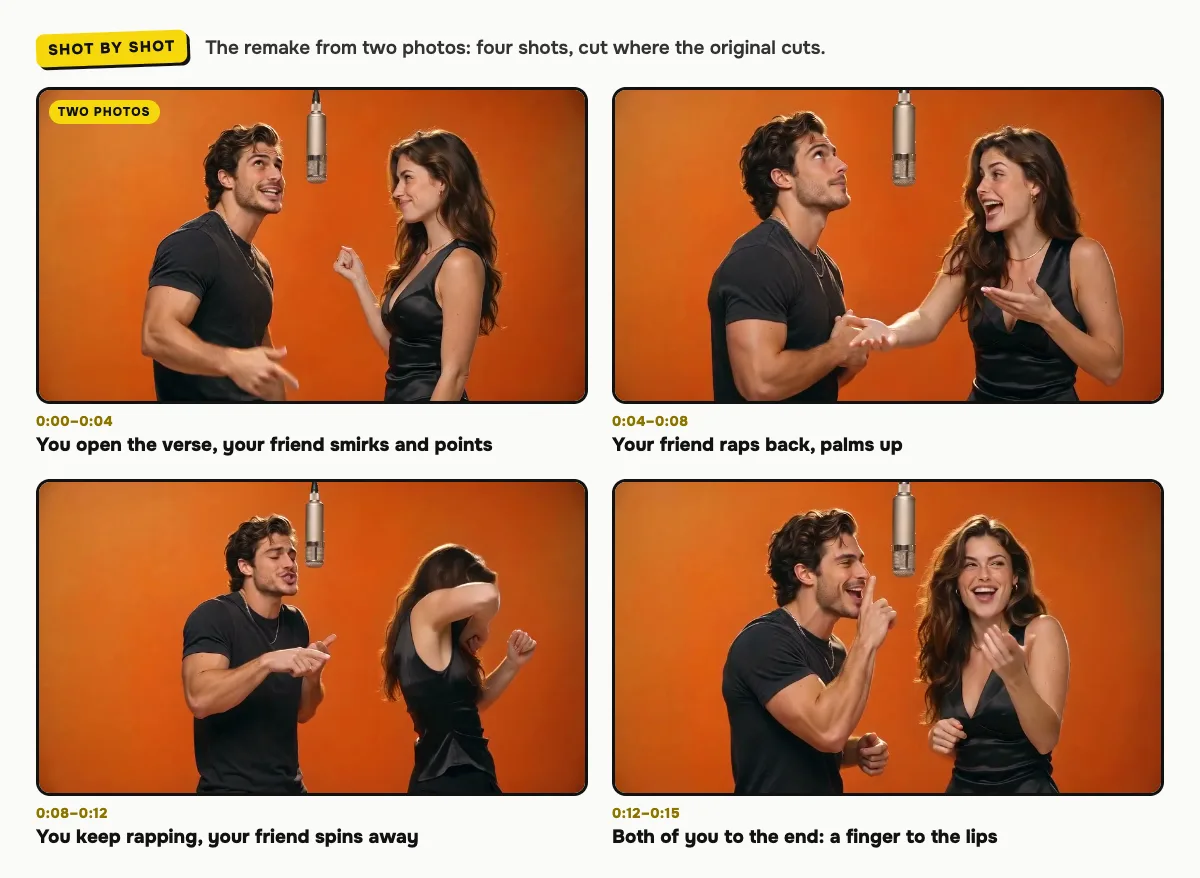
The orange booth, the gold mic, the four shots and every move come from 15 seconds of the performance. Only the two people change:
| Time | Who raps | What happens |
|---|---|---|
| 0:00–0:04 | Photo 1 | You open the verse face to face with your friend, who points at you with a closed-lip smirk and stays silent |
| 0:04–0:08 | Photo 2 | Hard cut: your friend raps back with both palms up, and you rap along |
| 0:08–0:12 | Photo 1 | Hard cut: you keep rapping toward the mic while your friend spins away and dances with their back to the camera |
| 0:12–0:15 | Both | Hard cut: you both rap and ad-lib to the end, one with a finger to the lips, the other shading their eyes |
The cuts land where the original cuts, and the lips follow the original: your friend's mouth stays closed until about 0:04, the way it does in the performance. Each face stays on its own person in every shot. Small moments can differ between renders.
The sound, and how to change it on TikTok or Reels
With Trend sound on, your video carries 15 seconds of the performance's own audio, so it is ready to post. To use the Hotel Lobby sound from the app's library instead (it links your post to the trend), make it with No song, then add the sound in TikTok with Add sound, or in Reels with Audio.
Tips for a better result
- Two different looks. You keep your own hair and clothes, so the back-and-forth reads best when you and your friend look different.
- Even light. Photos in daylight or soft indoor light blend best with the warm booth light.
- One person per photo. A second face in the frame confuses who goes where.
- Pick your side. Box 1 opens the verse on the left; box 2 smirks first, then raps back on the right. Swap the photos to swap the parts.
Is it free?
No. Every video is a real render that costs money to make, so there is no free version, free trial or watermarked preview. One video costs $9.99, the pricing page lists packs and plans that cost less per video, and failed renders are refunded in credits automatically. Unused packs bought by mistake can be refunded under the refund policy.