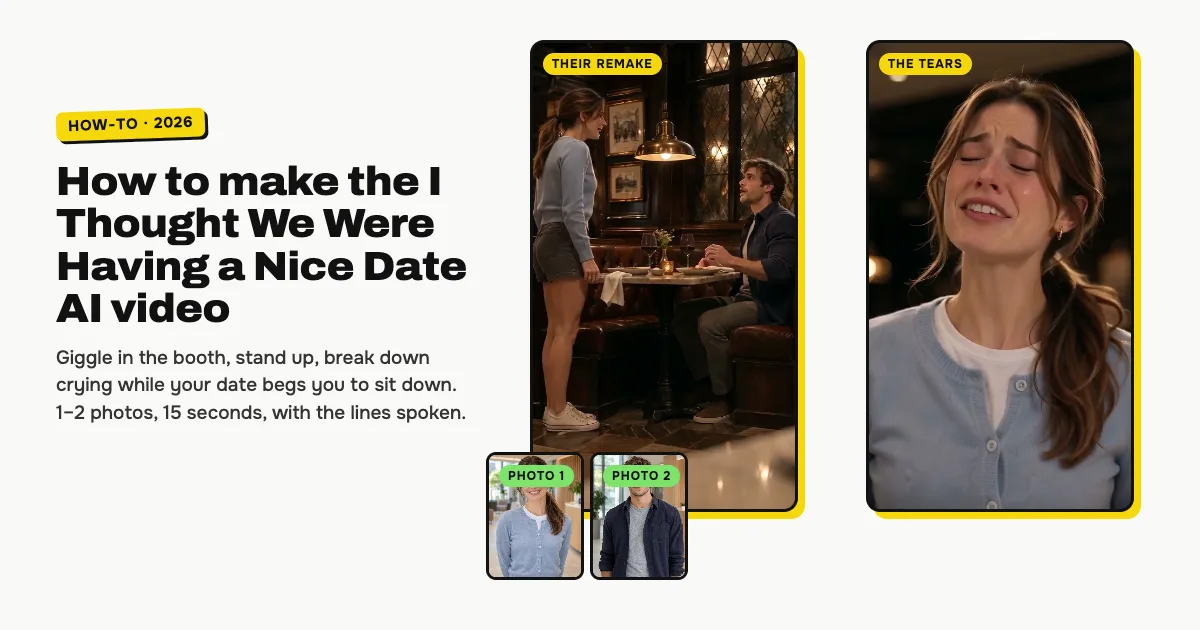
Short answer: to make the I Thought We Were Having a Nice Date AI video, open the I Thought We Were Having a Nice Date AI template on ClipRemake, add a clear photo of yourself (and one of your date, if you like) and press Remake this. You giggle "no, no, no" in a dim restaurant booth, stand up at the end of the table and break down crying "I thought we were having a nice date" while your date begs you to sit down. About five minutes later you download a 15-second, 9:16 MP4 with the lines spoken in your video and no watermark. One video costs $9.99, with one or two photos, and there is no free version.
What is the I Thought We Were Having a Nice Date meme?
It is the restaurant scene from Obsession, a 2026 horror film. On a dinner date in a dim booth, one of the two starts giggling "no, no, no", stands up at the end of the table and, while the date pleads "we are, we are, sit down", the laugh crumples into tears on "I thought we were having a nice date". The laugh that turns into tears in a second is the whole joke.
Universal posted the scene on TikTok on May 21, 2026, and the line became a meme. In November 2026 AI template sites added remakes with people's own faces, from November 7. People also call it the Nice Date meme or the Obsession booth scene.
Who can be in it
One or two adults. Photo 1 is you, the one who giggles, stands up and breaks down. Photo 2 is optional: your date, who stays in the booth. Without photo 2 the AI makes up a date who looks like none of your photos. Each of you keeps your own face, hair and clothes. It is made for people only, not pets.
ClipRemake is not affiliated with the film or its studio. Your video is a new AI video: no footage or actor from the film is in it.
How to make the I Thought We Were Having a Nice Date AI video, step by step
Step 1: Add your photo
Open the I Thought We Were Having a Nice Date AI page and tap the first photo box (1). Choose a clear photo of yourself, face to the camera.
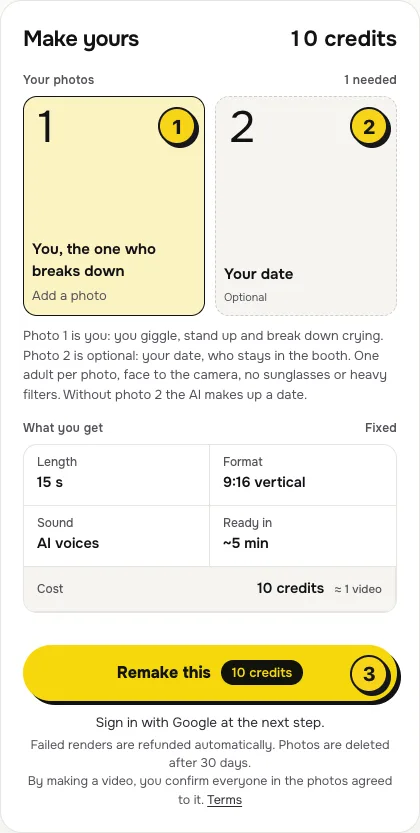
- One adult per photo, face to the camera, no sunglasses or heavy filters.
- Chest up works best. Most of the video is close-ups, so a sharp face matters more than your outfit.
Step 2: Add your date (optional)
Tap the second box (2) and add a photo of the one who stays in the booth. Leave it empty and the AI makes up a date, for the same price. To swap the roles, swap the photos: box 1 always cries.
Step 3: Press Remake this
Press Remake this (3). If you are not signed in, you sign in with Google first. If you have no credits yet, you pick a pack: one video is $9.99, and bigger packs and plans cost less per video. Pay by card, Apple Pay or Google Pay. If a render fails, the credits come back on their own.
Step 4: Download and post
About five minutes later the video is in My videos. Download the MP4: it is 15 seconds, vertical 9:16, with the lines spoken and no watermark. Switch on the AI-generated label when you post.
What your video looks like, beat by beat
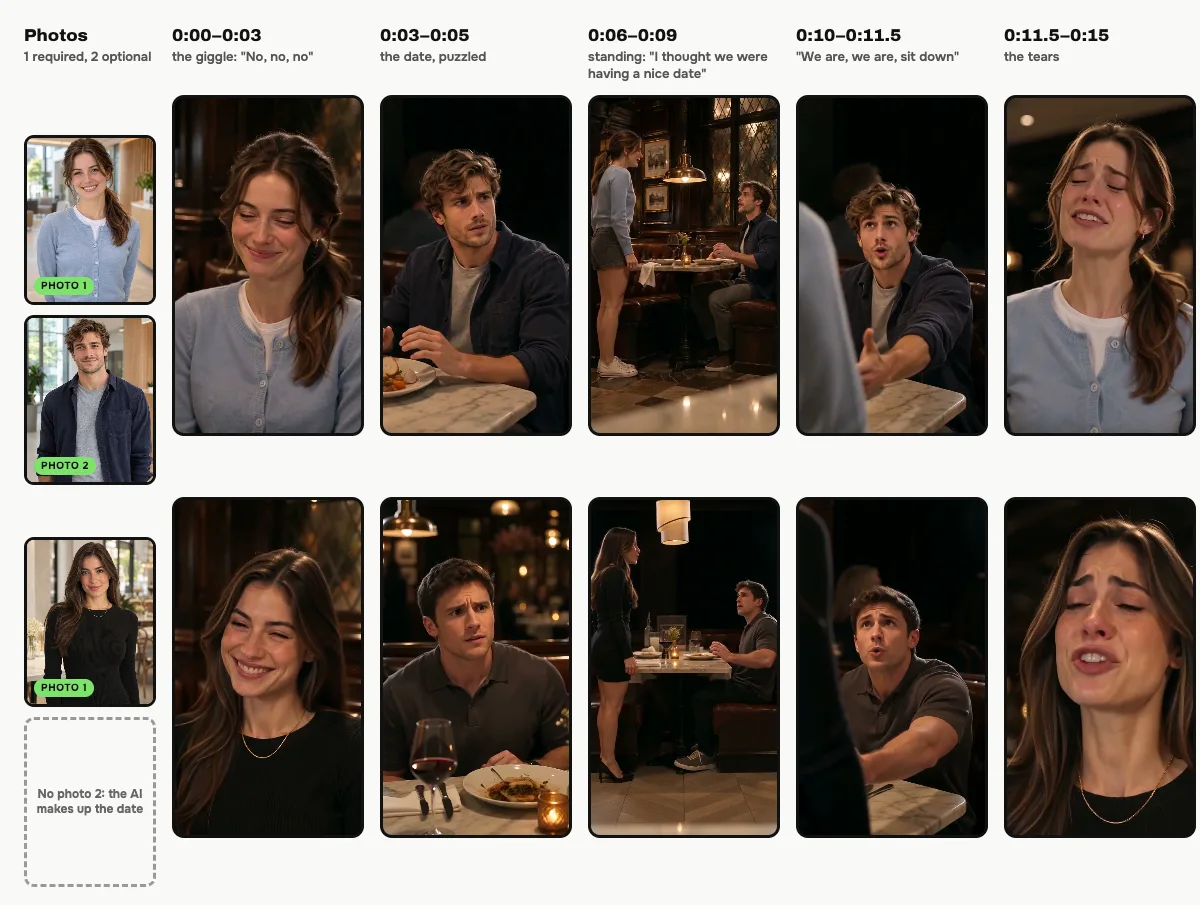
Seven shots, cut like the scene. Only the people change:
| Time | What happens |
|---|---|
| 0:00–0:03 | Close-up of you in the booth, giggling; your date asks "What?" and you giggle "No, no, no" |
| 0:03–0:05 | Your date across the table, puzzled, while you keep giggling |
| 0:05–0:06 | You laugh harder and start to rise: "Don't do that!" |
| 0:06–0:09 | Wide shot: you stand at the end of the table, "I thought we were having a nice date" |
| 0:09–0:10 | Close-up: the laugh slips into tears |
| 0:10–0:11.5 | Your date reaches out: "We are, we are, sit down" |
| 0:11.5–0:15 | You cry: "Why does it matter? I thought we were having a nice date!" |
Small moments and the exact cuts can differ between renders.
The voices
The lines are spoken in your video, in voices made for the two people in it, and they come from the same render as the picture, so the lips match every word. They are not the actors' voices. To use the trend's sound from the app's library instead, add it in TikTok with Add sound or in Reels with Audio and turn the original volume down.
Tips for a better result
- Box 1 cries. Put the photo of whoever should break down in the first box.
- Even light on your face. Daylight or soft indoor light blends best with the warm, dim restaurant.
- Add your caption in the app. Your video has no text on it; most posts add their own caption about what was said at dinner.
Is it free?
No. Every video is a real render that costs money to make, so there is no free version, free trial or watermarked preview. One video costs $9.99, the pricing page lists packs and plans that cost less per video, and failed renders are refunded in credits automatically. Unused packs bought by mistake can be refunded under the refund policy.