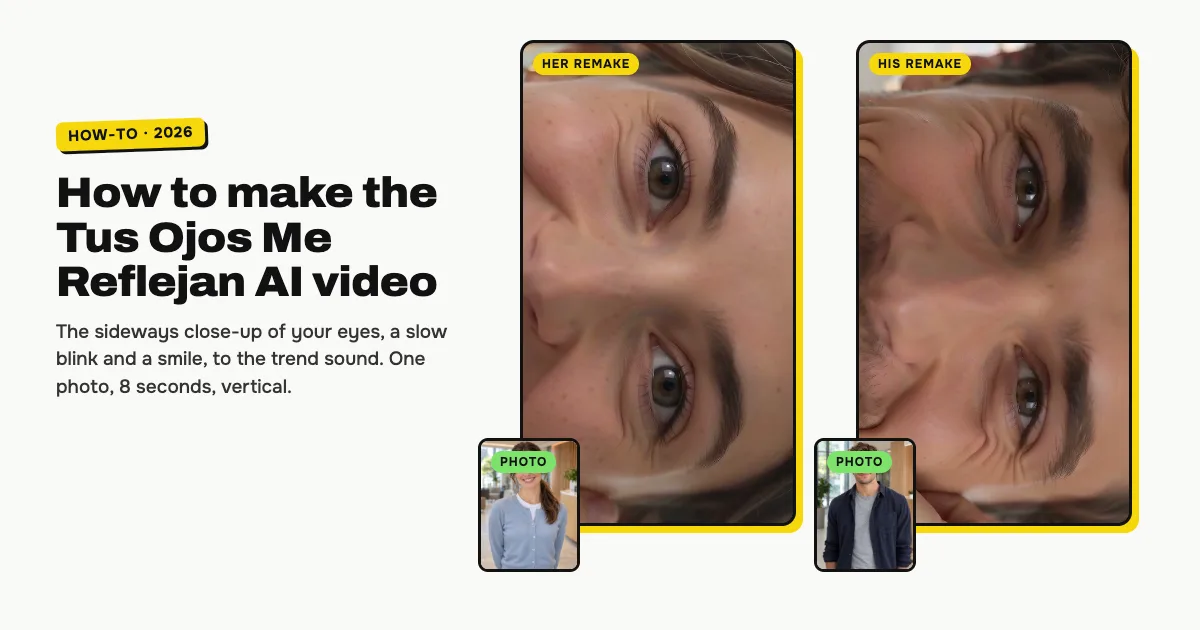
Short answer: to make the Tus Ojos Me Reflejan AI video, open the Tus Ojos Me Reflejan AI template on ClipRemake, add one clear photo of yourself and press Remake this. You get the trend's extreme close-up of your eyes, turned on its side so one eye sits above the other, with a hand against your cheek, a slow push-in, one blink and a smile that reaches your eyes. About five minutes later you download an 8-second, 9:16 MP4 with the hook of "Cafuné" by Micro TDH and no watermark. One video costs $9.99, and there is no free version.
What is the Tus Ojos Me Reflejan trend?
Tus Ojos Me Reflejan ("your eyes reflect") is a TikTok trend from late October 2026. People post a very close shot of their eyes, turned 90 degrees so the eyes are stacked one above the other, often with a hand on the cheek and a thin red string bracelet, while the hook of Micro TDH's "Cafuné" plays and its line is written on the screen. There is no dance and no joke: just your eyes, close up, for a few seconds.
The first sideways close-ups to the song appeared on October 24, 2026, and the #tusojosmereflejan hashtag started on October 27, out of Colombia and Mexico. CapCut and Hypic template tutorials spread it from October 28; two of them passed 1.5 and 3 million plays. Most posts use a TikTok original sound that starts on the hook, so every take lasts about the same 8 seconds.
Who can be in it
One adult: you. You keep your own eyes, brows, skin and hair colour, with no makeup added. It is made for people only, not pets.
How to make the Tus Ojos Me Reflejan AI video, step by step
Step 1: Add your photo
Open the Tus Ojos Me Reflejan AI page and tap the photo box (1). Choose a clear photo of yourself, looking at the camera.
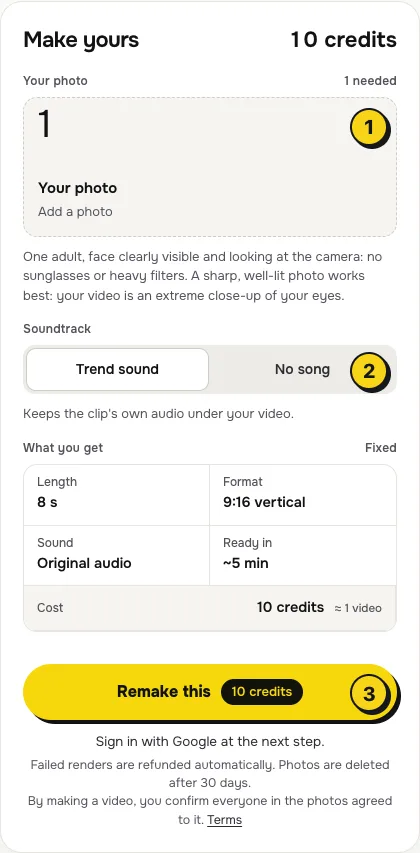
- A sharp face matters most. The whole video is your eyes, so pick a photo where they are in focus.
- Look into the camera, no sunglasses, no heavy filters, nothing covering your eyes.
- One person per photo. A second face in the frame confuses whose eyes are filmed.
Step 2: Choose the sound
The switch (2) has two settings:
| Setting | What you get | When to pick it |
|---|---|---|
| Trend sound (default) | Your video with the first 8 seconds of the trend sound, the hook of "Cafuné" | You want it ready to post, like the trend |
| No song | A silent video | You will add the sound inside TikTok or Reels, the safer way if an app mutes reused audio |
Step 3: Press Remake this
Press Remake this (3). If you are not signed in, you sign in with Google first. If you have no credits yet, you pick a pack: one video is $9.99, and bigger packs and plans cost less per video. Pay by card, Apple Pay or Google Pay. If a render fails, the credits come back on their own.
Step 4: Download and post
About five minutes later the video is in My videos. Download the MP4: it is 8 seconds, vertical 9:16, with no watermark. Add the song's line as text in TikTok or Reels, and switch on the AI-generated label when you post.
What your video looks like, beat by beat
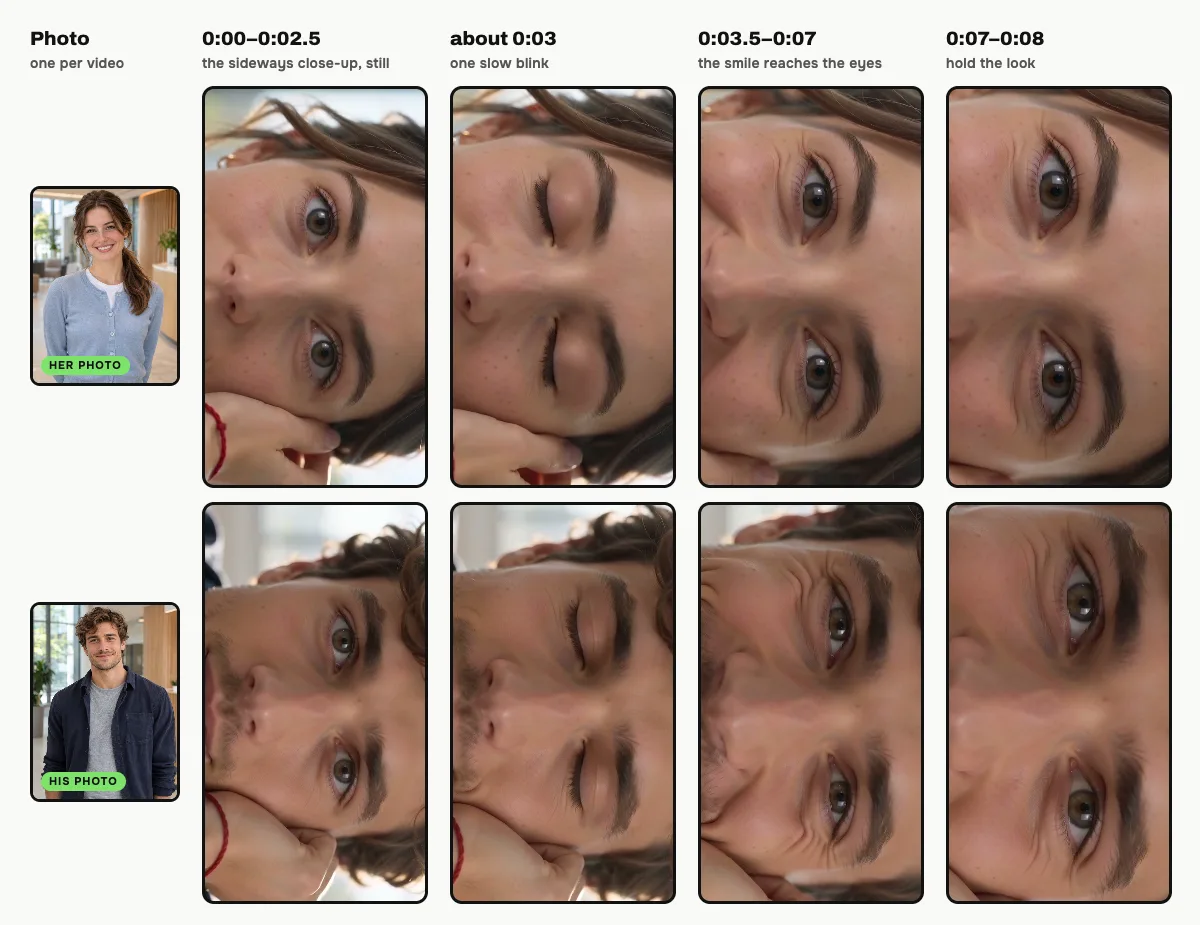
The close-up, the sideways turn and the slow push-in are the same in every video. Only the eyes change:
| Time | What happens |
|---|---|
| 0:00–0:02.5 | The sideways close-up of your eyes, looking straight into the lens, your hand and the red string at the edge |
| about 0:03 | One slow blink, then your eyes open again on the lens |
| 0:03.5–0:07 | A soft smile reaches your eyes: the lower lids lift and small lines show at the corners |
| 0:07–0:08 | You hold the look, smiling with your eyes, as the hook ends |
Small moments can differ between renders.
The sound, and the text on screen
With Trend sound on, your video carries the first 8 seconds of the trend sound, which starts on the hook of "Cafuné", so it is ready to post. Your video has no text on it: most posts write the song's line on the screen, and you can add it in TikTok with Text or in Reels with Aa, in the font and place you like. To use the sound from the app's library instead (it links your post to the trend), make it with No song, then add the sound in TikTok with Add sound, or in Reels with Audio.
Tips for a better result
- Daylight on your face. Soft window light gives the clearest eyes and a bright catchlight in each one.
- Eyes open, face straight. A photo where you look into the lens with a relaxed face works better than a squint or a big laugh.
- Hair away from your eyes. Fringe or strands over the eyes end up in the close-up too.
Is it free?
No. Every video is a real render that costs money to make, so there is no free version, free trial or watermarked preview. One video costs $9.99, the pricing page lists packs and plans that cost less per video, and failed renders are refunded in credits automatically. Unused packs bought by mistake can be refunded under the refund policy.