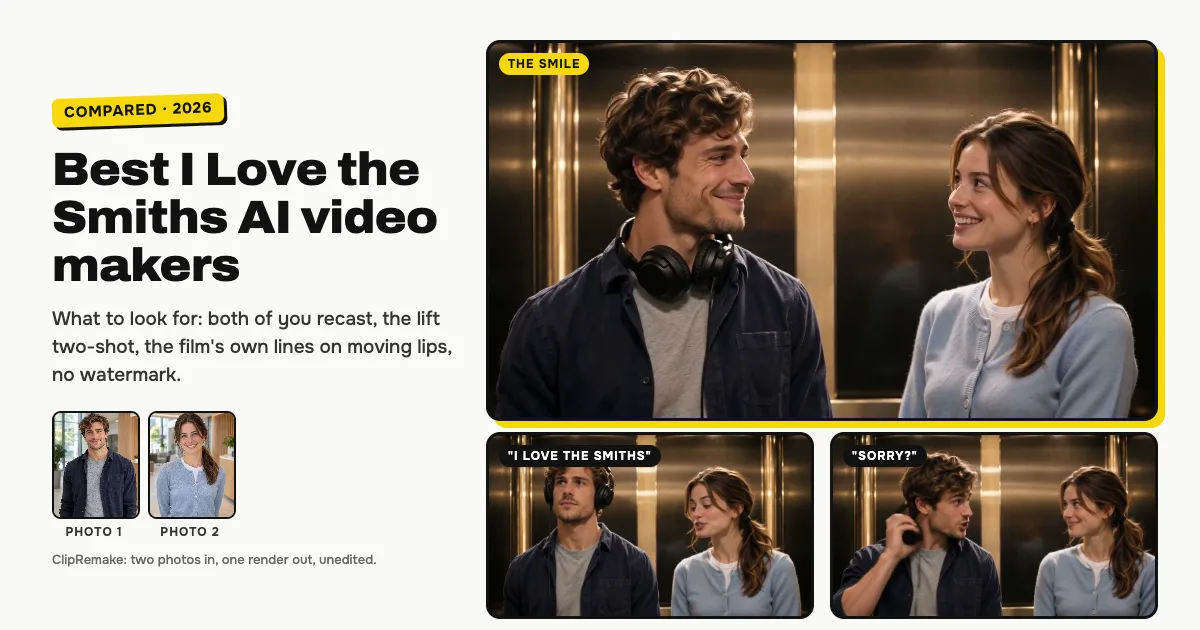
Short answer: the best I Love the Smiths AI maker re-films the viral lift two-shot with both of you in it and keeps the scene's own lines on lips that really say them. ClipRemake's I Love the Smiths AI (this one is ours) does exactly that: two photos in, and about five minutes later a 14-second, 720p, 16:9 MP4 out, with the film's own lines each moved to the moment your lips say them, or AI voices that suit the two of you, no watermark, $9.99 a video. Trend-template sites such as MakeViral, Jump on the Trend, Starrd, videosi, MimicZip and Remake YourMeme, single-trend sites such as ilovethesmithsai.net and Flowlio AI, and template libraries such as Kapwing, Summrs and ViralVideoAI make the same moment; they differ in whose voices you hear, whether the lips match them, and whether it is the viral two-shot at all.
What's new on this page
- 9 November 2026: first version. We read every tool's own I Love the Smiths page on this day; the table only repeats what those pages say.
What people mean by the I Love the Smiths AI video
It is the lift scene from (500) Days of Summer (2009), made again with two new faces. One person stands in big headphones, the other hears the song leaking out and says "I love the Smiths". Headphones off, "Sorry?", "I said I love the Smiths", a long look, "You have good taste in music", a sung line of "There Is a Light That Never Goes Out" and a smile. The version that spread in early November 2026 is an AI clip: one locked-off two-shot of the two of them side by side in a warm, dim lift, about 14 seconds long, landscape, with no cuts.
So the clip people want has three parts: the two of you in place of the pair, that two-shot, and the lines, because the joke lives in those few words. The step-by-step I Love the Smiths AI guide shows every beat with pictures from one of our renders.
Why the voices are the hard part
AI video models decide for themselves when each person opens their mouth. Paste the film's 14 seconds of dialogue under a new video at fixed times and a line can land on a closed mouth, while a mouth moves in silence a second earlier. Tools solve this in three different ways, and it is the biggest difference between them.
Three ways tools handle the voices
The scene's own lines on new lips. The film's dialogue is kept. ClipRemake first makes the video with the two of you saying every line, finds the moment each line was said, and then moves the film's own line to that moment, so every "Sorry?" and every "I love the Smiths" sits on lips that are saying it. Several other tools keep the film or trend audio too: Jump on the Trend uses the real film clip with its own sound; videosi puts the film sound on and says on its page that the mouths move loosely rather than word for word; Kapwing and Summrs add the original audio and say nothing about the lips; Flowlio AI says its lip timing is copied from the real scene.
AI voices made with the video. The model invents the voices while it makes the picture, so the lips follow them, but the voices are not the film's, and you add the trend sound inside TikTok if you want it. MakeViral works this way; ViralVideoAI also uses a new voice and new music instead of the film's.
No voices. The mouths move, but nothing is heard; you put a sound on it in TikTok. That is MimicZip's version.
None of these is wrong; they make different things. If you want the clip the way the trend sounds, look for the first kind, and check that the lips match.
The tools side by side
What each tool's own page said on 9 November 2026. "Not stated" means the page didn't say.
| Tool | Kind | Both recast | Viral two-shot | Film's own lines | Lips match | Voice choice | No watermark |
|---|---|---|---|---|---|---|---|
| ClipRemake I Love the Smiths AI (us) | Re-film maker | Yes, 2 photos | Yes, 16:9, no cuts | Yes | Yes, line by line | Film or AI voices | Yes, always |
| MakeViral | Template site | Yes, 2 photos | No: new multi-shot, 9:16 | No: AI voices | With AI voices | Not stated | Yes |
| Jump on the Trend | Template site | 1 or 2 (a solo keeps a film actor) | No: the film's own shot | Yes | Not stated | Not stated | Not stated |
| Starrd | AI studio | Yes, 2 photos | Not stated | Not stated | Not stated | Not stated | Not stated |
| videosi | Effects site | Yes, 2 photos | No: close-ups | Yes | No: loose | Not stated | Yes |
| MimicZip | Template site | Yes, 2 photos | Yes, one take | No: silent | No voices | No voices | Yes |
| Remake YourMeme | Meme site | 1 or 2 (AI partner) | Yes, one shot | Trend sound, source not stated | Yes | No: one sound | Yes |
| ilovethesmithsai.net | Single-trend site | 1 or 2 (AI co-star) | Not stated | Fixed track, source not stated | Yes | Not stated | Yes |
| Flowlio AI | Video generator | Yes, 2 photos | Not stated | Trend audio, source not stated | Yes | Not stated | Yes |
| Kapwing | Template library | Yes, 2 photos | Not stated | Yes ("original audio") | Not stated | Not stated | Not stated |
| Summrs | Photo and video platform | Yes, 2 photos | Not stated | Yes (the original scene's) | Not stated | Not stated | Not stated |
| ViralVideoAI | Template site | Yes, 2 photos | No: a new lift, 9:16 | No: new voice and music | Not stated | Not stated | Yes |
Each one in a sentence or two
- ClipRemake I Love the Smiths AI (ours): re-films the 14-second viral two-shot with two photos, one in the headphones on the left and one who says the line on the right, in 720p 16:9. With Trend sound you hear the scene's own lines, each placed where your lips say it; with AI voices, new voices that suit the two of you say the same lines. Make one here. Not for: one photo on its own, pets, or a vertical-only version: the file is landscape, like the viral clip.
- MakeViral: a trend-template site whose version is a new, multi-shot lift scene in 9:16 with voices the model makes itself, and the song left for you to add in TikTok. Not for: the film's own lines.
- Jump on the Trend: a trend-template site that swaps faces into the real film clip and keeps its sound; you can swap one person and leave the other as filmed. Not for: the AI two-shot the trend copies, or knowing about watermarks before you pay; the page doesn't say.
- Starrd: an AI studio for videos, photos and songs with a two-photo I Love the Smiths template made on Seedance 2.0. Not for: knowing the sound, the format or the watermark in advance; the template page doesn't say.
- videosi: an AI effects site that cuts the scene into close-ups of one face at a time, with the film sound on it and 9:16, 1:1 or 16:9 to pick from. Not for: lips that say the lines; its own page says they move loosely.
- MimicZip: a trend-template site with one 12-second continuous take in 16:9 or 9:16 and no voices, so you add the sound in TikTok. Not for: hearing the lines in the file.
- Remake YourMeme: a meme-video site with an 11-second, 16:9 take, lines with matching lips, and an AI-made partner when you bring one photo. Not for: a choice of voices; its page says there is no sound to pick.
- ilovethesmithsai.net: a site made only for this trend, 20 seconds with one or two photos, landscape and vertical, with a fixed soundtrack and lip-synced lines. Not for: knowing whose voices those are; the page doesn't say.
- Flowlio AI: an AI video generator with a two-photo, 24-second, 16:9 version that adds the trend audio with the song and says the lip timing follows the real scene. Not for: the short 14-second cut, or knowing whether the voices are the film's.
- Kapwing: a large template library whose two-photo version runs about 15 seconds and adds the original audio, after you build a character sheet for each person. Not for: a quick two-photo upload, or a promise about the lips.
- Summrs: a photo and video platform with a two-photo template and a how-to on its blog; it uses the original scene's audio, in 720p or 480p. Not for: knowing the length or whether the lips match; the page doesn't say.
- ViralVideoAI: a template site that restages the moment in 9:16 with a new instrumental and a new voice instead of the film's. Not for: the film's lines or the landscape two-shot.
Is there a free I Love the Smiths AI video generator?
Yes, with limits. Some tools hand out a few free credits or a short preview, but free clips are usually watermarked, a few seconds long or low resolution, and the free general AI video apps don't know this scene: you write a prompt and get a new lift, not the two-shot with the lines. ClipRemake has no free tier, because every clip is a real render of the whole 14-second moment: one video is $9.99, in 720p with no watermark, and a render that fails gives its credits back automatically.
How to choose in ten seconds
- The real lines, on lips that say them? ClipRemake with Trend sound: the scene's own voices, each line moved to where your lips say it.
- Two men, two women, or the roles swapped? ClipRemake with AI voices: voices that suit the two of you, still in sync.
- A vertical, multi-shot version made for 9:16? A trend-template site such as MakeViral.
- Only one photo? A tool that makes up the partner, such as Remake YourMeme or ilovethesmithsai.net.
Tips for a good result from any tool
- One adult per photo. Face fully visible and toward the camera, no sunglasses or heavy filters. Crop a couple photo into two, one face each.
- Chest up, soft light. The two of you share a medium shot, so each face is about a third of the frame high; even light blends best with the dim lift.
- Mind who goes where. The one in the headphones says "Sorry?" and little else; the other says the line twice and sings. With the film's voices, a man speaks on the left and a woman on the right.
- Keep a version without the song for posting. Some apps mute reused audio; AI voices, or a sound from TikTok's library, are the safer way there.
Before you pay, on any site
- Adults only, with consent. Only photos of adults who agreed to be in the video; no celebrities, no children. None of these tools is made by the film's studio or the band, ClipRemake included.
- Where your photos go. ClipRemake uses them only to make your video, never for training, and deletes the uploaded photos after 30 days.
- What happens if a render fails. On ClipRemake the credits come back on their own; check the refund page of any tool before you buy.
- Label it. Switch on the AI-generated label when you post.